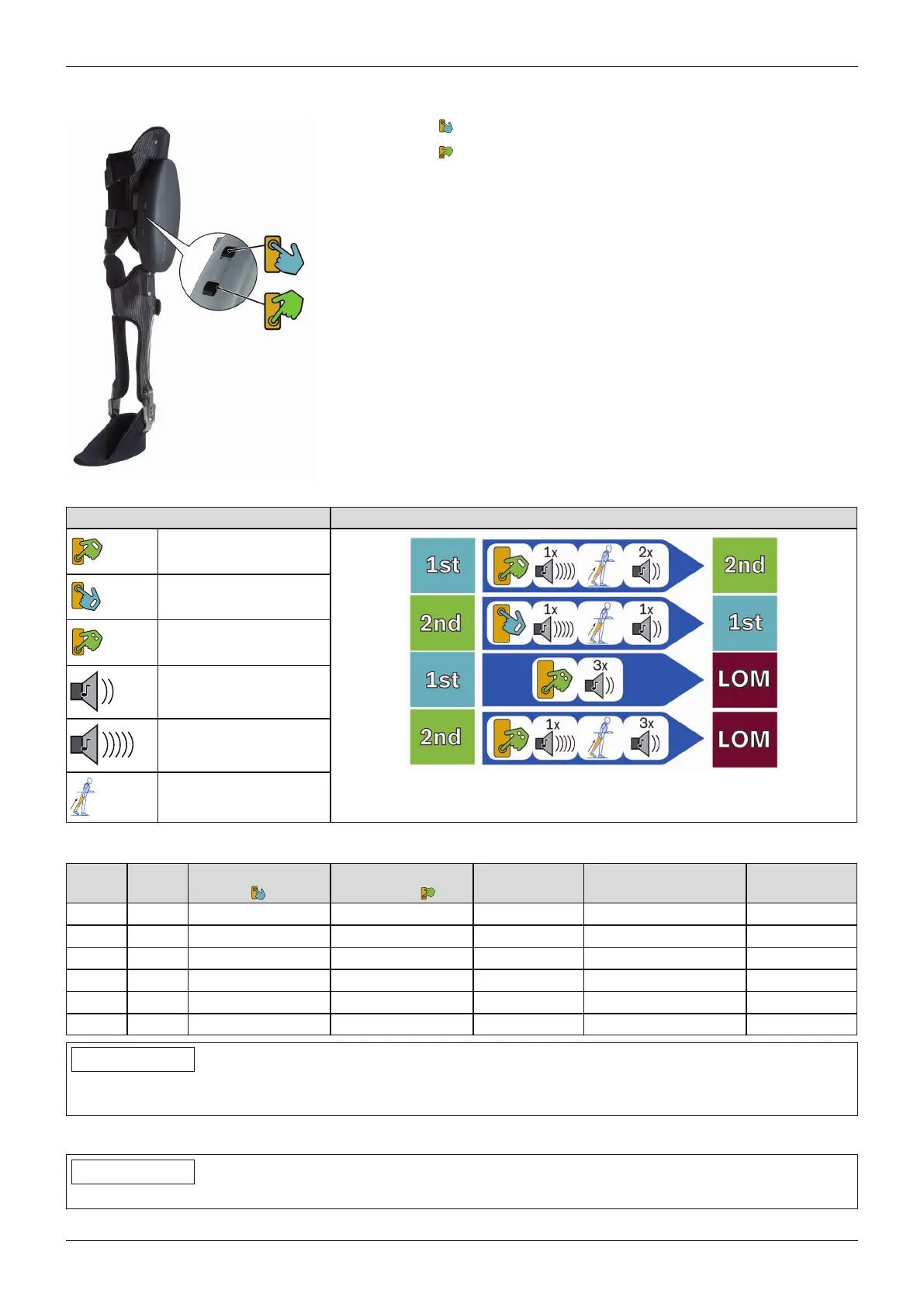
9.4.1 Switching modes with the buttons on the hydraulic unit
Upper button ( ) – return to basic mode (1st mode)
Lower button ( ) – switching to the additional mode (2nd mode) and LOM
INFORMATION: With the exception of the basic mode (1st mode),
some movement patterns are limited or not possible in all other
modes.
Symbol guide Overview – mode switching
Press bottom button 1x
long
Press top button 1x
long
Press bottom button 2x
short
Short beep signal
Long beep signal
Relieve load on leg
Table – mode switching
from to Press top button
( )
Press bottom
button ( )
Beep signal Additional action Beep signal
1st 2nd 1x long 1x long Relieve load on leg 2x short
1st LOM 2x short 3 x short
2nd 1st 1x long 1x long Relieve load on leg 1x short
2nd LOM 2x short 1x long Relieve load on leg 3x short
LOM 1st 1x long 1x long Relieve load on leg 1x short
LOM 2nd 1x long 1x long Relieve load on leg 2x short
INFORMATION
If 4 short beep signals are emitted, this means switching could not be completed. The most frequent cause of this
is that the weight was not taken off the leg after the first beep signal.
9.4.2 Activating the additional mode (2nd mode)
INFORMATION
Before the first step, always check whether the selected mode corresponds to the desired motion type.
74
Use
C-Brace




 To Next Page