7.5 Parameter Setup Procedure
7.5.1 Procedure to modify a parameter
Given below is the parameter setup procedure:
For complete detail of MODE and RESET switch operations in steps ①, ②, ⑥ and ⑦, see
"Table 7.5 Menu Trees and Switch Operation" on page 19.
7.5.2 Procedure to Enter a Parameter
The procedure to enter a parameter (switch operations sequence in "Parameter Setup Mode") comes in
three ways (numerical setup, decimal point location setup, and analog 4/20mA trim) that follows:
Meanings and functions of individual parameters appear in the Parameter List on pages 20 and 21.
Kind 1 Numerical setup parameters (F, H, Pu, At, A, AF, dAn, Pon)
The blinking digit in the parameter setup mode is the place of interest.
MODE … Each time the switch is turned on, the place of interest moves one place to the left.
RESET…Each time the switch is turned on, the figure in the blinking place increases by one.
Or exponential sign toggles ("E", "-", etc.).
→Following the parameter setup, hold the MODE switch turned ON for more than 2 seconds (the new
setting is established and the screen returns to the review mode).
①
In "Measure Mode (normal mode)", turn MODE switch ON for more than5 seconds to go into"Review Mode".
②Using MODE and RESET switches, show the parameter you want to modify.
③Turn MODE switch ON for more than 2 seconds to go into "Parameter Setup Mode".
④
Using MODE and RESET switches, set up a new parameter. (See Para. 7.5.2 below for the procedure.)
⑤
Following the parameter entry, turn MODE switch ON for more than 2 seconds to go back to "Review Mode".
⑥Using MODE and RESET switches, show the title
(= one from bdAtA, AL, AnA, PuLSE, CorrEct, or Co).
⑦Turn MODE switch ON for more than 5 seconds to go back to "Measure Mode".
Adiagramtoshowparametersetupflow
MeasureMode
(normalmode)
ReviewMode
ParameterSetup
Mode
③
⑤
②
⑥
①
⑦
④
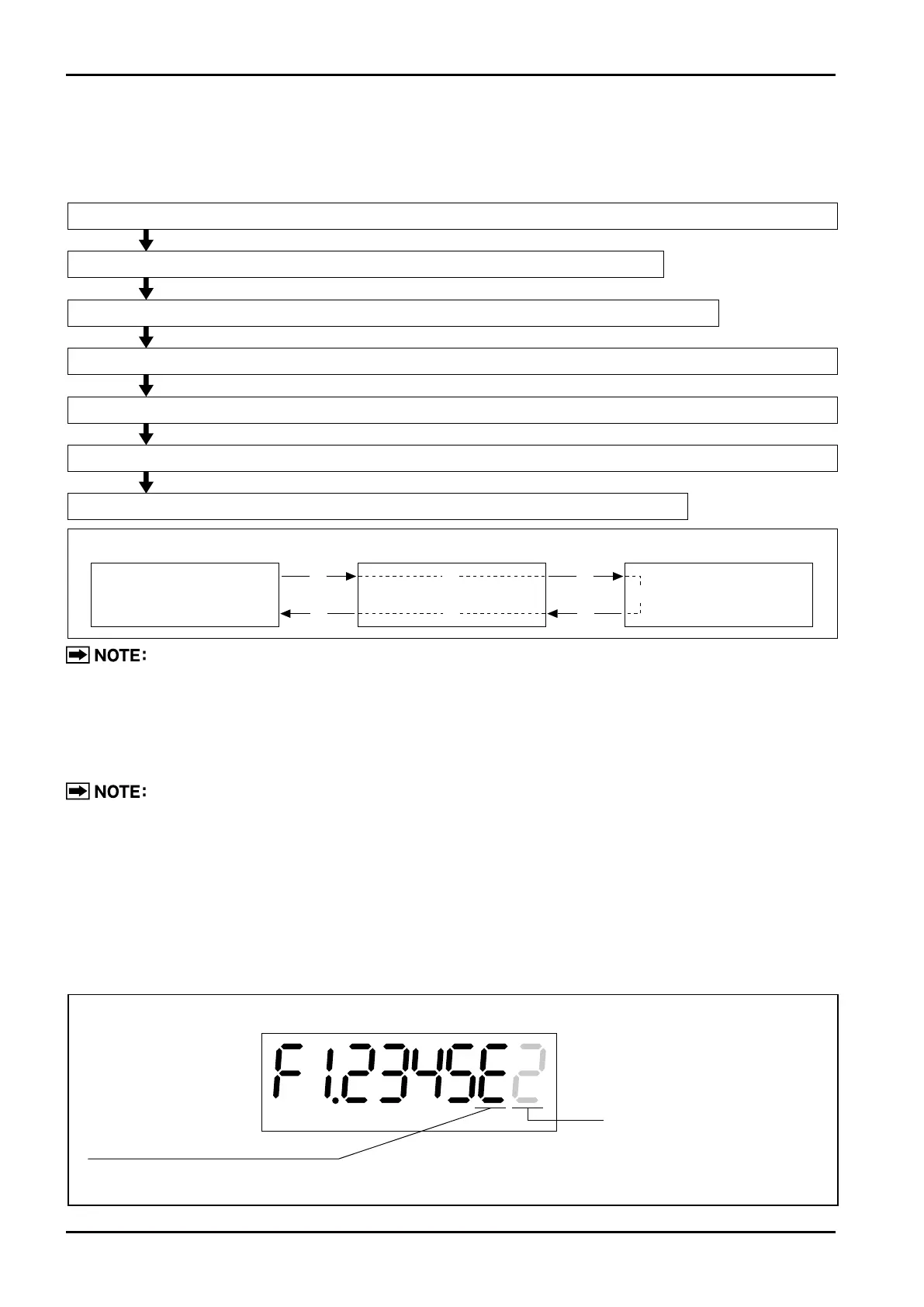
Example: Parameter "F" (meter factor)
Exponential sign (E:10
+n
,
-
: 10
-n
)
(The screen left reads F=1.2345×10
+2
L.)
Digit of interest (blinking)
L
●
Turning MODE "ON" moves the blinking digit one place to the left ("E").
●
Turning RESET "ON" increases the figure by one ("2" → "3").



 To Next Page