10400610-001 ©2011-14 Overland Storage, Inc. Page 3 of 6
Add-on/Spare PCIe Card Instructions
Remove Unit from Rack
WARNING: It is recommended that a mechanical lifter (or at
least two people) be used during rack installation or removal
to prevent injury.
WARNUNG: Um Verletzungen zu vermeiden, empfehlen wir
zur Rack-Installation oder -Deinstallation die Nutzung einer
mechanischen Hebehilfe (oder mindestens zwei Personen).
AVERTISSEMENT: Pour éviter toute blessure il est
recommande qu'un monte-charge (ou deux personnes au
moins) soit utilisé lors de l'installation ou de l'enlèvement du
support.
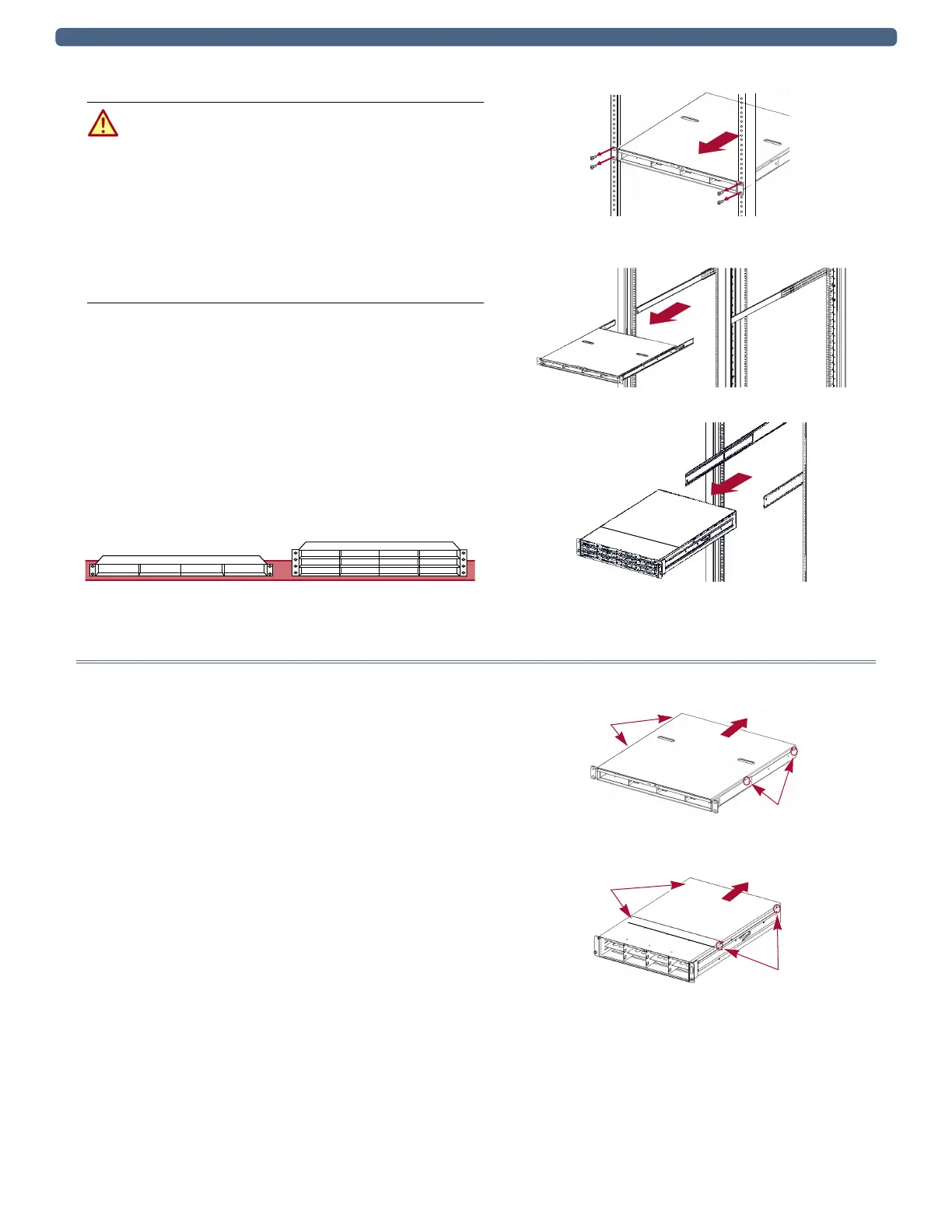
1. Based on the mounting system, carefully remove the
appliance from the rack as follows:
• DX1 with fixed brackets – Remove and retain the
four screws from the front flanges and move the unit
onto the lifter.
• DX2 and DX1 with sliding rails – Release the two
captive screws, slide the unit out until it stops,
release the rail locks, and slide the unit out and onto
the lifter.
2. Move the unit onto a secure surface.
Install/Swap PCIe Cards
Remove Top Panel
1. Remove and retain the four screws holding the top rear
panel.
2. Slide the top panel toward the rear no more than one-half
inch (1.25cm) and lift it off.
Secure Surface
DX1 DX2
DX1: Fixed Brackets
DX1: Sliding Rails
DX2: Sliding Rails
Screws
Screws
DX1
Screws
Screws
DX2


 To Next Page