3.Appendix
Charging and Replacement of Battery
During the long-term storage of the device, the battery may be too low due to
the self-discharge of the lithium battery and the device cannot be turned on. T
his is a normal phenomenon.
Please use the attached adapter to pre-charge the device for 0.5 to 1 hour (
depending on the storage time) before turning it on. In addition, if the device is
not used for a long time, it is recommended to charge it at regular intervals to
avoid over-discharge of the lithium battery.
Battery Charging
The lithium battery may not be fully charged when delivered. To make the
battery be charged,this device has an approximate charging time of 8
hours and a peak discharge battery life of about 18.5 hours.The power
supply and battery indicator symbols in the upper right corner of the screen
are explained as follows:
symbol indicates the power-on charging status;
symbol indicates battery power supply;
symbol indicates that there is only about five minutes of use time left.
Please charge as soon as possible according to the relevant tips to avoid
damage to the battery.
Charging Method
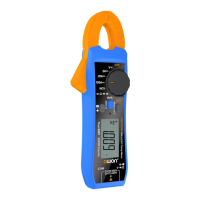
Connect the digital clamp meter to a computer or other equipment through
a USB data cable for charging (pay attention to the load capacity of the power
supply equipment to avoid abnormal operation of the equipment).
Note
To avoid overheating of the battery during charging, the ambient
temperature must not exceed the allowable value given in the technical
specifications.
Replacement of Lithium Battery
Generally, the battery does not need to be replaced. However, when
necessary, it can only be replaced by qualified personnel, and only lithium
batteries of the same specification can be used.
V1.0.0


 To Previous Page