Need help?
Do you have a question about the Owon PC321 and is the answer not in the manual?
Details the wireless communication standards and range of the device.
Outlines the physical attributes including dimensions, weight, and operating conditions.
Details the function button operations for resetting the device and clearing energy data.
Explains the meaning of different LED indicator states for network connection and device status.
Lists the prerequisites for network configuration, including a gateway and mobile app.
Provides step-by-step instructions for joining the power clamp to the ZigBee network.
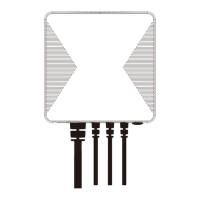
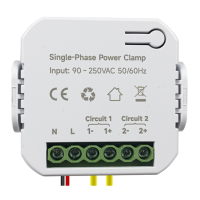
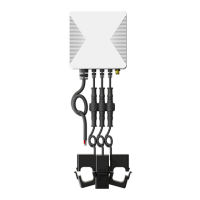
The PC321 Single/3-phase Power Clamp is a device designed to monitor electricity usage in various facilities. It connects to power cables via clamps and measures several electrical parameters, providing real-time and historical data.
The primary function of the PC321 is to monitor electricity consumption. It can measure Voltage, Current, Power Factor, and Active Power in real-time. Additionally, it provides statistical historical energy consumption data. This makes it suitable for both residential and commercial applications, allowing users to track and manage their energy usage effectively. The device is ZigBee HA 1.2 compliant, enabling it to integrate into a ZigBee network, extend its range, and strengthen network communication.
100W (Within ±2%)
The PC321 is designed for ease of use and installation. It is compatible with both single and three-phase electricity systems. For single-phase applications, it utilizes three current transformers. The device measures real-time Voltage, Current, Power Factor, Active Power, and total energy consumption. It also provides statistical historical energy consumption data, which can be accessed through a mobile application like Smartlift APP, once connected to a ZigBee Gateway.
The installation process involves connecting the AC Input cable to a socket near the Electrical Box and attaching the current transformer cables. The waterproof latches on the current transformer cables should be tightened clockwise to secure them. The clamps are then applied to the electric meter cable, ensuring the arrow on the clamp faces the correct direction of electricity current flow (P1 → P2). If the arrow faces the reverse direction, the reading meter will display 0. The cable diameter does not affect usage as long as the cable can pass through the clamp hole. The device has three clamps that can be applied to cable devices for separate measurements; if applied to the same cable, all clamps will produce the same reading.
For network configuration, the device needs to be powered on, and its LED indicator will flash red, indicating it's ready to join the network. The gateway should be set to permit joining, and the power clamp will automatically connect. Once successfully joined, the LED indicator will turn off, and users can monitor energy usage remotely via the mobile app.
The PC321 includes a function button for maintenance operations:
The LED indicator provides status information:
It is crucial to follow safety guidelines during installation and operation. The power clamp must be installed and serviced only by qualified electrical personnel. Users should avoid touching the terminals during testing and ensure all power supply to the equipment is turned off before installation or connecting/disconnecting auxiliary devices. A properly rated voltage sensing device should always be used to confirm power is off. All devices, doors, and covers must be replaced before applying power. Failure to follow these instructions can result in serious injury or death.
General safety precautions include avoiding high humidity or extreme temperatures, long exposure to direct sunlight or strong ultraviolet light, and intense vibration. The unit should not be dropped or disassembled, and users should not attempt to repair it themselves. The device and its accessories should not be exposed to flammable liquids, gases, or other explosives.
The device also comes with a mounting bracket for installation. Users can use the bracket as a template to mark holes on the wall, screw the bracket onto the wall (installing wall plugs if necessary), and then fit the hooks of the bracket into the mounting holes on the Power Clamp.
 General
| Brand | Owon |
|---|---|
| Model | PC321 |
| Category | Measuring Instruments |
| Language | English |

 To Next Page