ENG-7
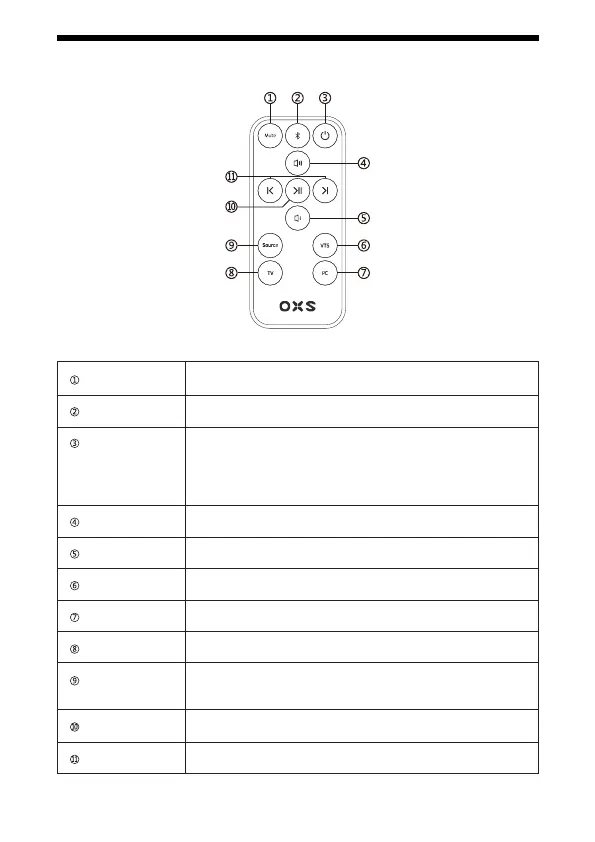
REMOTE
Mute/unmute
Bluetooth
Power
Volume up
Volume down
Virtual surround
PC
TV
Input selector
Play/Pause
Pre/Next
Mutes / unmutes the sound bar
Bluetooth mode / Bluetooth pairing
Turn on, o, or standby the soundbar.
Auto Standby will shut down the soundbar in the following cases:
- No audio signal input for 15 minutes in AUX /OPT/ HDMI/BT mode
- Press the power button in standby mode to power on the speaker.
Short press: Volume up
Short press: Volume down
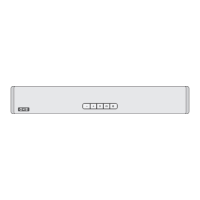
Orange = on
Switch to the Type-C input
Switch to the TV input
Toggles between the 5 types of input: HDMI -> OPT -> AUX ->
BT -> Type-C
Play/pause the music le
Select the previous or next music le


 To Next Page