ENG-9
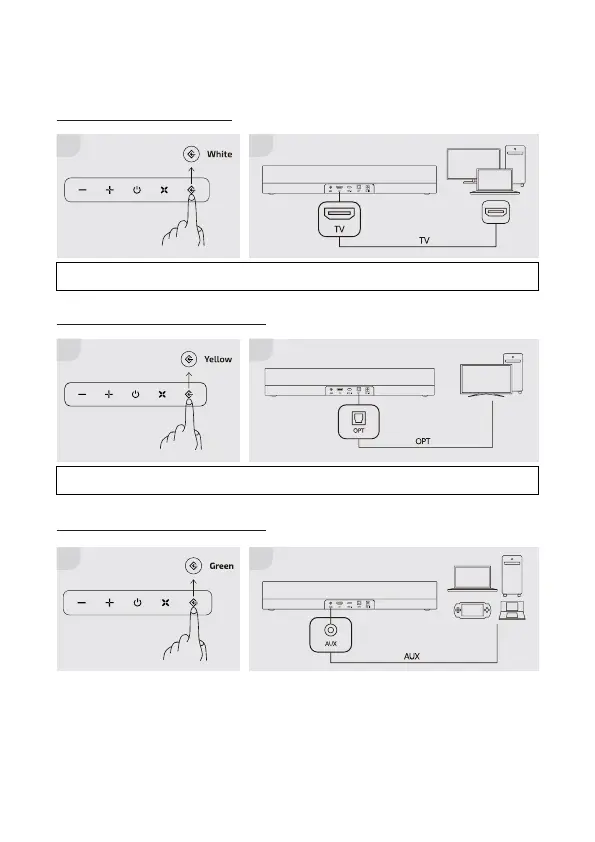
CONNECTING TO AN AUDIO SOURCE
Connecting via HDMI cable
Connecting via the optical cable
Connecting via the analog cable
NOTE: Please change your console output to optical, and change the audio setting of the console to PCM
format.
NOTE: Please change your console output to HDMI, and change the audio setting of the console to PCM
format.
1
1
1 2
2
2


 To Next Page