ONLINE MANUAL
Scan this QR Code with your
mobile device to take you to
the online manual.
B
A
R
P
S
I
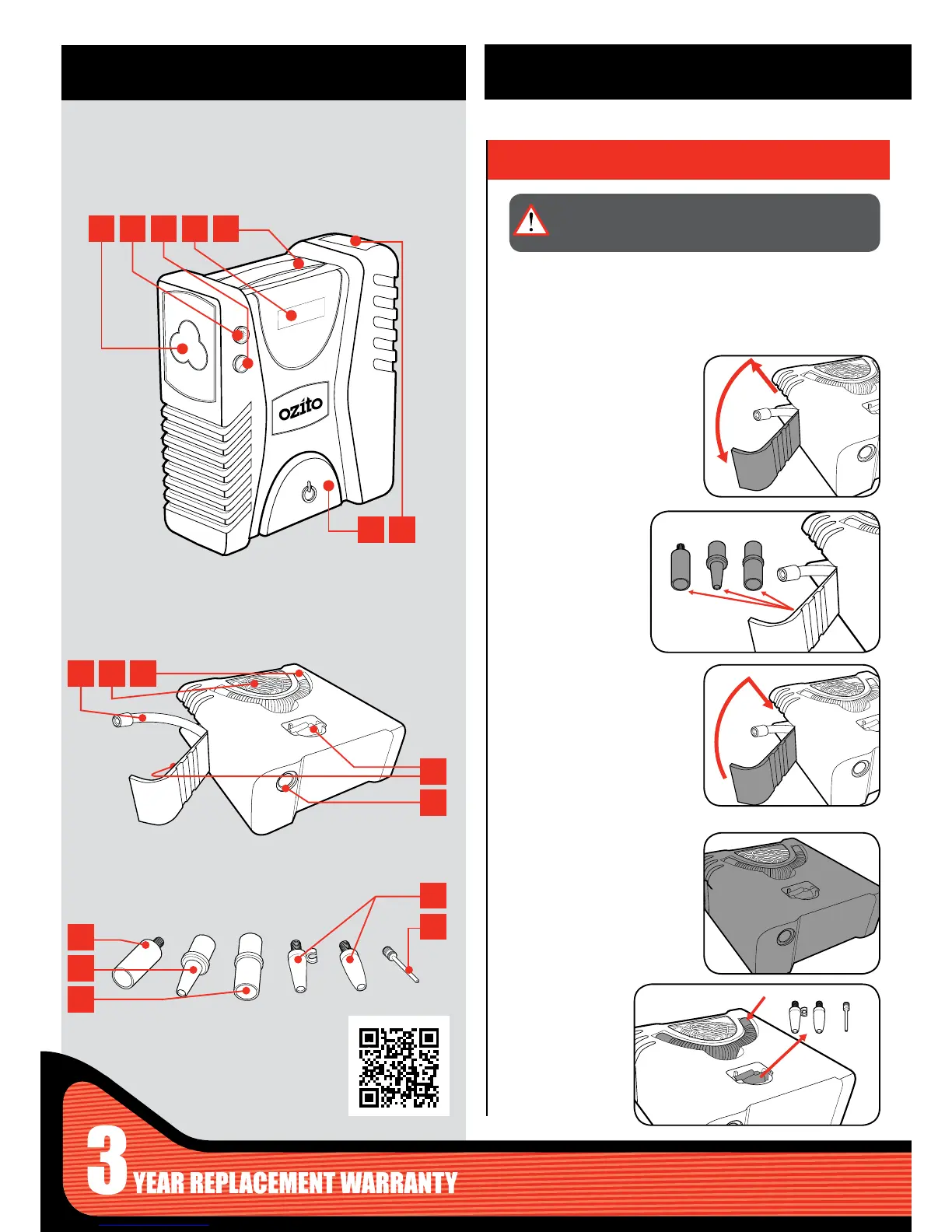
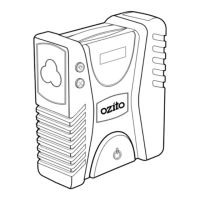
1 LED Light
2 Light Button
3 PSI / BAR Button
4 Digital Pressure Gauge
5 Carry Handle
6 On/Off Button
7 Side Compartment
8 Air Hose
9 12V Socket
10 High Volume Hose
11 Adaptor Storage
12 High Volume Air Outlet
FRONT VIEW
BACK / BASE VIEW
ACCESSORIES
KNOW YOUR PRODUCT
1. ADAPTORS
SETUP & PREPARATION
13 High Pressure Adaptor
14 Medium Adaptor
15 Large Adaptor
16 General Purpose Adaptors
17 Ball Adaptor
Removing Adaptors
Side Compartment
Base Compartment
1 To open the side compartment,
slide the door up. Lower the
door to expose the adaptors.
1 Turn the unit over so you can
see the base.
2 Remove the
required adaptor.
2 The 3 adaptors and
air hose can now be
removed.
3 To close the side compartment
raise the door and slide down
to secure.
The compressor unit has 7 adaptors to allow a range of functions. All
the adaptors are secured in either the compartment on the side or
base.
WARNING: ENSURE THE TOOL IS SWITCHED OFF AND
DISCONNECTED FROM THE POWER SUPPLY BEFORE
PERFORMING ANY OF THE FOLLOWING STEPS.
1 2 3 4 5
6 7
8 9 10
11
12
13
14
15
16
17


 To Next Page