2. SDS-PLUS ACCESSORIES 3.
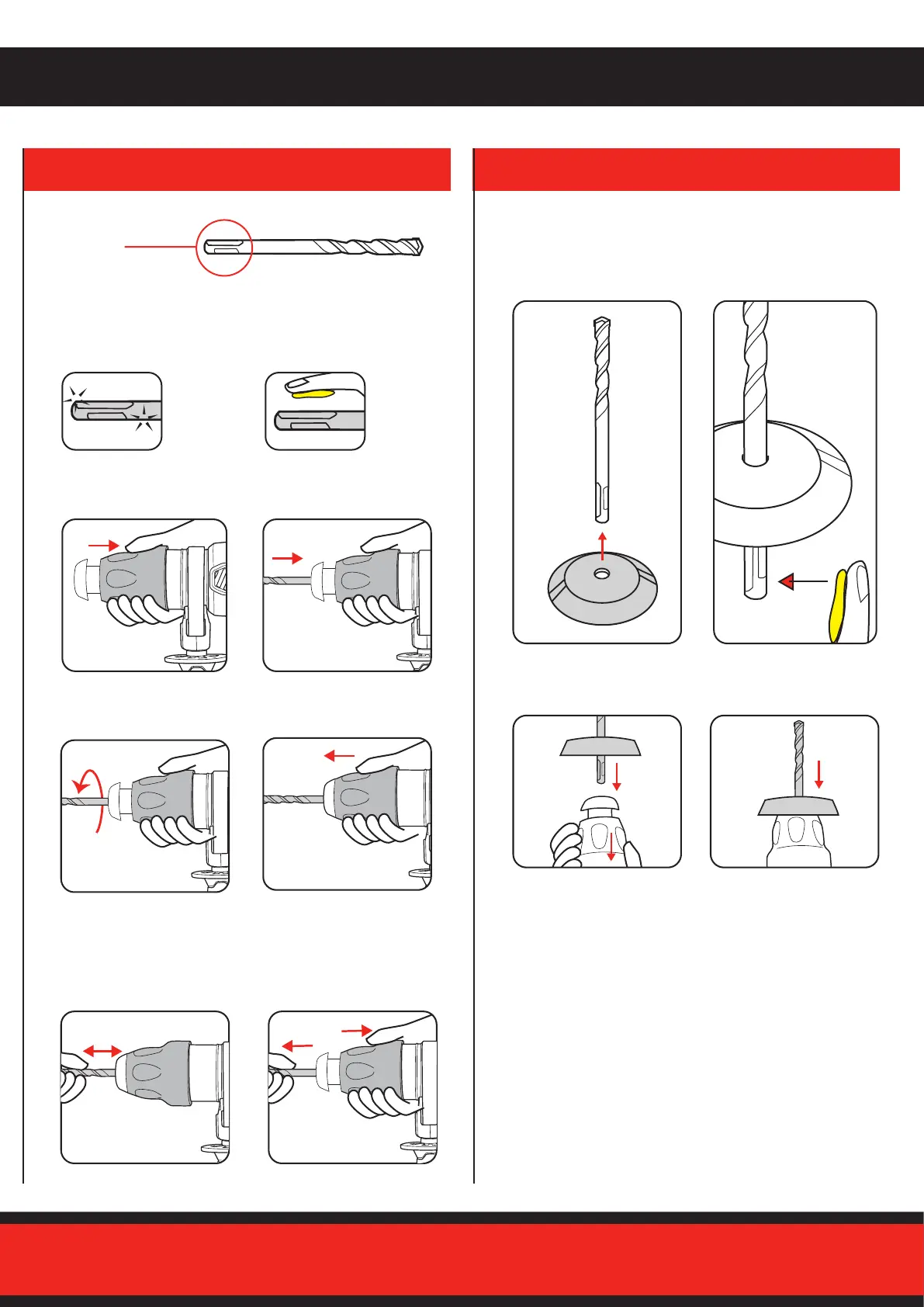
FITTING AND USING THE DUST COVER
1. Prior to insertion into
chuck, ensure the SDS-
Plus accessory is clear
of dust and debris.
1. Slide dust cover over
accessory.
3. Insert drill bit in locking
sleeve.
4. Press dust cover to the
end of locking sleeve.
2. Add lubrication grease.
3. Pull locking sleeve back
and hold.
5. Rotate and continue to
insert as far as possible.
7. Checked SDS-Plus
accessory is locked. Try to
pull it out. Note: It should
have approx 10 – 20mm
movement. This is normal.
2. Prior to insertion into
drill add supplied
lubricant to the SDS-
Plus
accessory.
4. Insert SDS-Plus
Accessory.
6. Release locking sleeve.
8. To remove the SDS-Plus
accessory pull back the
locking sleeve and pull
accessory out.
Accessory
SDS-Plus
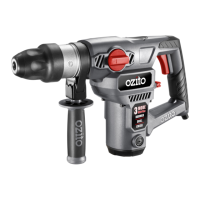
The cover catches dust and debris - while using the drill upright or
overhead - to avoid dust entering the air vents.


 To Next Page