EasyManua.ls Logo

PAC AP4-GM61 - User Manual

PAC AP4-GM61
5 pages
Print Icon
To Next Page IconTo Next Page
Loading...
© 2018 AAMP Global. All rights reserved. PAC is a Power Brand of AAMP Global.
PAC-audio.com
Pacific Accessory Corporation
Page 1
Rev: V5
Date:091218
Advanced Amplier Interface for
General Motors
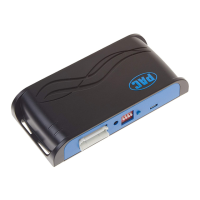
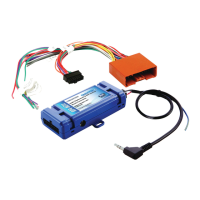
AP4-GM61
The AP4-GM61 provides 6-channel pre-amp outputs (front and rear, left and right, along with a center channel output
and non fading output for subwoofer output) for use with aftermarket audio equipment. Using the full range, xed
level head unit output, in conjunction with MOST, the AP4-GM61 delivers variable 5v RMS pre-amp outputs with fading,
balance, equalization, and level control capabilities. The module also retains all audio from other vehicle features such
as factory navigation prompts, Bluetooth, OnStar, parking sensor chimes, safety alerts, reminders and infotainment. A
data controlled remote amplier turn on wire is also provided by the AP4-GM61. The module also provides a variable
2-channel ber optic digital audio output (TOSLINK).
Introduction and Features
Important Notes
1. This interface is only compatible in vehicles equipped with both Bose and the IO5 or IO6 8" radios. To verify the "IO" RPO
code on your vehicle, check the glove compartment for a silver sticker with these codes. If this sticker is not present, you
must scan the QR code on the GM label found in the driver's door jamb. The RPO codes will be listed in alphabetical order
in either scenario.
2. The factory amplier must remain in the vehicle, and connected, after the AmpPRO has been installed.
3. The remote output is rated at 2A of current. If more current is needed, an external relay must be used.
4. The remote output will be active whenever the vehicle's CAN-bus network is active (example: if the doors are unlocked
from keyfob). Even if the radio is not on, the remote output may be active. The remote output will turn off once the vehicle's
CAN-bus network goes to sleep. To verify, turn the ignition off, close all doors, and wait 5 minutes, then check if the
amplier is on without opening the vehicle's doors, trunk or tailgate.
5. Channel 5 is a variable volume, center channel output, and is derived from the in phase audio from the left and the right
channels. The center channel output level can be adjusted using the AmpPRO PC application. Please refer to the Setup
and Conguration section on page 3 for more details.
6. Channel 6 is a non-fading output (typically used for subwoofers). The output level of channel 6 can be adjusted at any time
using the supplied level control knob.
7. When the non-fading level control knob is not connected to the AP4-GM61, the output level of channel 6 will always be at
maximum.
8. The level control knob must be connected in order to manually adjust the chime volume and minimum volume settings.
9. The chime level in the radio's settings menu will not affect the chime level output from the AP4-GM61. Any chime audio
provided by the AP4-GM61 requires the chime level adjustment to be done using the procedure provided in the Setup and
Conguration section. If the factory amplier is being used for the front or rear speakers, the chime level for the factory
amplied speakers must be adjusted in the radio's settings menu. In some cases, it is necessary to adjust the chime level
through the radio settings menu as well as through the AP4-GM61. For example: If the AP4-GM61 outputs are only being
used on the front speakers, and the vehicle has rear parking sensors, adjustments would be made through the radio
settings and through the AP4-GM61. In this instance the rear parking sensor chime level would be adjusted through the
radio settings menu (since the reverse chimes play through the rear speakers), and any chimes coming through the front
speakers would need to be adjusted via the AP4-GM61.
10. By default,the chime volume is set to 60 percent (adjustable in 5 percent increments from 0 to 100) and minimum volume
is set to 0 db (adjustable in 2 db increments -20 db to +20 db). If you are happy with these levels in your particular
application, then no further adjustment is necessary. Please refer to the Setup and Conguration section on page 3 for
more details.
11. The factory radio's speed controlled volume and surround sound modes are not supported by the AP4 outputs.
12. When using the TOSLINK output, all chimes must be routed through the front output by setting DIP switch 1 on (down).
13. No adjustments can be made manually using the programming button, or the factory SWC when the module is connected
to a PC.
14. If the aftermarket amplier requires 2 channels of input from the non-fading, channel 6 output of the AP4-GM61, an RCA
"Y" adapter is required.

Question and Answer IconNeed help?

Do you have a question about the PAC AP4-GM61 and is the answer not in the manual?

Summary

Introduction and Features

Important Notes

Crucial points regarding compatibility, connection, and operation.

Wiring Connection Chart

Module Layout

Overview of the module's physical components and connectors.

Installation

Setup and Configuration

Manually Setting the Chime Volume

Adjusting the volume level of factory chimes via button or radio controls.

Manually Setting the Minimum Volume

Setting the lowest audible volume level for the system.

AmpPRO PC App

Firmware Updates

Restoring Factory Settings

Troubleshooting

LED Legend

Explanation of status LED indicators during operation and modes.

Summary

Introduction and Features

Important Notes

Crucial points regarding compatibility, connection, and operation.

Wiring Connection Chart

Module Layout

Overview of the module's physical components and connectors.

Installation

Setup and Configuration

Manually Setting the Chime Volume

Adjusting the volume level of factory chimes via button or radio controls.

Manually Setting the Minimum Volume

Setting the lowest audible volume level for the system.

AmpPRO PC App

Firmware Updates

Restoring Factory Settings

Troubleshooting

LED Legend

Explanation of status LED indicators during operation and modes.

Overview

The AP4-GM61 is an advanced amplifier interface designed for General Motors vehicles, providing a comprehensive solution for integrating aftermarket audio equipment while retaining essential factory features.

Function Description:

The primary function of the AP4-GM61 is to provide 6-channel pre-amp outputs (front, rear, center, and non-fading subwoofer) for use with aftermarket audio systems. It achieves this by utilizing the full-range, fixed-level head unit output in conjunction with the MOST (Media Oriented Systems Transport) bus. This allows the module to deliver variable 5V RMS pre-amp outputs with full control over fading, balance, equalization, and level.

A key feature of the AP4-GM61 is its ability to retain all audio from other vehicle features. This includes factory navigation prompts, Bluetooth audio, OnStar communications, parking sensor chimes, safety alerts, reminders, and infotainment sounds. This ensures a seamless integration experience, preserving critical vehicle functionalities even after an aftermarket audio system is installed.

The module also provides a data-controlled remote amplifier turn-on wire, simplifying the installation of aftermarket amplifiers. Additionally, it offers a variable 2-channel fiber optic digital audio output (TOSLINK), providing a high-quality digital signal for compatible audio processors or amplifiers.

Important Technical Specifications:

  • Pre-amp Outputs: 6 channels (Front L/R, Rear L/R, Center, Non-Fading Subwoofer).
  • Output Voltage: Variable 5V RMS (can be lowered to 4V via DIP switch 2).
  • Remote Output: Rated at 2A of current (external relay required for higher current needs).
  • Digital Audio Output: 2-channel fiber optic (TOSLINK).
  • Compatibility: Specifically designed for vehicles equipped with both Bose audio systems and the IO5 or IO6 8" radios. Verification via RPO codes (glove compartment sticker or driver's door jamb QR code) is essential.
  • Chime Volume: Default set to 60% (adjustable in 5% increments from 0 to 100).
  • Minimum Volume: Default set to 0 dB (adjustable in 2 dB increments from -20 dB to +20 dB).
  • Equalization: 3-band EQ with adjustable Bass, Mid, and Treble center frequencies and Q factors.

Usage Features:

The AP4-GM61 offers several user-friendly features for configuration and control:

  • DIP Switches: Four DIP switches allow for quick activation or deactivation of specific features:
    • DIP Switch 1 (Two Channel Mode): When ON (down), both TOSLINK and front RCA outputs (1 and 2) become non-fading. All rear chimes are routed through these outputs.
    • DIP Switch 2 (5V/4V Preout): When ON (down), lowers the RCA output voltage to 4V. When OFF (up), maintains 5V.
    • DIP Switch 3 (No Function): Currently unused.
    • DIP Switch 4 (No Function): Currently unused.
  • Non-Fading Level Control Knob: This external knob is crucial for adjusting the output level of channel 6 (subwoofer) and for manually setting chime and minimum volume levels. If not connected, channel 6 output defaults to maximum.
  • Programming Button: Located on the side of the module, this button is used for manually setting chime volume and minimum volume, as well as for restoring factory settings.
  • LED Indicators (LED 1 & LED 2): Provide visual feedback on the module's status, including:
    • Solid Red (LED 1): Module Active.
    • Solid Green (LED 1): Chime Volume Adjustment Mode.
    • Solid Amber (LED 1): Minimum Volume Adjustment Mode.
    • Rapid Blink Any Color (LED 1): DSP Activity.
    • Blink Amber (LED 2): USB Connection Detected.
    • Alternate Blinking Red (Both LEDs): Performing Memory Reset.
  • AmpPRO PC App: A dedicated PC application (downloadable from aampglobal.com/appdownloads) offers advanced configuration options:
    • User Interface Options: Adjust Minimum Volume Level, Center Channel Volume Percentage, Chime Volume Level, enable/disable AP4 Chimes, enable/disable factory EQ.
    • EQ Control: Set Bass, Mid, and Treble center frequencies and Q factors.
    • Firmware Updates: Allows users to update the module's firmware as new versions become available.
    • Firmware/Hardware Versions: Read current firmware and hardware versions.
  • Chime Volume Adjustment: Can be set manually using the programming button or radio dash panel controls, or via the AmpPRO PC app. The knob must be connected for manual adjustments. Note that the radio's settings menu chime level does not affect AP4-GM61 chime output directly; separate adjustment is often needed.
  • Minimum Volume Adjustment: Can be set manually using the programming button or radio dash panel controls, or via the AmpPRO PC app. The knob must be connected for manual adjustments. This addresses situations where the factory radio's lowest volume setting is still too loud.
  • Center Channel Output: Channel 5 is a variable volume, center channel output derived from in-phase audio from the left and right channels. Its level can be adjusted using the AmpPRO PC application.
  • Non-Fading Output (Channel 6): Typically used for subwoofers, its output level can be adjusted at any time using the supplied level control knob. If the aftermarket amplifier requires two channels of input from this output, an RCA "Y" adapter is needed.

Maintenance Features:

  • Firmware Updates: The AmpPRO PC app facilitates easy firmware updates, ensuring the module remains current with the latest features and bug fixes.
  • Restoring Factory Settings: The module can be reset to its default factory settings by pressing and holding the programming button until the status LEDs blink red. This restores all configurable settings, including chime volume, EQ settings, and minimum volume.
  • Troubleshooting Guide: The manual provides a comprehensive troubleshooting section for common issues such as hiss at high amp gain, no audio, missing OnStar/Nav prompts, missing chimes, and loud minimum volume. It also details how to reset the module if it becomes unresponsive.

Important Operational Notes:

  • The factory amplifier must remain connected in the vehicle after AmpPRO installation.
  • The remote output remains active as long as the vehicle's CAN-bus network is active (e.g., doors unlocked). It will turn off only after the CAN-bus network goes to sleep (typically 5 minutes after ignition off and doors closed).
  • The factory radio's speed-controlled volume and surround sound modes are not supported by the AP4 outputs.
  • When using the TOSLINK output, all chimes must be routed through the front output by setting DIP switch 1 to ON (down).
  • Manual adjustments via the programming button or factory SWC are disabled when the module is connected to a PC.

PAC AP4-GM61 Specifications

General IconGeneral
BrandPAC
ModelAP4-GM61
CategoryAutomobile Accessories
LanguageEnglish

Related product manuals