Need help?
Do you have a question about the PAC RadioPRO4 and is the answer not in the manual?
Must be adjusted to proper radio setting before plugging into vehicle.
Instructions for setting the radio select rotary switch.
Step-by-step guide to re-assigning SWC functions using the program button.
Procedure to hardwire accessory power for 2014+ Nissan Rogues.
Steps for hardwiring accessory power in 2014+ Nissan Rogue.
Procedure for hardwiring RP4-NI11 into 40-pin harness for Nissan Murano.
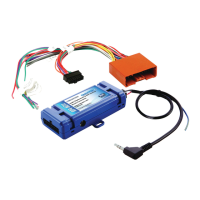
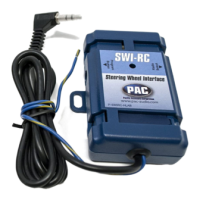
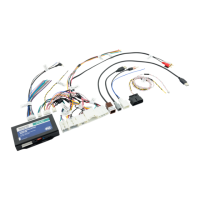
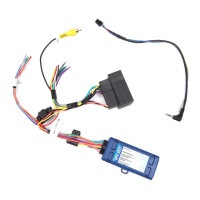
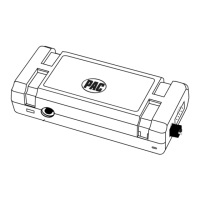
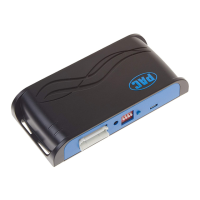
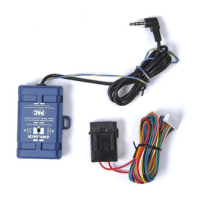
The PAC RP4-NI11 is a sophisticated radio replacement and steering wheel control interface designed specifically for select Nissan vehicles equipped with MSCAN databus radios. This device facilitates the seamless integration of an aftermarket radio into your vehicle while preserving crucial factory features and enhancing user control.
At its core, the RP4-NI11 allows you to replace your vehicle's original factory radio with an aftermarket unit without sacrificing key functionalities. It ensures the retention of your vehicle's steering wheel controls (SWC), the factory reverse camera, and the factory amplifier, even after the original radio is removed. This means you can enjoy the enhanced audio quality and features of an aftermarket head unit while maintaining the convenience and safety features you're accustomed to.
A standout feature of the RP4-NI11 is its advanced SWC programming capability. It allows for dual command functionality, meaning you can assign two different radio functions to a single SWC button. This is achieved through "short press" and "long press" actions, effectively doubling the number of functions accessible from your steering wheel. For instance, a short press on a button might adjust the volume up, while a long press on the same button could change the audio source. This level of customization provides a highly personalized and efficient user experience.
Beyond retaining existing features, the RP4-NI11 also provides essential outputs for aftermarket installations. These include a vehicle speed sensor (VSS) output, which is crucial for navigation systems and other speed-dependent functions; an illumination output, which allows the aftermarket radio's lighting to synchronize with the vehicle's dashboard lights; and a reverse trigger output, which is particularly useful for integrating aftermarket reverse cameras or for activating other reverse-dependent accessories. The reverse trigger output is specifically available in vehicles equipped with a factory reverse camera, ensuring compatibility and functionality where it's most needed.
The RP4-NI11 is designed for ease of use, both during installation and in daily operation. Before installation, a critical step involves adjusting the radio select rotary switch on the side of the interface to the proper setting for your specific aftermarket radio. This ensures correct communication and functionality from the outset. A detailed setting chart is provided to guide you through this process.
The interface comes pre-programmed with default settings for all factory SWC functions, meaning that in most cases, no additional programming is required to retain basic SWC functionality. However, for users who wish to customize their SWC layout or utilize the dual command functionality, the device offers a straightforward programming procedure. This involves pressing and releasing a program button on the side of the interface, followed by specific actions on the steering wheel buttons. The interface provides visual feedback through an LED, which flashes to confirm successful programming steps and the completion of the process. If at any point you wish to revert to the default settings, a simple reset procedure is available: pressing and releasing the program button and waiting for 7 seconds will restore the factory defaults.
For vehicles equipped with a Bose® Audio system, the RP4-NI11 guides you to connect the RCA inputs to the aftermarket radio's pre-amp output, with a recommendation for a 2-4 volt output to ensure optimal audio levels. For vehicles without a Bose® system, the RCA inputs should be cut, and the aftermarket radio's speaker outputs connected directly.
The device also addresses specific vehicle nuances. For instance, in some 2014-2015 Nissan vehicles with factory navigation and a Bose system, retaining the reverse camera requires soldering a video RCA cable into the factory wires at the ITS module, located in the passenger footwell. Detailed illustrations and instructions are provided to guide users through this more intricate connection, ensuring the reverse camera remains fully functional with the aftermarket head unit. Similarly, for certain 2014+ Nissan Rogues, an alternate accessory 12v+ wire may be necessary if the interface and aftermarket radio are not powering up, with clear instructions provided in an appendix for hardwiring this connection.
The dual command functionality is a significant enhancement, allowing users to assign both a "short press" and a "long press" action to each SWC button. This is programmed sequentially, following a specific order outlined in the manual. If a particular function is not desired or not present on the steering wheel, it can be skipped during programming by pressing and releasing the program button. The LED indicator provides real-time feedback, confirming when a function has been learned or skipped.
The RP4-NI11 is designed with future compatibility and longevity in mind. It supports firmware updates, which can be performed using the PAC-UP interface updater (sold separately). This feature ensures that your interface remains current with the latest vehicle models, aftermarket radio technologies, and any potential bug fixes or performance enhancements released by the manufacturer. Users are encouraged to visit the PAC website for available updates, ensuring their device always operates with optimal performance and compatibility.
Testing and verification steps are provided to confirm proper installation and functionality. These steps include turning on the ignition to check if the interface's LED and the accessory wire turn on, verifying radio balance and fade, confirming all SWC functions work correctly, and ensuring the LED and radio turn off when the key is removed. These checks help diagnose any potential issues immediately after installation, ensuring a smooth and reliable setup.
The device's robust design and clear instructions aim to minimize the need for extensive maintenance. However, in cases of specific vehicle models, such as the 2015 and up Nissan Murano with navigation, the manual provides detailed hardwiring instructions for certain RP4-NI11 wires into the vehicle's 40-pin harness. These instructions, which require firmware Revision 4 or higher, are crucial for proper operation in these specific applications. The manual emphasizes the importance of secure connections, recommending soldering over T-Taps or crimp connectors to prevent erratic or unreliable operation.
Overall, the PAC RP4-NI11 is a comprehensive solution for integrating aftermarket radios into Nissan vehicles, offering advanced control, feature retention, and future-proof design through firmware updates, all while providing clear guidance for installation and troubleshooting.
 General
| Steering Wheel Control | Yes |
|---|---|
| Amplifier Turn-On | Yes |
| Navigation Outputs | Yes |
| Data Bus Controlled Accessory Outputs | Yes |
| Retained Accessory Power (RAP) | Yes |
| Chime Retention | Yes |
| Factory Amplifier Integration | Yes |
| USB Updateable | Yes |
| OnStar Retention | Yes, if equipped |

 To Next Page