©2022 PACE Inc., Vass, North Carolina, All Rights Reserved Page 14
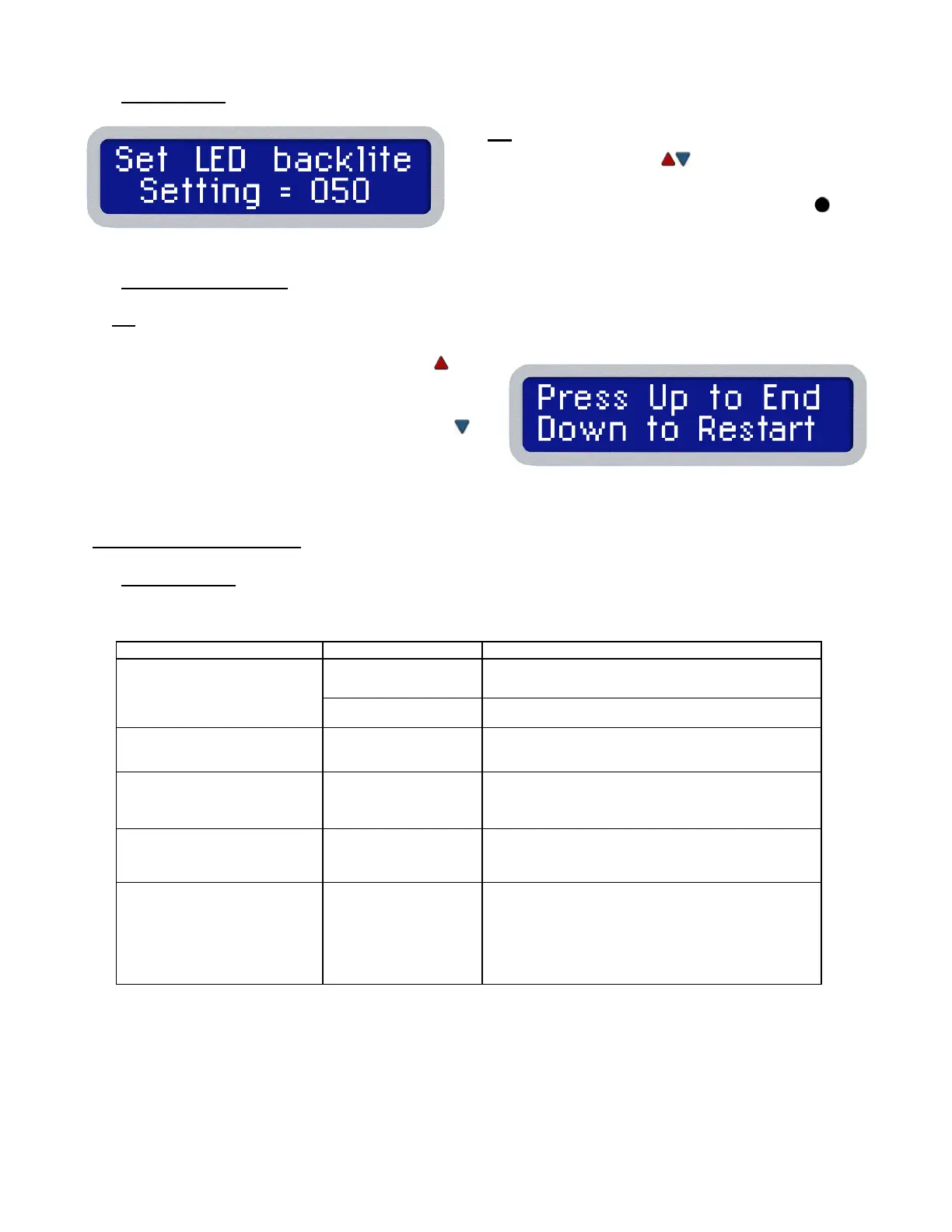
LED Backlite
13.
The display now reads "Set LED Backlite".
• Use the keypad ( ) to increase or decrease
the backlite as needed.
• Press and release the PROGRAM Key to
proceed to the next step
Exiting Set-Up Mode
14.
The end is near! If you’ve been following along on your unit, the display should be showing instructions
for saving changes and returning to normal operation, or to discard changes and start the Set-Up over.
• Press and release the Scroll Up Key ( ) to
save the changes, exit the Set-Up Menu and
return to normal operation.
• Press and release the Scroll Down Key ( )
to return to the start of the Set-Up Menu
without saving any changes. Refer to step 3,
Password Entry.
Corrective Maintenance
Power Source
Most malfunctions are simple and easy to correct.
No power to system
Blown Fuse
Inspect and replace the fuse(s) located on the
power source rear panel
Line cord unplugged Plug line cord into the appropriate AC outlet
Heater Assembly does not
heat
Open Heater Contact PACE for assistance
Little or no air flow, heater
heats and blower is running
Kinked air hose
Change routing of air hose to remove
kinks
Little or no vacuum Worn vacuum pump
Replace vacuum pump. Contact PACE for
assistance.
Unit is turned on, and
appears functional but the
display is blank
Backlight and/or
Contrast settings out
of adjustment
Try restoring default display settings by holding
the Down Arrow while powering on the unit. If
issue is not resolved, contact PACE for
assistance.







 To Next Page