11
TDC777D OPERATOR’S MANUAL (501-3432100)
OPERATING YOUR SET-TOP
Turning your set-top on and off
After you have connected your set-top to the wall AC outlet (and switched this outlet ON, if it has a switch), the
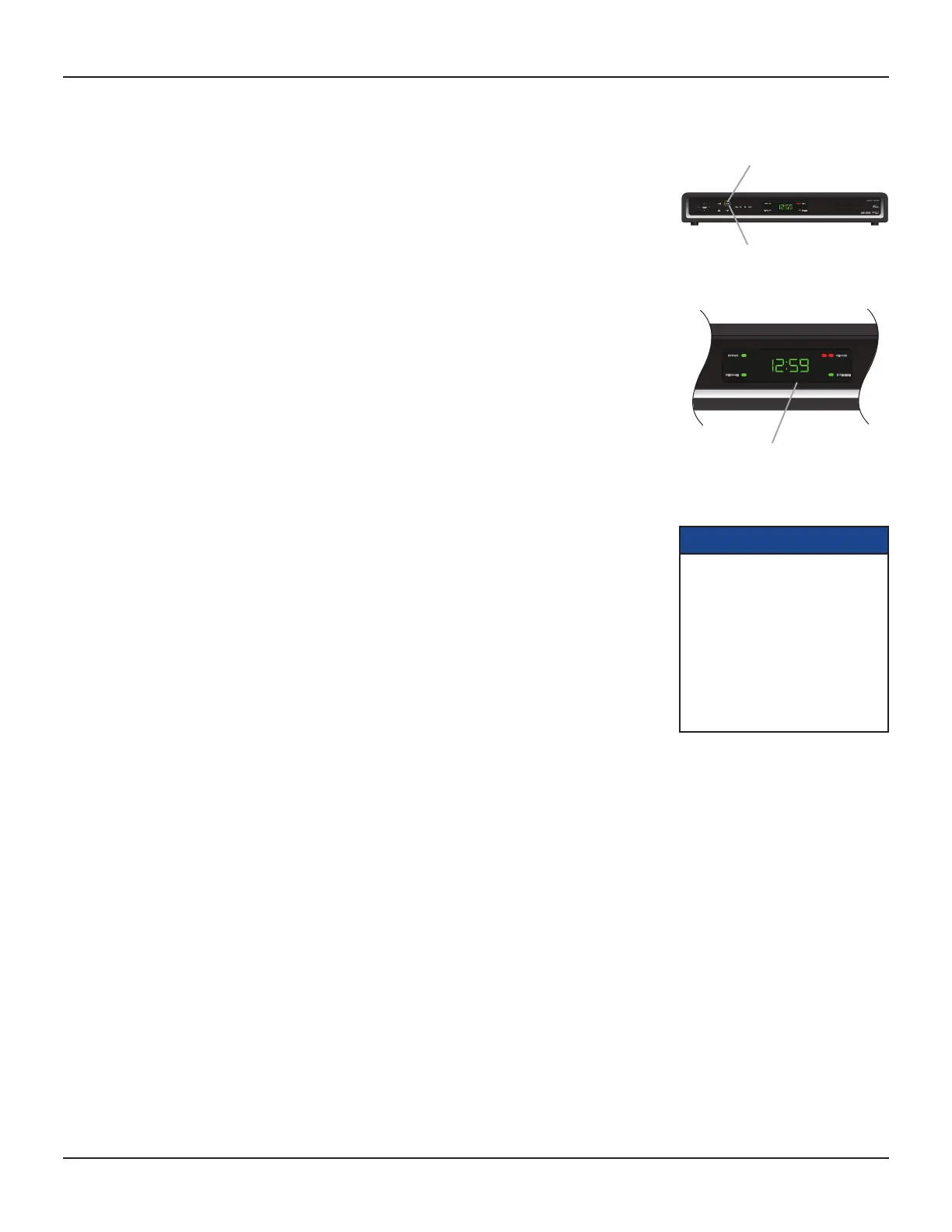
light around the POWER button on your set-top’s front panel should be red.
Wait for a few seconds, then press the POWER button on the front panel of your set-top to turn it on. The light
around the POWER button goes green, to show that your set-top is on.
If the light around the POWER button is neither red nor green, there is a problem (see page 25).
To turn your set-top on or off at any time, press the POWER button on its front panel or the POWER button
on your remote control (first making sure your remote control is set to control your set-top).
Never turn off your set-top by simply disconnecting it from the power supply. If you need to disconnect your
set-top, first stop any recording. Then turn off your set-top by pressing the POWER button on its front panel
or on your remote control, so that the light around the POWER button goes red. Then wait 60 seconds before
disconnecting your set-top from the wall AC outlet.
Power Saving: To save power and money, and to reduce greenhouse gas emissions, turn off
your set-top, using the power button, when it is not in use.
Lightning storms
Disconnect your set-top’s power cord during lightning storms. A lightning storm may affect your set-top, if it
is on during the storm. It may appear that it has stopped working, but you can easily restore its operation as
follows:
Unplug your set-top’s power cord from the wall AC outlet. Then plug this power cord in again at the wall AC
outlet (and, if there is a switch by this outlet, switch it to its ON position).
Using your remote control
Your cable TV service-provider determines the digital channels, services, and screen information that you see
on your TV when you use your set-top and its remote control.
Consult the information supplied by your cable service-provider for details on how to make the most of the
digital cable services. Also read the operating instructions that are supplied with your remote control.
NOTES
IMPORTANT: Unless there is a
lightning storm or you will be away
from your home for a long time, do
not unplug your set-top from the
wall AC outlet (or do not switch it
off there, if the outlet has a switch).
Your set-top cannot be updated
with new features, through the
cable, if it is disconnected from the
AC power supply.
The light around the button
changes from red to green.
To turn your set-top on,
press the POWER button.
Front panel display, showing
the time (see page 24)


 To Next Page