15
TDC777D OPERATOR’S MANUAL (501-3432100)
OPERATING YOUR SET-TOP (cont.)
Setting up subtitles
Subtitles in various languages may be transmitted with TV programs. You can set up your set-top to display
subtitles, when they are available. You can also set your preferred language for these subtitles. There is a
choice of several languages, including English.
If you set subtitles to be “on”, they will be displayed in the preferred language only when subtitles in that
language are transmitted with a program. For example, if you set subtitles to be “on” and in Spanish, but only
French subtitles are transmitted with a particular program, you will see French subtitles for that program, not
Spanish.
Note: You can also turn on closed captions (see pages 20 and 21) to give subtitles, but any subtitles you set
up using this PACE SUBTITLE SETTINGS menu will take priority.
Selecting subtitles in your preferred language
1. Make sure that your set-top is turned on (the POWER light is green).
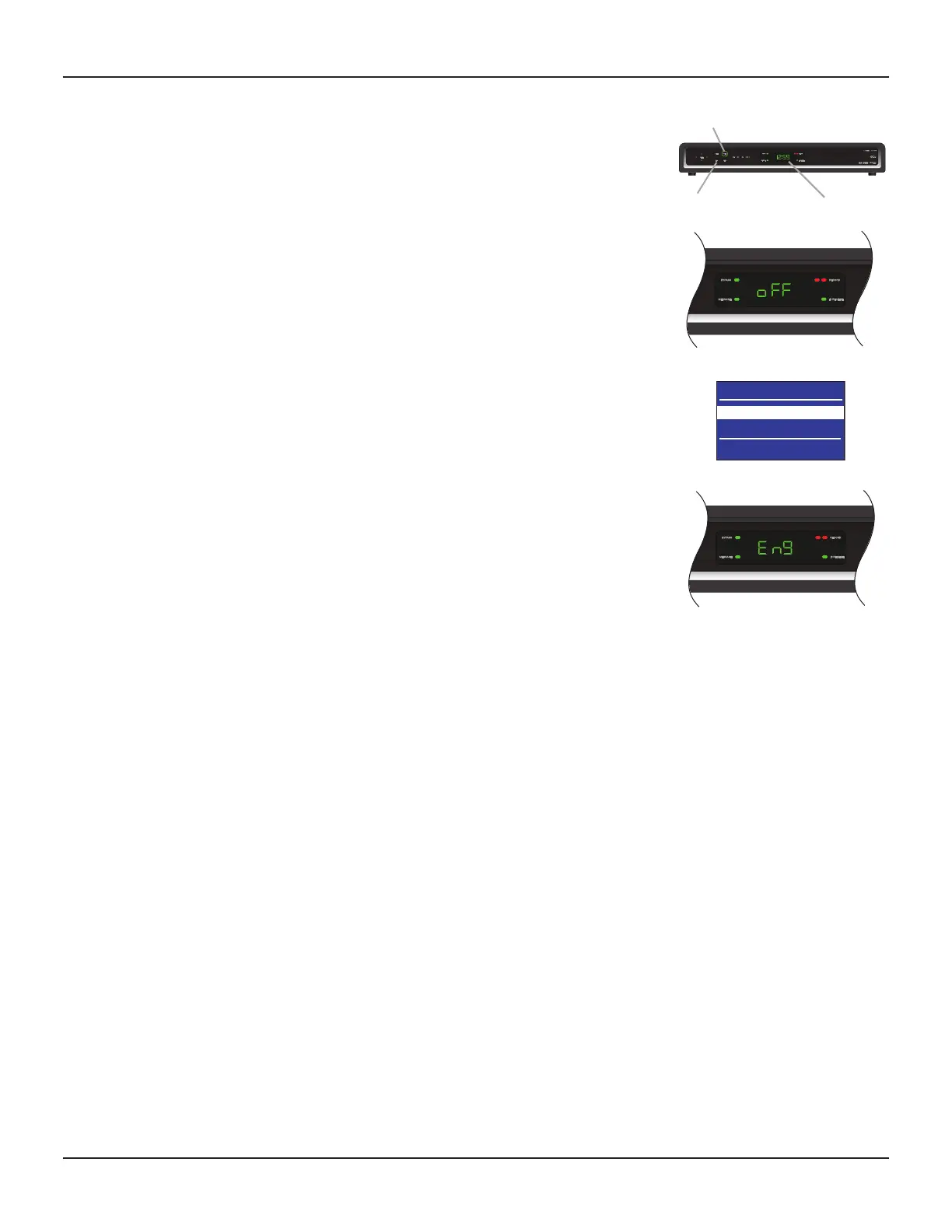
2. Press the POWER button on your set-top (the POWER light goes red), then press the INFO button.
“oFF” (indicating that subtitles are currently set to be off) or “on” (indicating that subtitles are currently set
to be on) appears on the front-panel display and the PACE SUBTITLE SETTINGS menu appears on the TV
screen (see right).
3. Press U or D to highlight “Subtitles”, then press SELECT to turn them on or off.
4. Press U or D to highlight “Subtitle Language”, then use the SELECT button to choose the language you
want (the language changes each time you press SELECT).
A three-letter abbreviation for the language appears on the front-panel display while you do this.
5. When you have finished making changes, press the POWER button to remove the PACE SUBTITLE
SETTINGS menu and return to normal viewing.
INFO button
front-panel display
PACE SUBTITLE SETTINGS
Subtitles : Off
Subtitle Language : English
Select[OK] Exit[POWER]
POWER button.


 To Next Page