Copyright© 2003 Pacific Digital Corporation Page 15
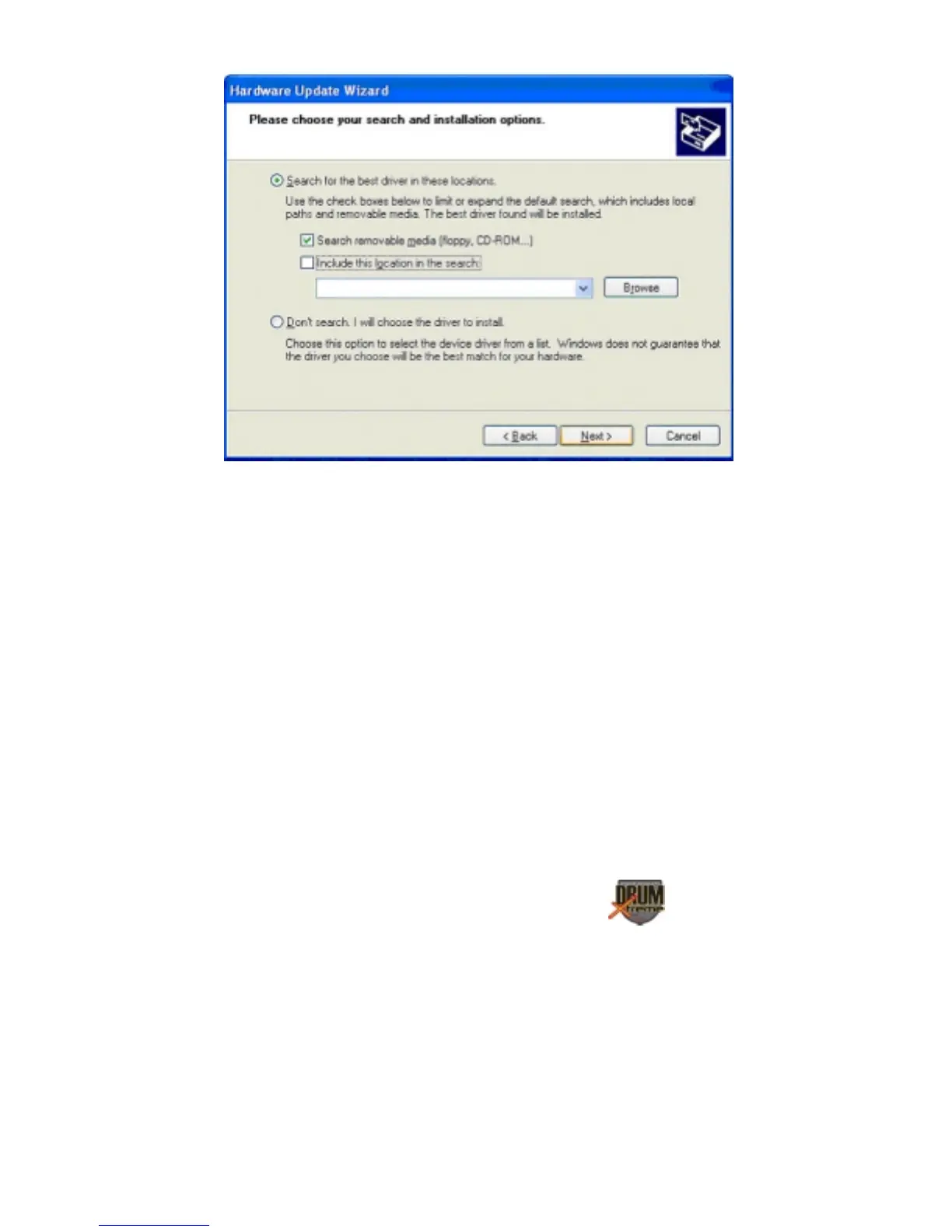
Insert the CD-ROM into the appropriate device and select the CD-ROM
drive checkbox. Then click Next to continue the installation.
After Windows® finds and installs the driver, the COMPLETING THE
HARDWARE WIZARD screen will be displayed. Click “Finish” to
complete the installation.


 To Next Page