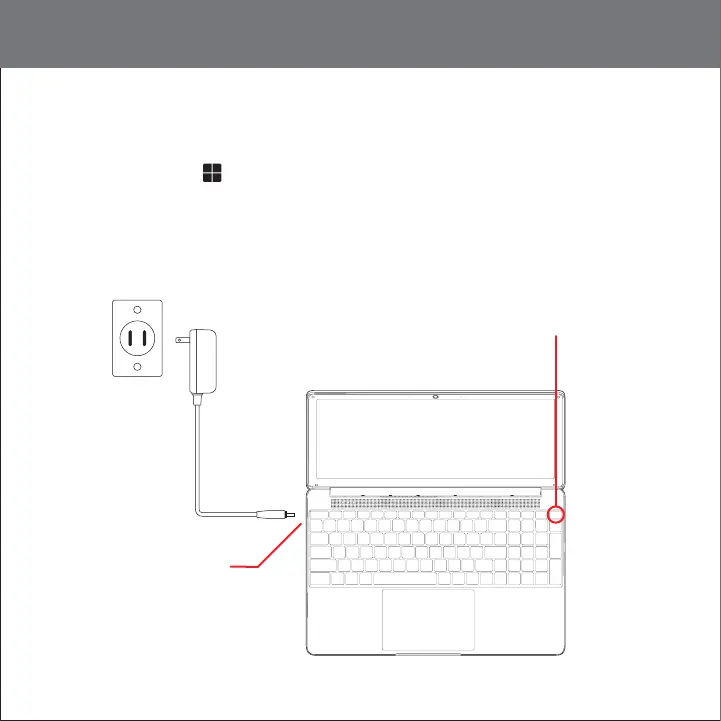
Adapter
Walloutlet
DC charger port
POWER button �
Getting started
POWER ON: Press and hold the POWER button � until the laptop turns on.
LOCK: Briefly press the POWER button � to lock the laptop.
POWER OFF: Select Start > POWER button � > Shut down.
Note: The device should be shut down through the Windows OS as shown above. However, if you
need to force the device to shut down, press and hold the POWER button � until the display turns
off and the device shuts down.
04










 To Next Page