Recovery - 79
Creating recovery discs
To reinstall using discs, you must create a set of recovery discs
beforehand. Throughout the process, you will be guided by on-screen
instructions. Please read them carefully!
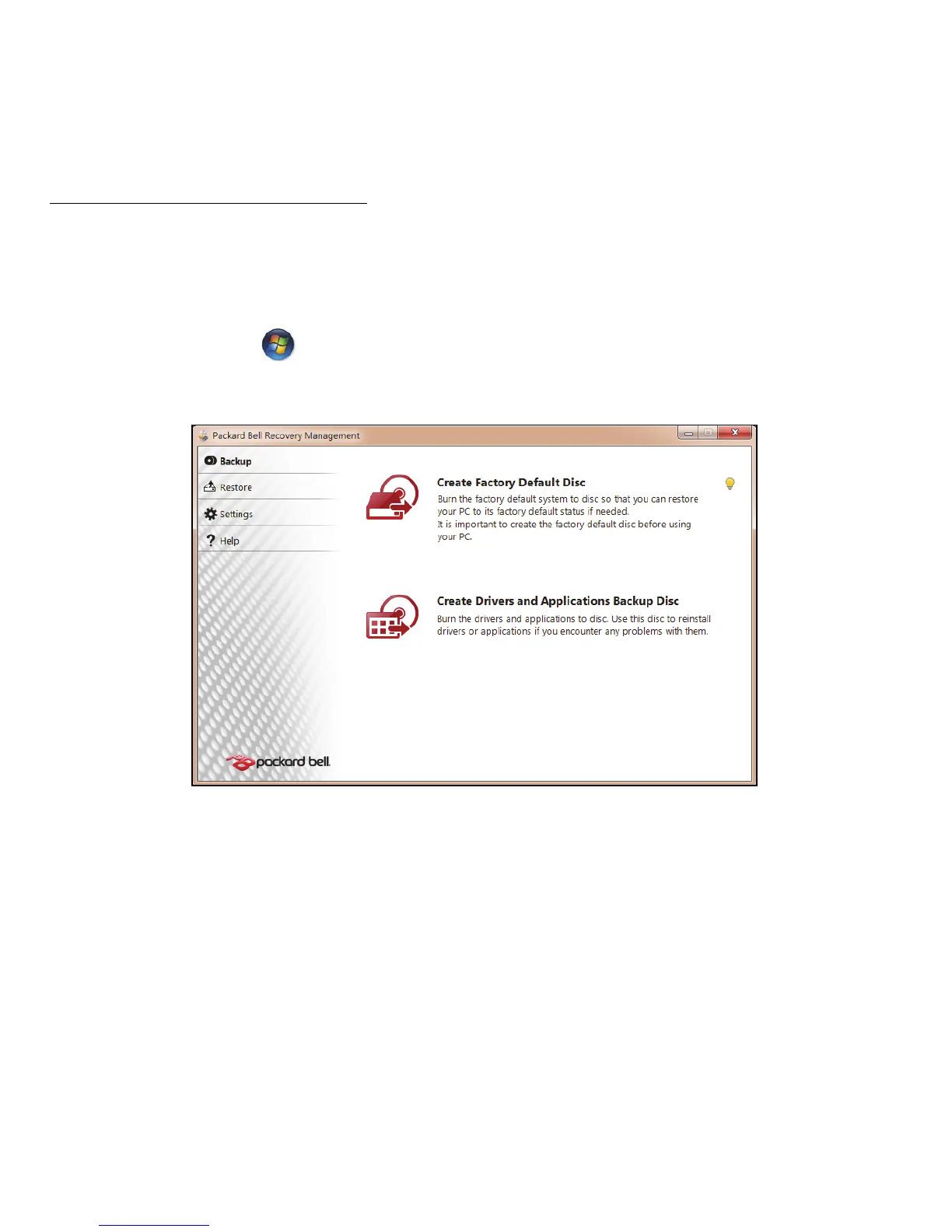
1. Click on Start > All Programs > Packard Bell, then click on
Packard Bell Recovery Management.
2. To create recovery discs for the hard drive’s entire original contents,
including Windows and all factory-loaded software and drivers, click
Create Factory Default Disc.
- OR -
To create recovery discs for only the factory-loaded software and drivers,
click Create Drivers and Applications Backup Disc.










 To Next Page