12 -
EDR 2000 DVD Recorder User's Guide
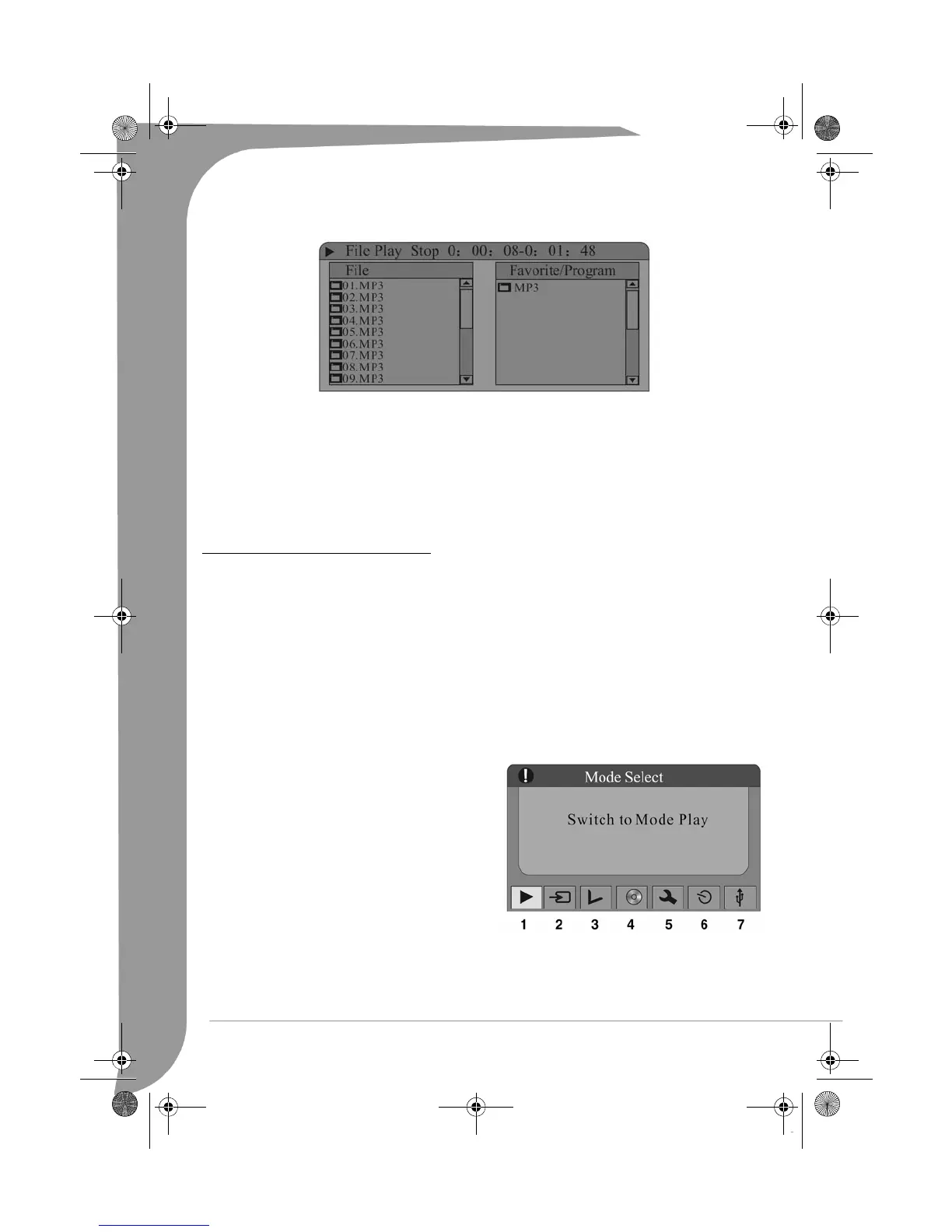
2. Use the arrow buttons (Up/Down) and SELECT button to select an item to play.
3. Press the Up and ADD/CLEAR buttons to select the Program Play. (Note: In the Program Play mode,
audio files such as *.MP3 and *.WMA and video files such as *.JPG cannot be programmed at the same
time. That is, if the program includes audio files, the video files cannot be programmed).
Note: Do not unplug the USB disc while it is playing.
Note: It may take a few seconds for a USB device to be recognised.
Note: The mass storage device must be FAT32 formatted.
GETTING STARTED - FUNCTIONS
Language Setup
The Easy DVD Recorder’s OSD (On Screen Display) menu is in English by default. To change the OSD
language please carry out the following:
1. Press the SETUP button on the remote control to access the
Setup
menu.
2. Use the arrow buttons to highlight the
Language
icon, and press the SELECT button.
3. Use the Up/Down arrow buttons to highlight the
OSD Language
item and press the SELECT button.
4. Use the Up/Down arrow buttons to highlight your desired language and press the SELECT button.
Navigation Mode
The Navigation Mode can realise all functions of the unit.
Press the Navigation button of the remote control to
display the screen on the right.
1. Switch to DVD Playback Mode.
2. Switch to TV/VIDEO Mode.
3. Edit recorded disc.
4. Go to disk menu.
5. Switch to System Setup Mode.
6. Switch to Timer Record Mode.
7. Switch to USB Playback Mode.
Scan for TV channels
If you want to watch or record TV programs, you must first perform a TV channel scan:
Press the SETUP button to enter the System Setup mode, use the Up/Down arrow buttons to select the
Channel Scan item; or you can also press the SCAN button and the SELECT button to enter the
Channel
Scan
submenu, as shown.
EDR-2000-UG.book Page 12 Jeudi, 20. octobre 2005 8:32 08



 To Next Page