11
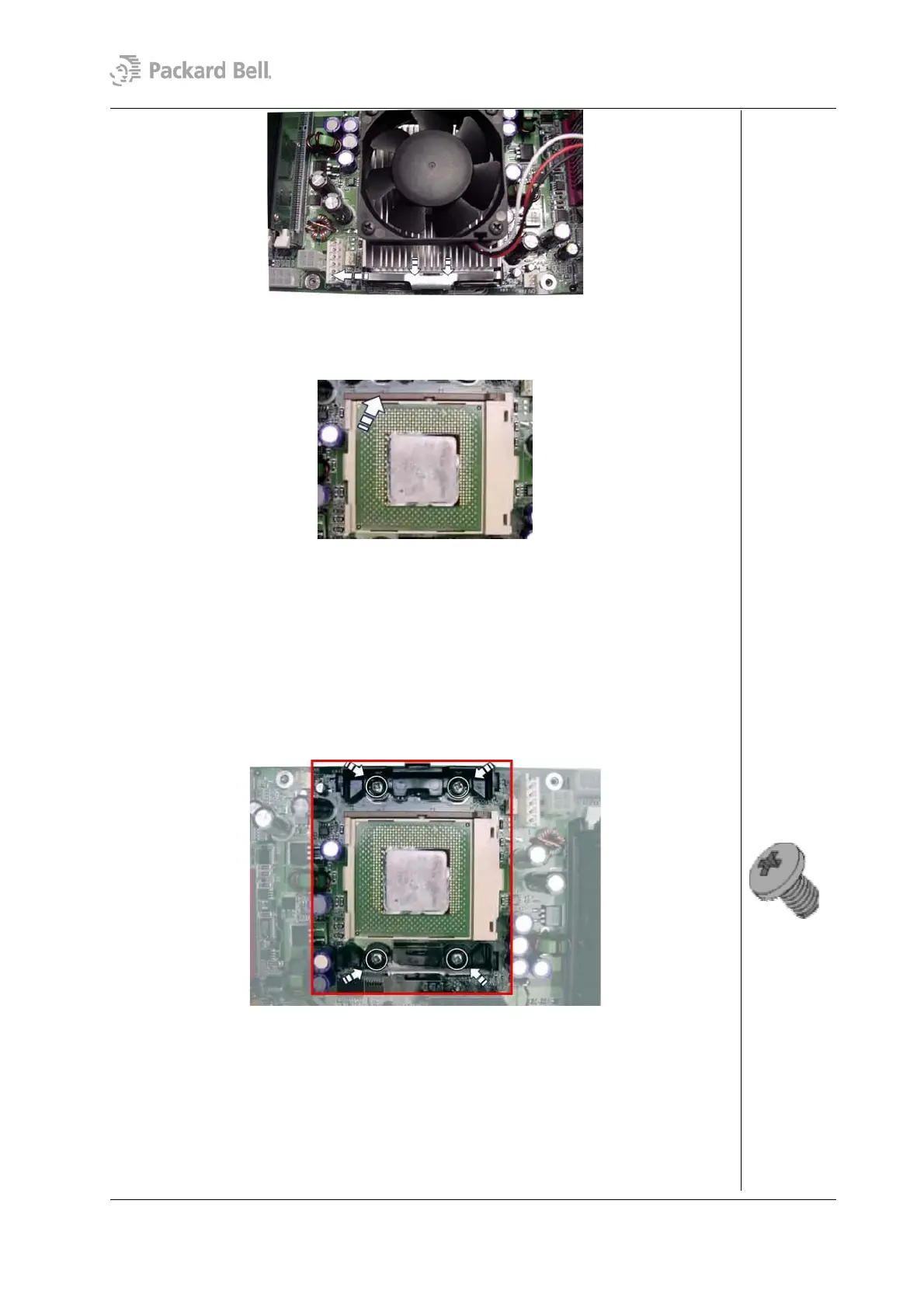
Fig. 16: Removing the CPU fan and heat sink
3. Lift the lever to unlock the CPU from its socket.
Fig. 17: Removing the CPU
4. Take out the CPU. Be very careful not to remove any of the heat paste on the CPU
surface!
Removing the Pentium 4 CPU
If the CPU installed is a Pentium IV, please perform this additional step:
1. Remove the CPU heat bracket by removing the four screws.
Fig. 18: Removing the CPU heat bracket.
Removing the System Fan
To remove the optional system fan, first remove the rear bezel (see section Removing the
Rear Bezel), remove the left side cover (see section Removing the Left Side Cover); then
follow the steps below:
1. Disconnect the cable connecting the system fan to the motherboard.
Packard Bell Stella (iXtreme) Disassembly Manual




 To Next Page