4
Removing the Rear Bezel
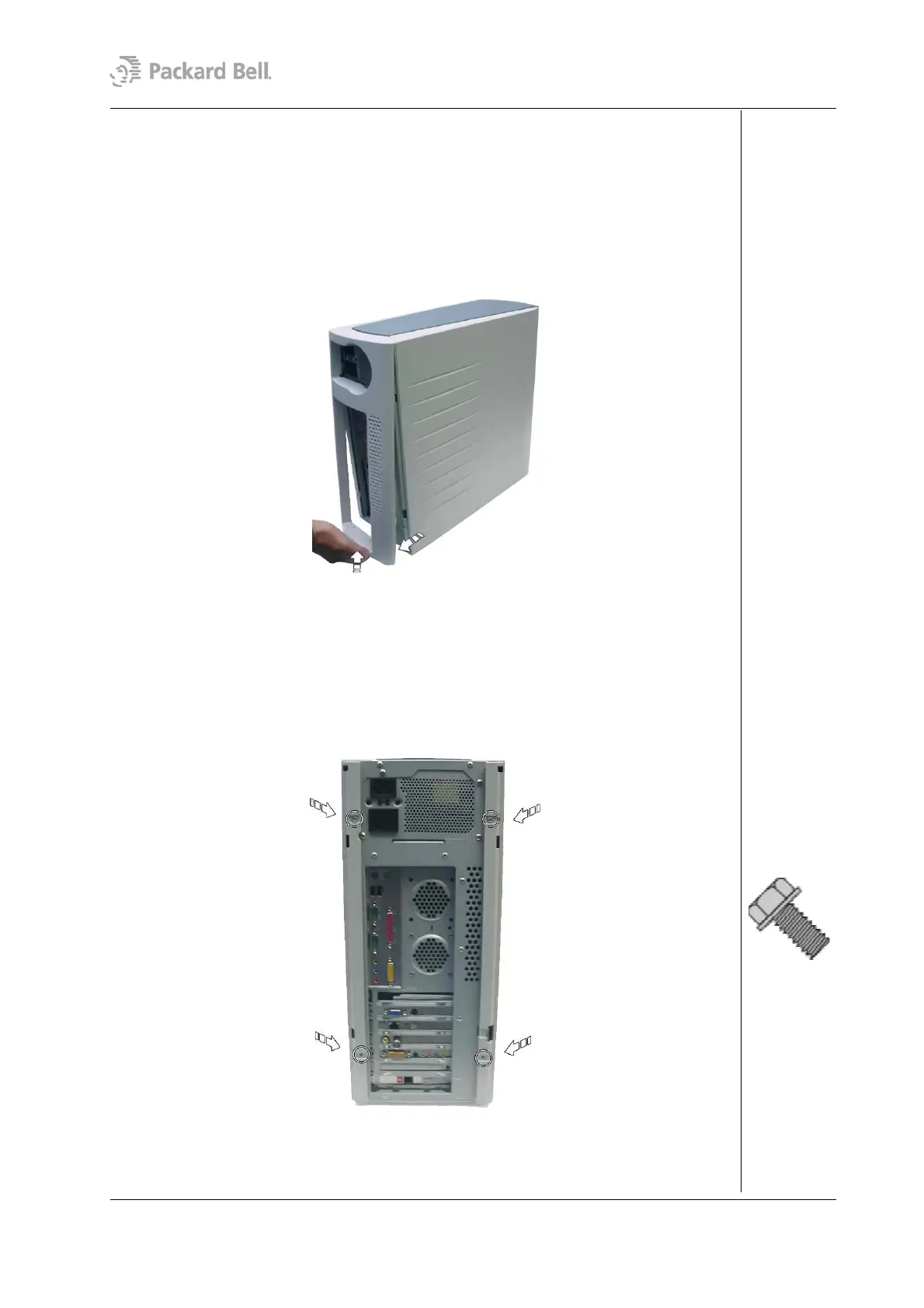
To remove the rear bezel, do as follows:
1. Turn off the computer, the monitor and all peripheral devices.
2. Disconnect all power and data cables connected to the computer.
3. Face the back of the unit.
4. Locate a handhold under the chassis.
5. Gently push the latch that fixes the rear bezel to the chassis and carefully pull the
bezel away from the chassis.
Fig. 1: Removing the rear bezel
Removing the Left Side Cover
To remove the left side cover, first remove the rear bezel (see section Removing the Rear
Bezel) and then perform the following steps:
1. Remove the two screws that hold the left side cover.
Fig. 2: Removing the left side cover screws
2. Carefully slide the side cover towards the back of the chassis.
3. Lift the side cover out and away from the chassis.
Packard Bell Stella (iXtreme) Disassembly Manual




 To Next Page