5
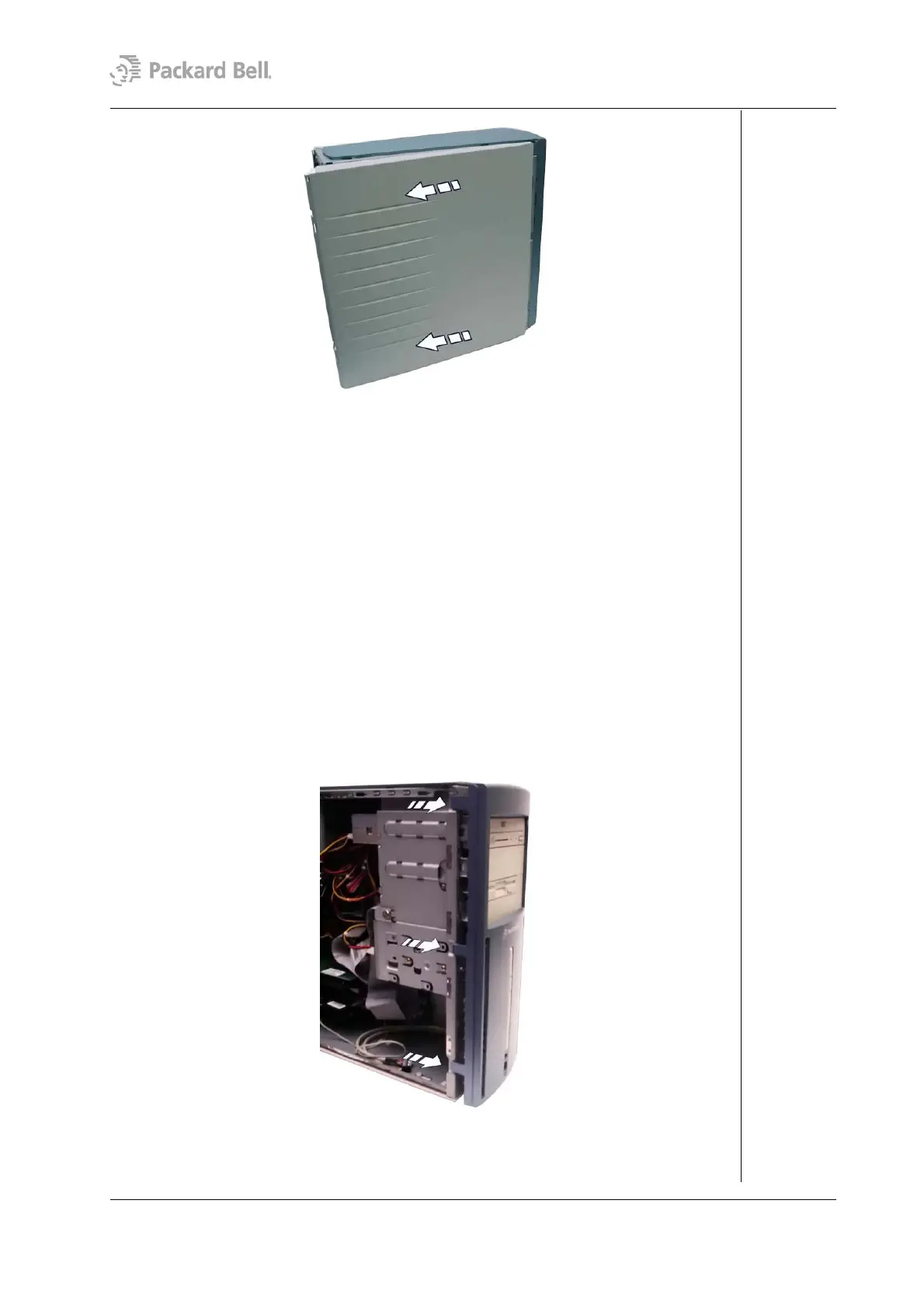
Fig. 3: Removing the left side cover
Removing the Right Side Cover
To remove the right side cover, first remove the rear bezel (see section Removing the Rear
Bezel) and then perform the following steps:
1. Remove the two screws that hold the right side cover.
2. Carefully slide the side cover two centimetres towards the front of the chassis.
3. Lift the side cover out and away from the chassis.
Removing the Front Bezel
To remove the front bezel, first remove the rear bezel (see section Removing the Rear
Bezel), remove the left side cover (see section Removing the Left Side Cover), and follow
the steps below:
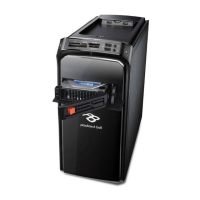
1. Gently unlock the three lateral latches that hold the front bezel and pull it away to
the opposite side.
Fig. 4: Removing the front bezel
Packard Bell Stella (iXtreme) Disassembly Manual




 To Next Page