PageFlip Dragonfly User Guide 4.8 Autorepeat Function
4.8 Autorepeat Function
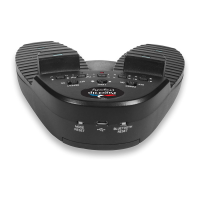
The PageFlip Dragonfly features an autorepeat function that may be set
by the REPEAT switch (Fig. 3). If autorepeat is on, a continuous stream of
commands is sent to the computer as long as the pedal is pressed down.
This behavior, which is identical to that of a keyboard, is useful for fast
browsing or scrolling. The autorepeat function applies only to the following
pedal modes: PageUp/PageDown, Left/Right arrow, and Up/Down arrow.
Enable Autorepeat
1. Slide the REPEAT switch to the On position.
2. Tap pedal quickly to turn one page.
3. Tap and hold the pedal to turn successive pages quickly.
Disable Autorepeat
1. Slide the REPEAT switch to the Off position.
2. Tap pedal slowly or quickly to turn one page.
For musical practice or performance, it is recommended to disable the
autorepeat function. This prevents turning multiple pages inadver tently if
the pedal is held down too long. This also permits the user to rest their
foot on the pedal until the next page is turned with another foot tap.
PageFlip, Inc. 21 www.pageflip.com


 To Next Page