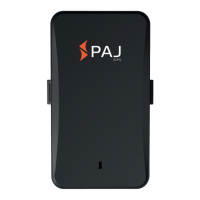
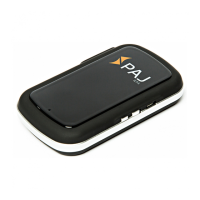
Need help?
Do you have a question about the PAJ POWER and is the answer not in the manual?
Guides the user through the SIM card activation process.
Explains how to disable the SIM card's PIN and voicemail features.
Provides instructions on inserting the SIM card into the device.
Details the initial powering on and setup of the POWER Finder.
Explains the meaning of GREEN, BLUE, and RED LED lights.
Describes how to call the device to retrieve its location.
Guides the user through the SIM card activation process.
Instructions for disabling SIM card PIN and voicemail features.
Provides instructions on inserting the SIM card into the device.
Instructions for charging the POWER Finder before first use.
Steps for powering on the device and understanding LED indicators.
Explains the meaning of the green LED for GPRS/GSM status.
Explains the meaning of the blue LED for GPS status.
Explains the meaning of the red LED for battery status.
Process for authorizing phone numbers to use the GPS tracker.
Instructions for changing the device's password for security.
How to restore the POWER Finder to its original factory settings.
Methods to request and receive the device's current location.
How to query the device's location using SMS.
Enables listening to ambient sounds via the device's microphone.
How to set up an alert when the device leaves a defined radius.
Configures an alert when the device exceeds a set speed limit.
Sets up alerts for physical shocks detected by the device.
Triggers an alarm if the device is lifted or dropped.
Puts the device into a low-power state to extend battery life.
Optimizes GPS signal acquisition when the device is moving.
Notifies authorized numbers when the device's battery is low.
Sets the correct time zone for accurate time tracking.
Covers safe turning on/off, interference considerations, and environmental handling.
Guidelines for repair, installation, and legal monitoring aspects.
Explains how to return and dispose of old batteries properly.
Explains the symbols used for battery disposal and hazardous materials.
Steps to register and secure access to the location portal.
Details on filling the form and confirming access to the portal.
Guides on configuring the device to connect with the online portal.
How to switch off the GPRS mode to disable data transmission.
Information on the free test period and options for permanent portal use.
 General
| Brand | PAJ |
|---|---|
| Model | POWER |
| Category | Camera Accessories |
| Language | English |

 To Next Page