EasyManua.ls Logo

Pakedge Device & Software P2 - User Manual

Pakedge Device & Software P2
21 pages
Print Icon
To Next Page IconTo Next Page
Loading...
pakedgedevice&software inc.
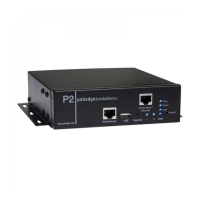
P2/P2E
Boot Sequence Power Distribution Unit with Remote Power Cycling and
Monitoring
User Guide Version 1.0
Question and Answer IconNeed help?

Do you have a question about the Pakedge Device & Software P2 and is the answer not in the manual?

Pakedge Device & Software P2 Specifications

General IconGeneral
BrandPakedge Device & Software
ModelP2
CategoryPortable Generator
LanguageEnglish

Summary

Introduction to the Pakedge P2

P2 Device Package Contents

Device Installation Guide

Rack and Wall Mounting Instructions

Instructions for mounting the P2 unit in a rack or on a wall, including connection steps.

Product Overview and Features

Web Interface Access and Usage

Monitoring System Operation Status

Displays real-time current and port status via the P2's web interface.

Outlet Configuration Settings

Outlet Timer and Scheduling Setup

User Account Management and Access

System Configuration and Control Options

Serial Port Configuration Settings

Network Connectivity Configuration

User Assistance and Help Section

Default System Settings Overview

Details default system settings for the P2, including network and serial port configurations.

User Account Access Control

Explains user account types (Admin, User, Guest) and their system access privileges.

Initial System Setup Guide

Guides users through initial setup, including physical connections and network access.

Remote Control via Email Commands

Appendix A: Technical Specifications

Appendix B: Customer Support Information

Appendix C: Product Warranty Details

Related product manuals