Changing Lumiso Settings
A Palintest Product
A Palintest Product
2020
Lumiso
Pooltest
A Palintest Product
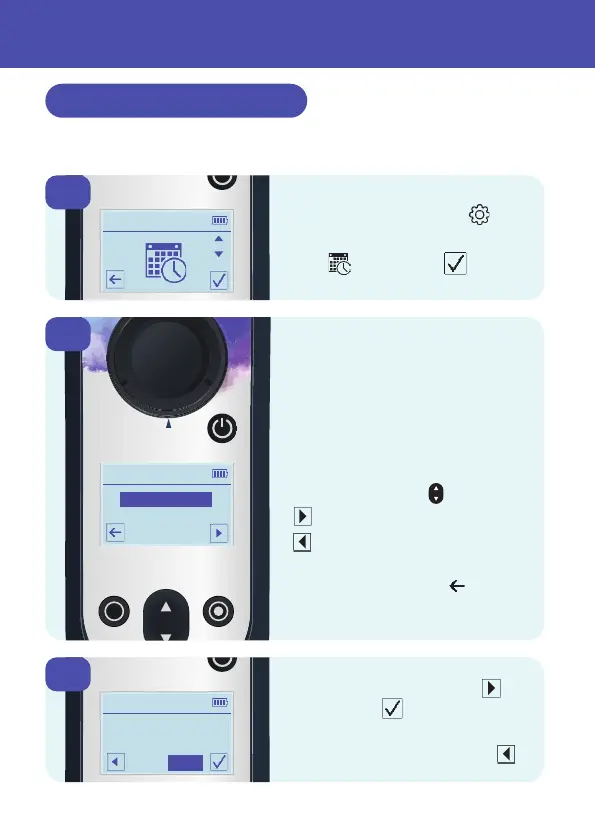
Three items are adjustable:
• Date Format
• Time (24 hour clock)
• Date
To make changes to the
highlighted item, use the
up and down key
Advances to the next item
Goes back to previous item
To exit without saving any
changes press back from
this first screen.
1
3
2
From the Settings Menu
Scroll to the Time and Date
icon and confirm
To save changes, advance
until the tick shows to confirm.
To exit without saving any
changes keep pressing back
Setting Time and Date
Changes to the instrument settings are accessed through
the Settings Menu.
24



 To Next Page
 Loading...







