8
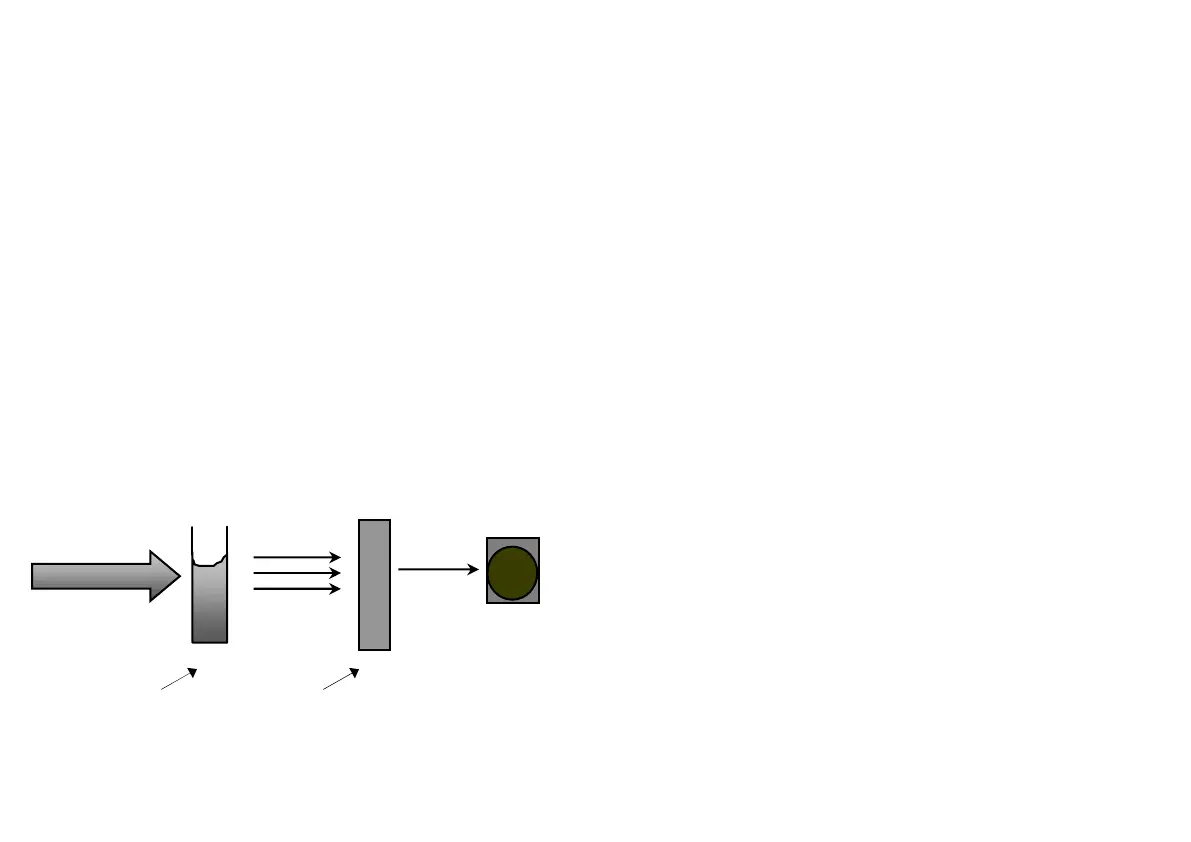
The use of filters improves the sensitivity of this
process and choice of the correct optical filter (and,
therefore, the correct wavelength) of light is important.
It is interesting to note that the filter that gives the
most sensitive calibration for a test factor is the
complementary colour of the test sample. For example,
the chlorine test produces a pink colour proportional to
the chlorine concentration in the sample (the greater
the chlorine concentration, the darker the pink colour).
In this case, a green filter gives the greatest sensitivity
as a pinkish-red solution absorbs mostly green light.
Palintest photometers calculate and then display the test
results directly in milligrams per litre (mg/l) of the test
factor, by comparing the amount of absorbed light to
the calibration data programmed into the instrument.
(450 - 500nm)
(625 – 635nm)
Red light only passes
through the filter. All
other light is absorbed.
Wavelengths of blue light
plus small quantities of red
light pass through the
solution.
9
Blanks and Samples
Palintest photometers use a BLANK tube to set the
instrument to blank and a SAMPLE tube to take the
reading.
A BLANK tube is a test tube filled with untreated water
sample. A SAMPLE tube is a test tube containing the
sample to which reagents have been added in
accordance with the test procedure described.
The blank setting is held in memory. It is not
necessary to reset the blank each time a reading is
taken if the water samples to be tested are from the
same body of water and the conditions of use are the
same. The blank setting can be confirmed if necessary
by taking a test reading on the blank tube.
Taking a Reading
1 Press the ‘On/Off’ button to start the unit.
2 Press the ‘Menu’ button until the test you wish to perform
is indicated on the screen.
3 Insert your blank tube and press the ‘Blank Sample’
button.
4 An image displaying a blank tube will be displayed on
screen. When this is replaced by 0.00 the instrument is
finished blanking and ready to take a reading.
5 Remove your blank tube and replace it with the sample
tube. Press the ‘Read Sample’ button to take a reading.
6 The result will be displayed on screen in mg/l.












 To Next Page