EasyManua.ls Logo

Panasonic AG-8700E - Page 17

Panasonic AG-8700E
66 pages
Print Icon
To Next Page IconTo Next Page
To Previous Page IconTo Previous Page
Loading...
Sikes]
Oo
CO
GOGO
HI
AHH
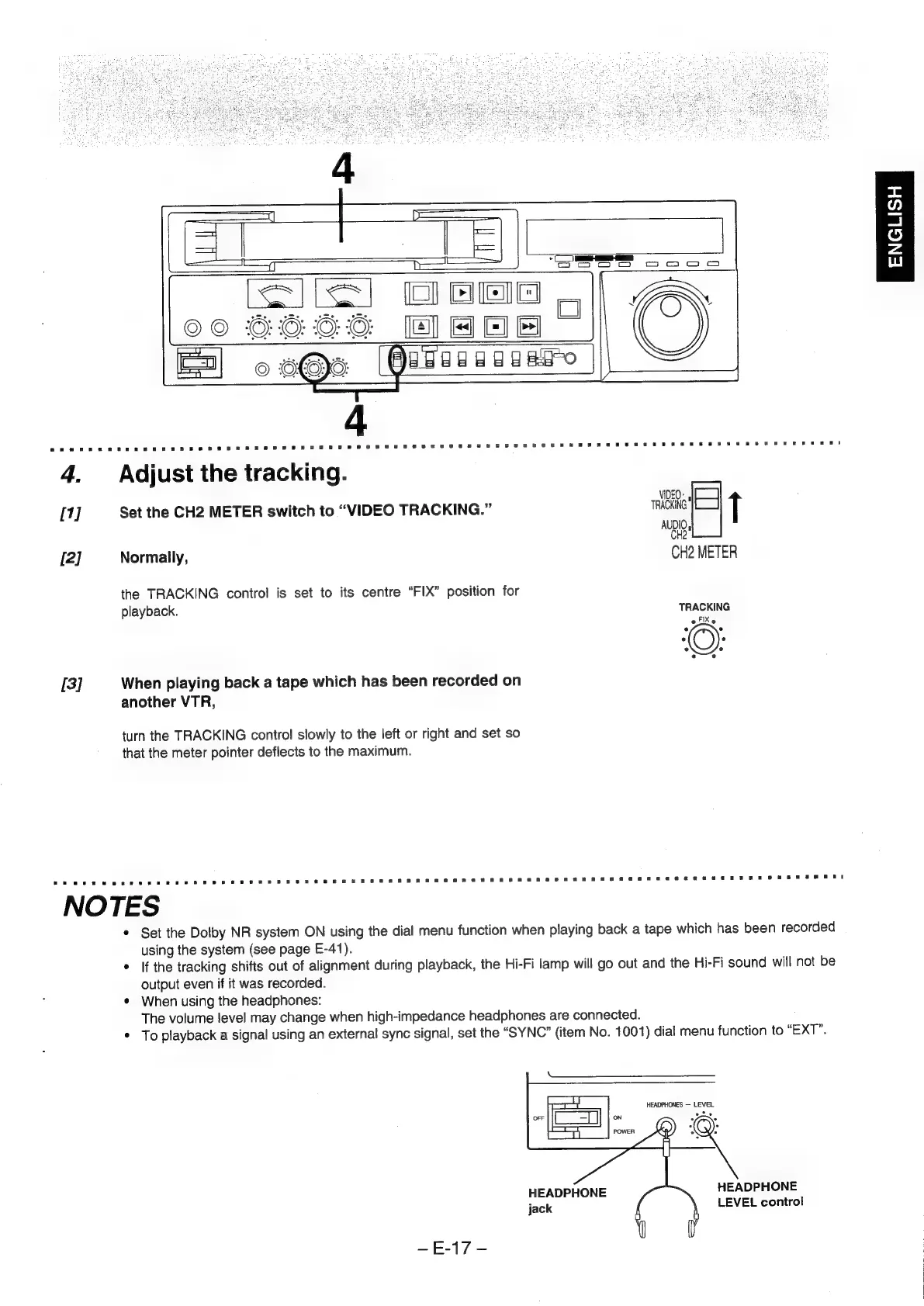
4,
Adjust
the
tracking.
VIDEO:
[1]
Set
the
CH2
METER
switch
to
“VIDEO
TRACKING.”
TRACKING
i
nag
[2]
Normally,
CH2
METER
the
TRACKING
control
is
set
to
its
centre
“FIX”
position
for
playback.
TRACKING
oFiXe
[3]
When
playing
back
a
tape
which
has
been
recorded
on
another
VTR,
turn
the
TRACKING
control
slowly
to
the
left
or
right
and
set
so
that
the
meter
pointer
deflects
to
the
maximum.
NOTES
Set
the
Dolby
NR
system
ON
using
the
dial
menu
function
when
playing
back
a
tape
which
has
been
recorded
using
the
system
(see
page
E-41).
*
If
the
tracking
shifts
out
of
alignment
during
playback,
the
Hi-Fi
lamp
will
go
out
and
the
Hi-Fi
sound
will
not
be
output
even
if
it
was
recorded.
¢
When
using
the
headphones:
The
volume
level
may
change
when
high-impedance
headphones
are
connected.
*
To
playback
a
signal
using
an
external
sync
signal,
set
the
“SYNC”
(item
No.
1001)
dial
menu
function
to
“EXT”.
HEADPHONES
LEVEL
ots
HEADPHONE
LEVEL
control
HEADPHONE
jack
~E+17-
ENGLISH