EasyManua.ls Logo

Panasonic AG-8700E - Rewinding the Tape

Panasonic AG-8700E
66 pages
Print Icon
To Next Page IconTo Next Page
To Previous Page IconTo Previous Page
Loading...
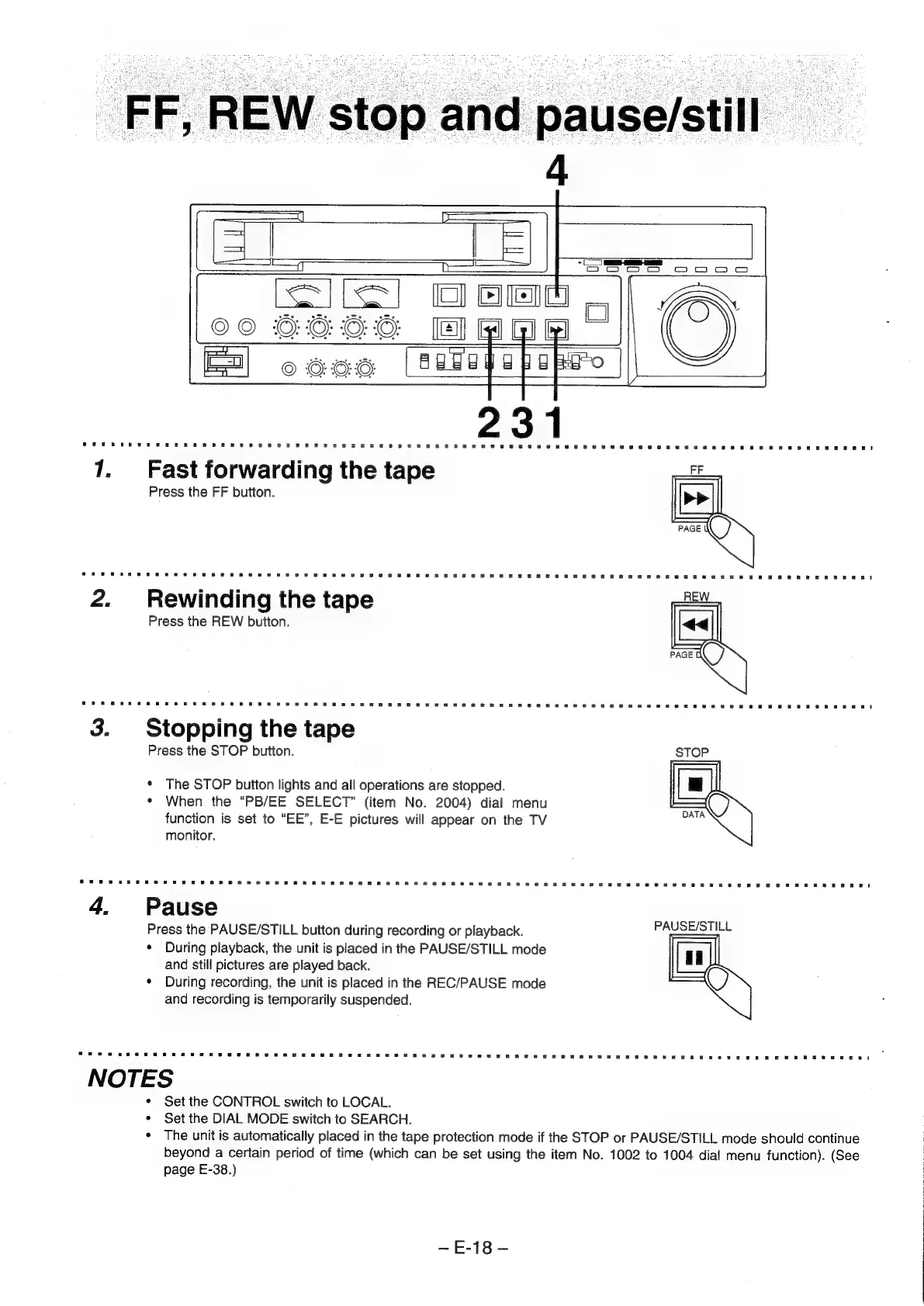
FF,
REW
stop
and
pause/still
7.
Fast
forwarding
the
tape
it
Press
the
FF
button.
2.
Rewinding
the
tape
Press
the
REW
button.
3.
Stopping
the
tape
Press
the
STOP
button.
*
The
STOP
button
lights
and
all
operations
are
stopped.
¢
When
the
“PB/EE
SELECT”
(item
No.
2004)
dial
menu
function
is
set
to
“EE”,
E-E
pictures
will
appear
on
the
TV
monitor.
4.
Pause
Press
the
PAUSE/STILL
button
during
recording
or
playback.
PAUSE/STILL
¢
During
playback,
the
unit
is
placed
in
the
PAUSE/STILL
mode
and
still
pictures
are
played
back.
¢
During
recording,
the
unit
is
placed
in
the
REC/PAUSE
mode
and
recording
is
temporarily
suspended.
NOTES
*
Set
the
CONTROL
switch
to
LOCAL.
*
Set
the
DIAL
MODE
switch
to
SEARCH.
¢
The
unit
is
automatically
placed
in
the
tape
protection
mode
if
the
STOP
or
PAUSE/STILL
mode
should
continue
beyond
a
certain
period
of
time
(which
can
be
set
using
the
item
No.
1002
to
1004
dial
menu
function).
(See
page
E-38.)
~E-18-