EasyManua.ls Logo

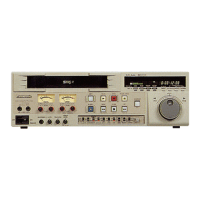
Panasonic AG-8700E - Hour Meter Display

Panasonic AG-8700E
66 pages
Print Icon
To Next Page IconTo Next Page
To Previous Page IconTo Previous Page
Loading...
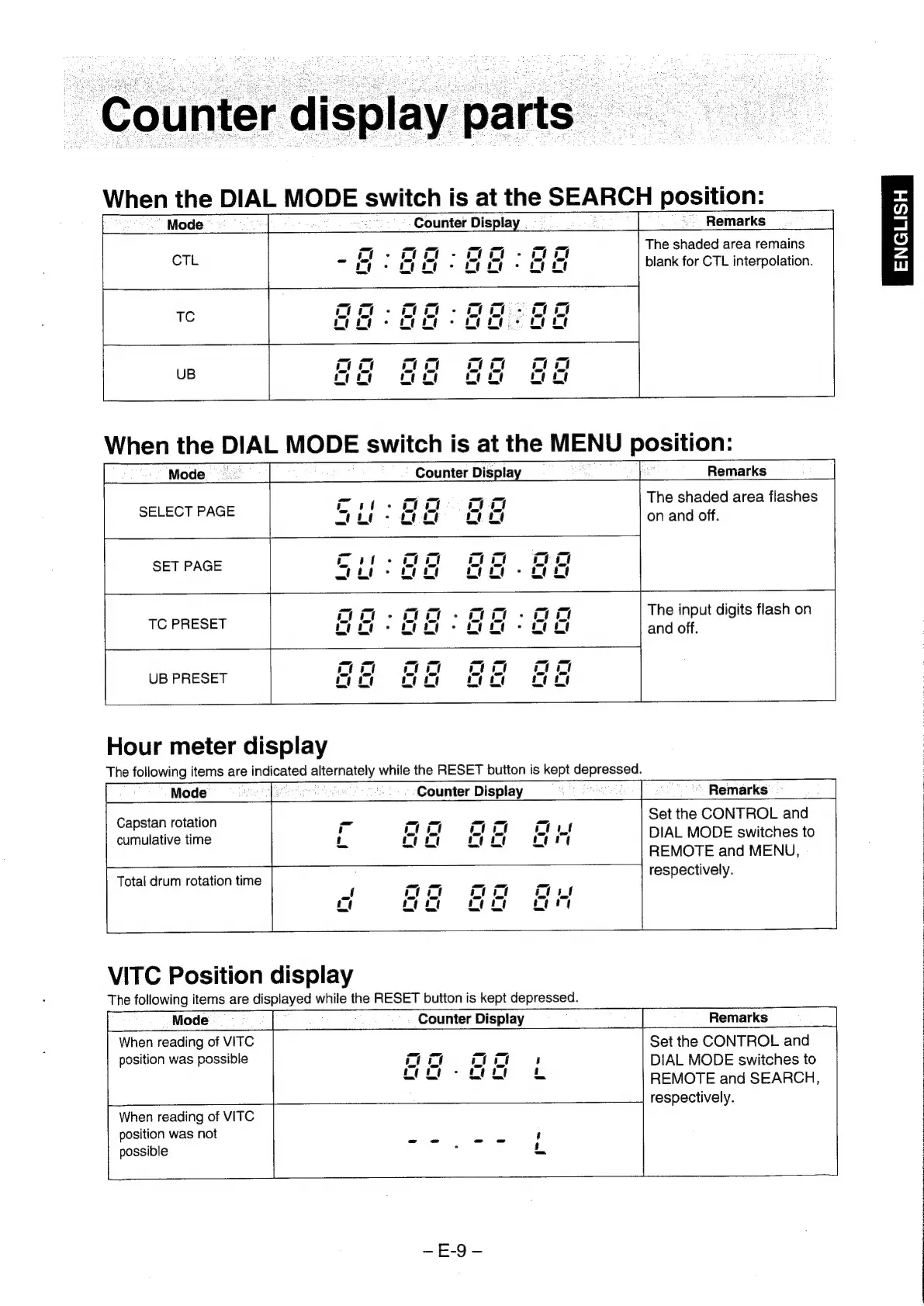
“Counter
display
parts
When
the
DIAL
MODE
switch
is
at
the
SEARCH
position:
Remarks
“|
*
Mode
_-
Counter
Display
.
oO
-
oOo
-
oo
ct
ict
Co
“Oo
-
oo
-
ooo
ct
oom
-
O00
-
oO
7
i
1G
o-oo
-
oo
foo
Oc
ct
ic
ot
ict
ct
cm
UB
oo
oo
8
Oo
oe
Mode
The
shaded
area
remains
blank
for
CTL
interpolation.
When
the
DIAL
MODE
switch
is
at
the
MENU
position:
ae
Counter
Display
pe
Remarks
Hour
meter
display
The
following
items
are
indicated
alternately
while
the
RESET
button
is
kept
depressed.
SELECT
PAGE
on
oe
aa
UB
PRESET
fo
ooo
oo
oe
Mode
Counter
Display
Remarks
Capstan
rotation
val
a
ee
Set
the
CONTROL
and
cumulative
time
i
tt
Ae]
fi
A
rt
+f
DIAL
MODE
switches
to
REMOTE
and
MENU,
Total
drum
rotation
time
Par
ee
respectively.
Lf
tat
ia
a
|
cf
Ce
ee
The
shaded
area
flashes
on
and
off.
The
input
digits
flash
on
and
off.
VITC
Position
display
The
following
items
are
displayed
while
the
RESET
button
is
kept
depressed.
When
reading
of
VITC
position
was
possible
om,
wt
possible
When
reading
of
VITC
position
was
not
[--
a
Counter
Display
Remarks
Set
the
CONTROL
and
cs
a
ci
H
DIAL
MODE
switches
to
o-oo
&
REMOTE
and
SEARCH
respectively.
2g
x
ol
0)
z
uu

Related product manuals