EasyManua.ls Logo

Panasonic AG-8700E - The Setup Menu

Panasonic AG-8700E
66 pages
Print Icon
To Next Page IconTo Next Page
To Previous Page IconTo Previous Page
Loading...
ENGLISH
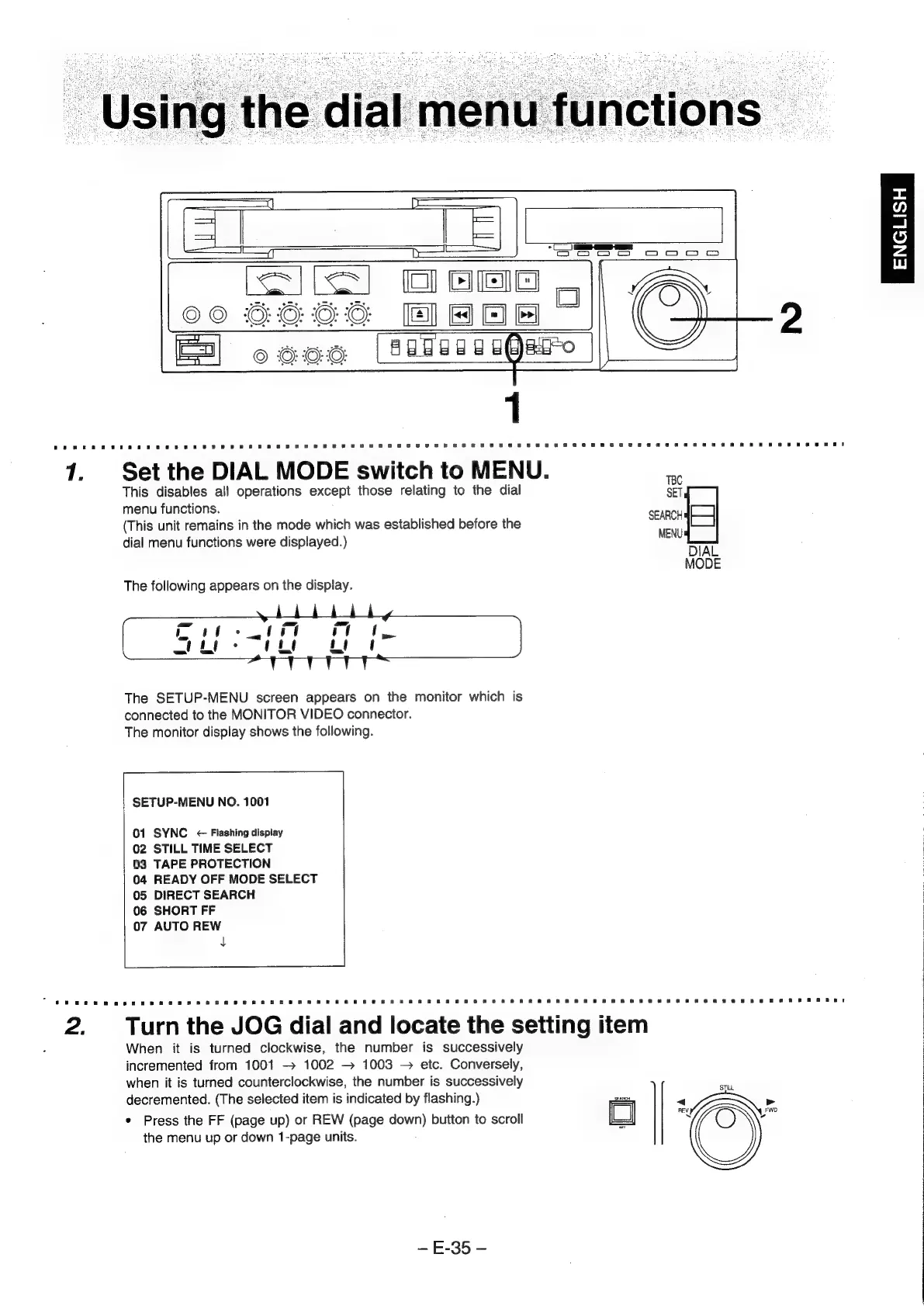
7.
Set
the
DIAL
MODE
switch
to
MENU.
=
This
disables
all
operations
except
those
relating
to
the
dial
SET
menu
functions.
(This
unit
remains
in
the
mode
which
was
established
before
the
Sener
dial
menu
functions
were
displayed.)
MENU
DIAL
MODE
The
following
appears
on
the
display.
The
SETUP-MENU
screen
appears
on
the
monitor
which
is
connected
to
the
MONITOR
VIDEO
connector.
The
monitor
display
shows
the
following.
SETUP-MENU
NO.
1001
01
SYNC
<
Flashing
display
02
STILL
TIME
SELECT
03
TAPE
PROTECTION
04
READY
OFF
MODE
SELECT
05
DIRECT
SEARCH
06
SHORT
FF
07
AUTO
REW
L
{
|
2.
Turn
the
JOG
dial
and
locate
the
setting
item
|
When
it
is
turned
clockwise,
the
number
is
successively
|
incremented
from
1001
-
1002
1003
etc.
Conversely,
|
when
it
is
turned
counterclockwise,
the
number
is
successively
ei
|
decremented.
(The
selected
item
is
indicated
by
flashing.)
sg
*
Press
the
FF
(page
up)
or
REW
(page
nome)
button
to
scroll
=
=
aa
the
menu
up
or
down
1-page
units.
E-35
-