EasyManua.ls Logo

Panasonic AG-8700E - Page 33

Panasonic AG-8700E
66 pages
Print Icon
To Next Page IconTo Next Page
To Previous Page IconTo Previous Page
Loading...
[1]
[2]
[3]
SIS)
(el
Sel
COGOOO
FI
BNO
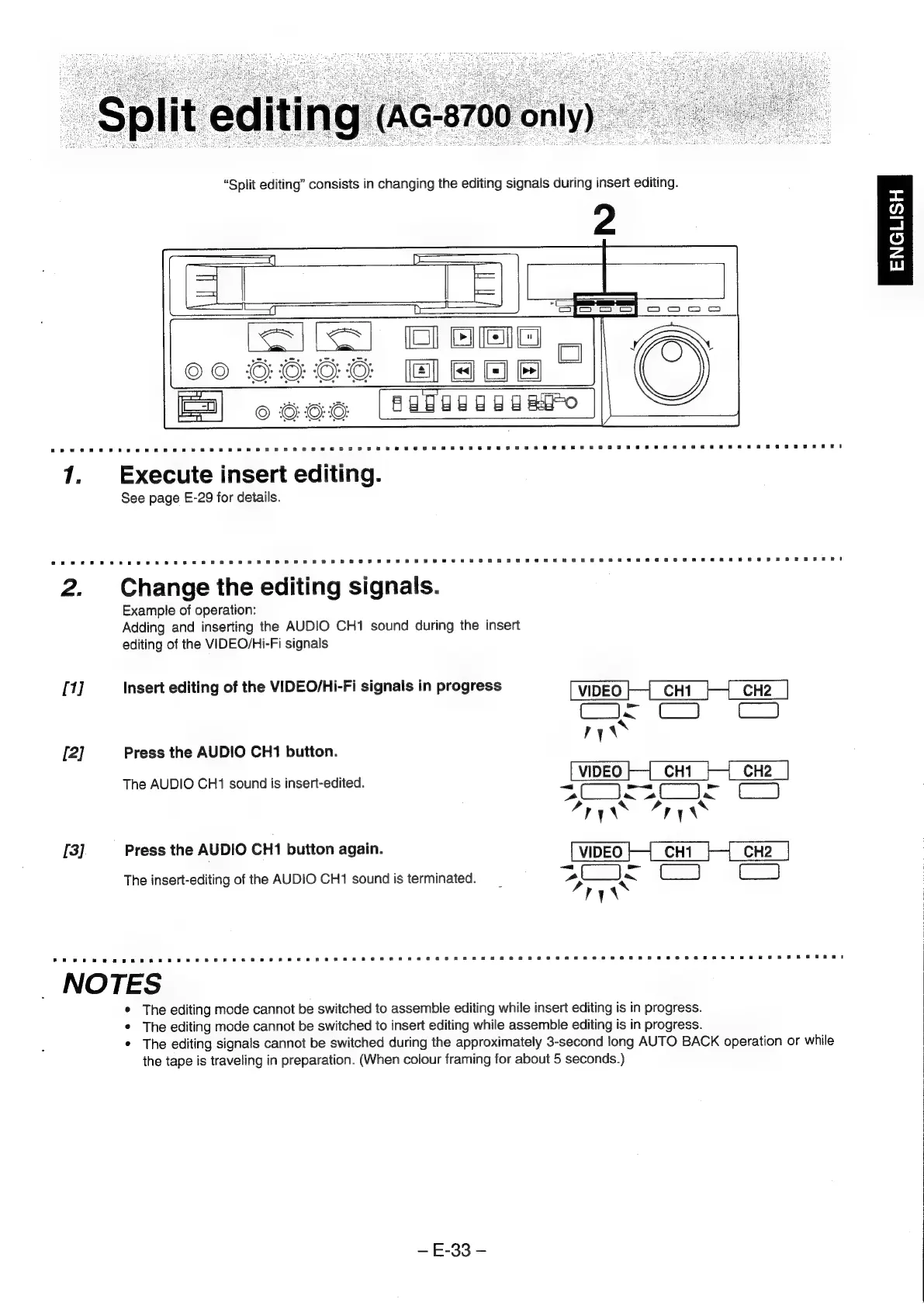
Execute
insert
editing.
See
page
E-29
for
details.
Change
the
editing
signals.
Example
of
operation:
Adding
and
inserting
the
AUDIO
CH1
sound
during
the
insert
editing
of
the
VIDEO/Hi-Fi
signals
Insert
editing
of
the
VIDEO/Hi-Fi
signals
in
progress
VIDEO
CHI
CH2
Cis
ry\
Press
the
AUDIO
CH1
button.
te
VIDEO
CH1
CH2
The
AUDIO
CH1
sound
is
insert-edited.
ot
soe
Bs,
ma
C=
af}
x
ry\
ny
\~
Press
the
AUDIO
CH1
button
again.
VIDEO
CH1
CH2
The
insert-editing
of
the
AUDIO
CH1
sound
is
terminated.
pa
ee
C3
ry
NOTES
*
The
editing
mode
cannot
be
switched
to
assemble
editing
while
insert
editing
is
in
progress.
*
The
editing
mode
cannot
be
switched
to
insert
editing
while
assemble
editing
is
in
progress.
*
The
editing
signals
cannot
be
switched
during
the
approximately
3-second
long
AUTO
BACK
operation
or
while
the
tape
is
traveling
in
preparation.
(When
colour
framing
for
about
5
seconds.)
E-33
-
ENGLISH