EasyManua.ls Logo

Panasonic AG-8700E - Page 56

Panasonic AG-8700E
66 pages
Print Icon
To Next Page IconTo Next Page
To Previous Page IconTo Previous Page
Loading...
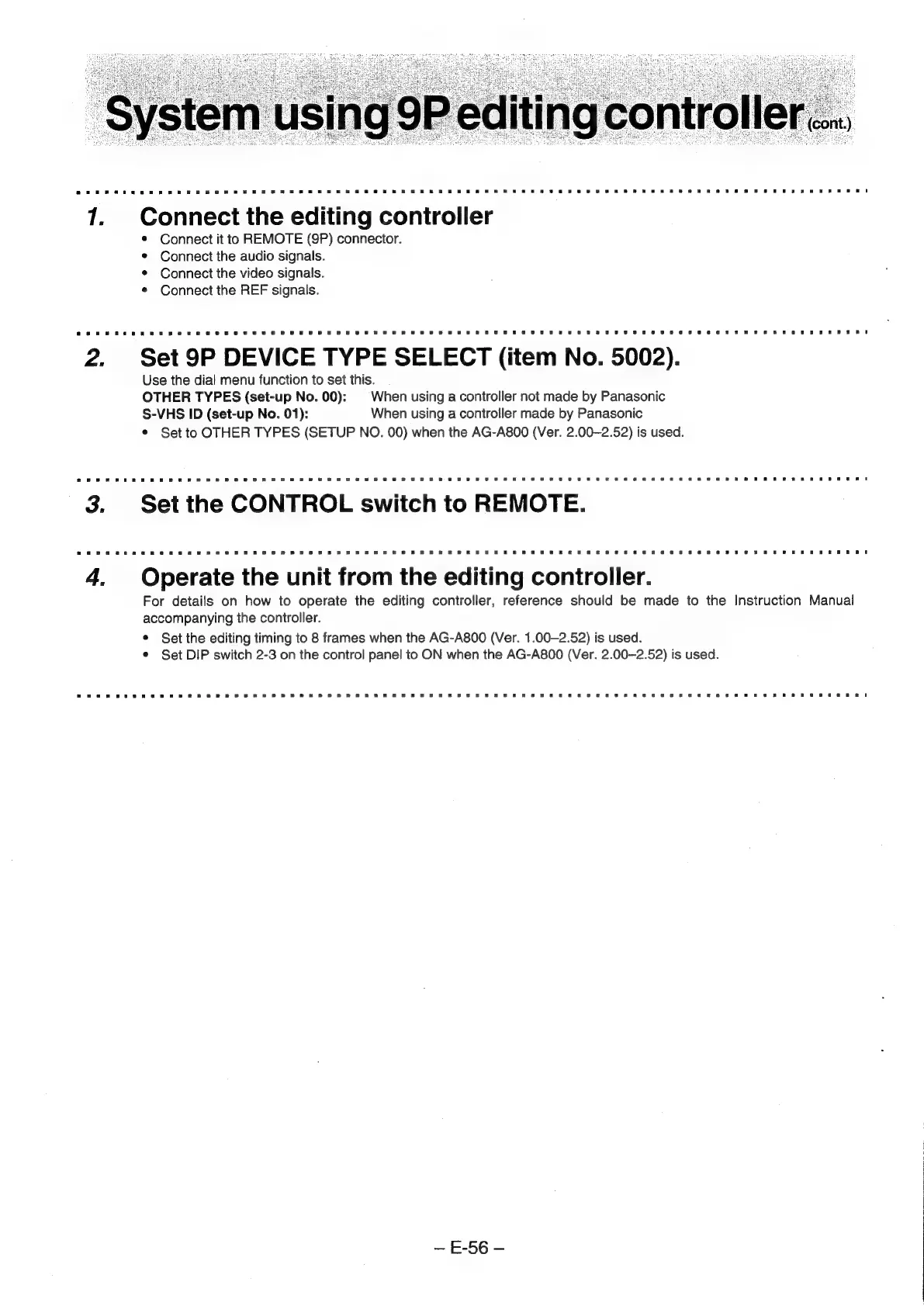
Connect
the
editing
controller
Connect
it
to
REMOTE
(9P)
connector.
Connect
the
audio
signals.
Connect
the
video
signals.
Connect
the
REF
signals.
Set
9P
DEVICE
TYPE
SELECT
(item
No.
5002).
Use
the
dial
menu
function
to
set
this.
OTHER
TYPES
(set-up
No.
00):
=
When
using
a
controller
not
made
by
Panasonic
S-VHS
ID
(set-up
No.
01):
When
using
a
controller
made
by
Panasonic
*
Set
to
OTHER
TYPES
(SETUP
NO.
00)
when
the
AG-A800
(Ver.
2.00—2.52)
is
used.
Operate
the
unit
from
the
editing
controller.
For
details
on
how
to
operate
the
editing
controller,
reference
should
be
made
to
the
Instruction
Manual
accompanying
the
controller.
¢
Set
the
editing
timing
to
8
frames
when
the
AG-A800
(Ver.
1.00-2.52)
is
used.
¢
Set
DIP
switch
2-3
on
the
control
panel
to
ON
when
the
AG-A800
(Ver.
2.00-2.52)
is
used.
E-56