EasyManua.ls Logo

Panasonic AG-AC90EJ - User Manual

Panasonic AG-AC90EJ
36 pages
Print Icon
To Next Page IconTo Next Page
Loading...
Register now!!
http://panasonic.biz/sav/pass_e/
This product is eligible for the
AVCCAM 3 Year Warranty
Repair Program.
For details, see page 7.
Operating Instructions
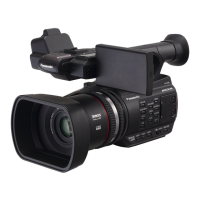
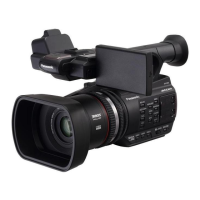
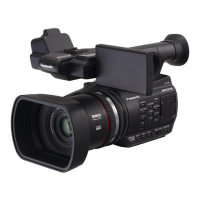
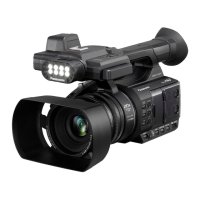
Memory Card Camera-Recorder
Model No. AG-AC90EJ
AG-AC90EN
Vol.1
VQT4M93
ENGLISH
until
2012/10/12
Please read these instructions carefully before using this product, and save this manual for future
use.
Please read first
This document explains basic operations of the unit. For more detailed explanation, please refer
to “Operating Instructions Vol.2” (PDF file) which is recorded in the enclosed CD-ROM.
Vol.1
F0912YK0 ( 1700 A )
Printed in Japan
AG-AC90-VQT4M93_mst.book 1 ペー 012年9月25日 火曜日 午後1時15分

Other manuals for Panasonic AG-AC90EJ

Questions and Answers

  • J
    Jonathan WoodAug 18, 2025
    What to do if my Panasonic AG-AC90EJ won't turn on or stay on?
    • J
      Jodi ThompsonAug 18, 2025
      First, ensure the battery is sufficiently charged by charging it again. If the operating time remains too short even after a full charge, the battery may be worn out and require replacement.
  • J
    Jamie KruegerAug 20, 2025
    How to fix Panasonic Camcorder not detected by PC via USB cable?
    • W
      william87Aug 20, 2025
      Try these steps: re-insert the SD card into the unit and reconnect the supplied USB cable; select another USB terminal on the PC; check the operating environment; connect the supplied USB cable again after restarting the PC and turning on the unit again.
  • M
    Meghan GarrettAug 23, 2025
    Why is my Panasonic AG-AC90EJ not working even though it's turned on?
    • A
      alexandra50Aug 23, 2025
      Try removing the battery or AC adapter, wait about 1 minute, and then reconnect it. Wait another minute before turning the unit on again. Be aware that performing this action while the media is being accessed may damage the data on the media. If normal operation isn't restored, detach the power connected and consult the dealer from whom you purchased this unit.
  • R
    Rodney SellersAug 26, 2025
    How to fix a Panasonic AG-AC90EJ when images are not seen on TV or are squeezed horizontally?
    • D
      David AndersonAug 26, 2025
      Select the channel on your TV that matches the input used for the connection. Also, change the setting of the unit depending on the cable connecting to the TV.
  • S
    Sierra TaylorAug 27, 2025
    What to do if my Panasonic AG-AC90EJ Camcorder displays “ERROR OCCURRED. PLEASE TURN UNIT OFF, THEN TURN ON AGAIN.”?
    • J
      Jenny ChandlerAug 27, 2025
      This error indicates the unit has automatically detected an error. Try restarting the unit by turning it off and then on again. If the error repeatedly appears after restarting, repair is needed.
  • J
    Janet KeyAug 30, 2025
    Why does my Panasonic AG-AC90EJ arbitrarily stop recording?
    • B
      Benjamin SullivanAug 30, 2025
      Ensure you are using an SD card that is suitable for motion picture recording. Also, if the recordable time has shortened due to deterioration of the data writing speed or repeated recording and deletion, format the SD card using the unit.
  • R
    regina77Sep 1, 2025
    Why is the SD card not recognized in my Panasonic Camcorder?
    • O
      ogonzalezSep 1, 2025
      If the SD card was formatted on a PC, use the camcorder to format the SD card.
  • A
    Angela LoveSep 3, 2025
    How to fix color or brightness changes and horizontal bars on my Panasonic Camcorder?
    • A
      Andrew KingSep 3, 2025
      Color or brightness changes, or horizontal bars, can occur when recording under fluorescent, mercury, or sodium light. Try recording in Intelligent Auto Mode. Alternatively, set the shutter speed to 1/60 in areas with a 60 Hz power supply or 1/100 in 50 Hz areas.
  • A
    Amanda WagnerSep 5, 2025
    Why isn't the Auto Focus function working on my Panasonic AG-AC90EJ Camcorder?
    • R
      ronaldbeardSep 6, 2025
      Try switching to Intelligent Auto Mode. If you're recording a scene that's difficult to focus on in Auto Focus Mode, use Manual Focus Mode to adjust the focus.
  • T
    Tyler SmithSep 8, 2025
    What to do if my Panasonic AG-AC90EJ scenes/still pictures cannot be deleted?
    • J
      Jacqueline SmithSep 8, 2025
      Release the protect setting. If the scenes/still pictures are unnecessary and thumbnails are displayed, format the media to erase the data. Be aware that formatting will erase all data on the media, and it cannot be recovered. Back up important data on a PC or disc.

Panasonic AG-AC90EJ Specifications

General IconGeneral
Sensor Type3MOS
LensLeica Dicomar
Optical Zoom12x
Recording MediaSD/SDHC/SDXC card
Audio RecordingDolby Digital (2ch)
HDMI OutputYes
USB InterfaceUSB 2.0
Weight (body only)1.5 kg
TypeCamcorder
ApertureF1.5 to F2.8
Image StabilizationYes
Recording FormatAVCHD
Video Resolution1920 x 1080
MicrophoneBuilt-in Stereo
LCD Screen Size3.5"
ViewfinderColor
BatteryLithium-ion battery
OutputsHDMI, AV
Sensor Size1/4.1 inch
Effective Pixels2.19 MP

Related product manuals