Chapter 4 Operation — Menu settings
- 70 -
[MIC SETTING]
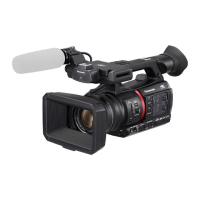
This can be set when the handle unit (supplied) has not been attached to the unit.
[CH1 LEVEL]
Sets if the recording level adjustment method for audio channel 1 is to be automatic or manual.
The items that can be set are as follows.
≥ [AUTO], [MANUAL]
(Factory setting: [AUTO])
[CH2 LEVEL]
Sets if the recording level adjustment method for audio channel 2 is to be automatic or manual.
The items that can be set are as follows.
≥ [AUTO], [MANUAL]
(Factory setting: [AUTO])
[CH1 LEVEL CONTROL]
The recording level can be manually adjusted when [CH1 LEVEL] adjusting the recording level of the audio channel 1 is set to [MANUAL].
The items that can be set are as follows.
≥ [MUTE], [j30dB]…[i12dB]
(Factory setting: [0dB])
[CH2 LEVEL CONTROL]
The recording level can be manually adjusted when [CH2 LEVEL] adjusting the recording level of the audio channel 2 is set to [MANUAL].
The items that can be set are as follows.
≥ [MUTE], [j30dB]…[i12dB]
(Factory setting: [0dB])
[INPUT SETTINGS]
[CH1 MIC LOWCUT]
Switches enable/disable of the lowcut filter for audio channel 1.
The items that can be set are as follows.
≥ [ON], [OFF]
(Factory setting: [OFF])
[CH2 MIC LOWCUT]
Switches enable/disable of the lowcut filter for audio channel 2.
The items that can be set are as follows.
≥ [ON], [OFF]
(Factory setting: [OFF])
[CH1 LIMITER]
Switches enable/disable of the limiter when the method to adjust the audio input level for audio channel 1 is manual.
The items that can be set are as follows.
≥ [ON], [OFF]
(Factory setting: [OFF])
0 In the following case, [CH1 LIMITER] is fixed to [ON]:
j When [CH1 LEVEL] is set to [AUTO]
j When the <CH1> switch is set to <AUTO>
[CH2 LIMITER]
Switches enable/disable of the limiter when the method to adjust the audio input level for audio channel 2 is manual.
The items that can be set are as follows.
≥ [ON], [OFF]
(Factory setting: [OFF])
0 In the following case, [CH2 LIMITER] is fixed to [ON]:
j When [CH2 LEVEL] is set to [AUTO]
j When the <CH2> switch is set to <AUTO>
[MIC LIMITER LINK]
Sets whether to make the limiter work on the other audio channel when the limiter works in either audio channel 1 or audio channel 2.
The items that can be set are as follows.
≥ [ON], [OFF]
(Factory setting: [OFF])
0 In the following case, [MIC LIMITER LINK] is fixed to [OFF]:
j [CH1 LIMITER] or [CH2 LIMITER] is set to [OFF]





 To Next Page
