6.3 Power ON Self Check Result Display
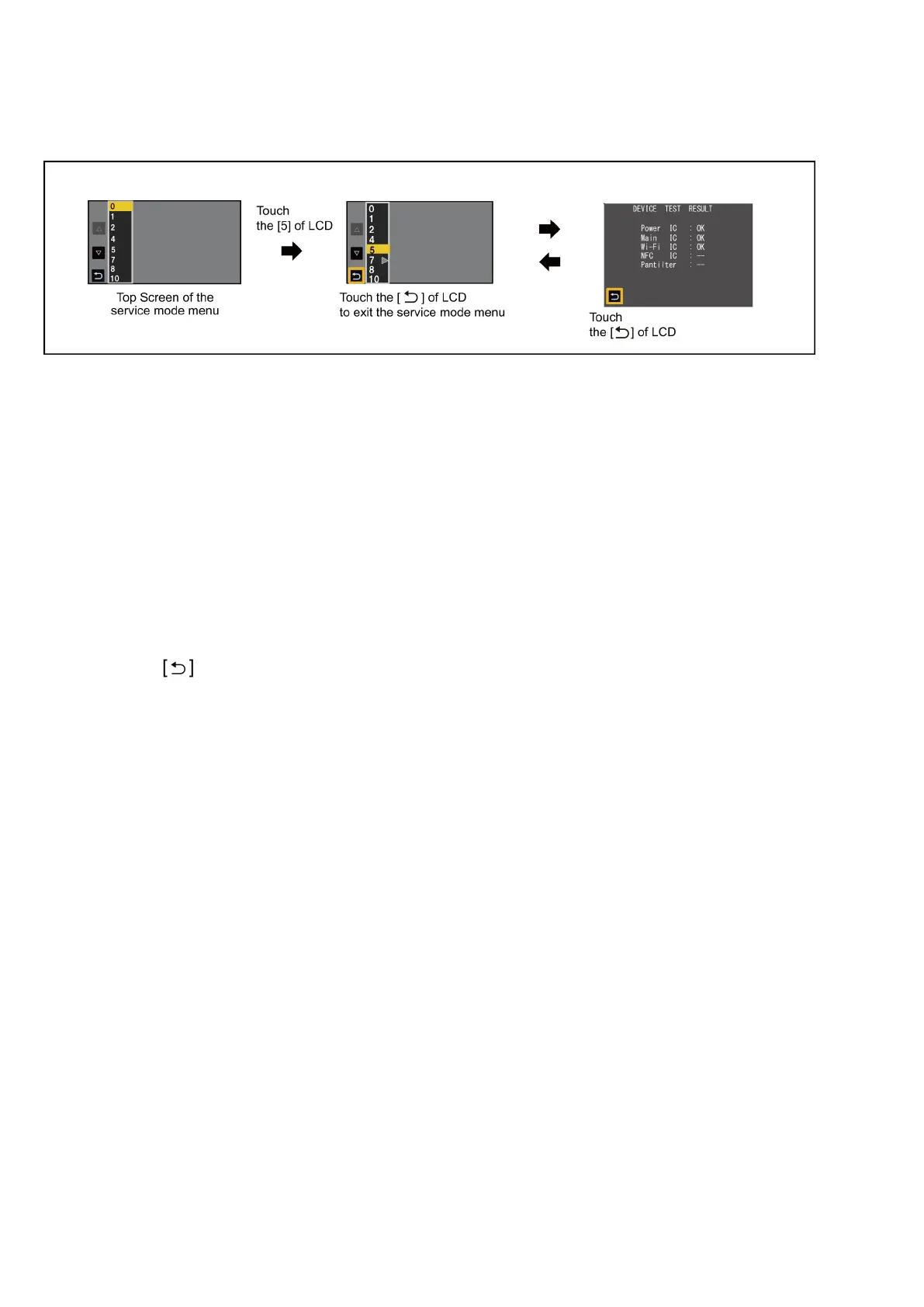
Touch the [ 5 ] of LCD, select Power ON self check result display.
Operation procedure
Indication contents
•
Power ON self check result display
Function to diagnose correct function of the device and interface between devices result display.
Display the following communication test result.
-
Power IC : Communication test between VENUS and power IC (Main p.c.b.)
-
Main IC : Communication test inside VENUS (Main p.c.b.)
-
WiFi IC : Communication test between VENUS and WiFi ss p.c.b..
-
NFC IC : -- (Excluded).
-
PanTilter : -- (Excluded).
End method of operation
•
Touch the
of LCD and then press the power button to turn off the power.
- 30 -









 To Next Page