Page 1-14
Outline of Maintenance
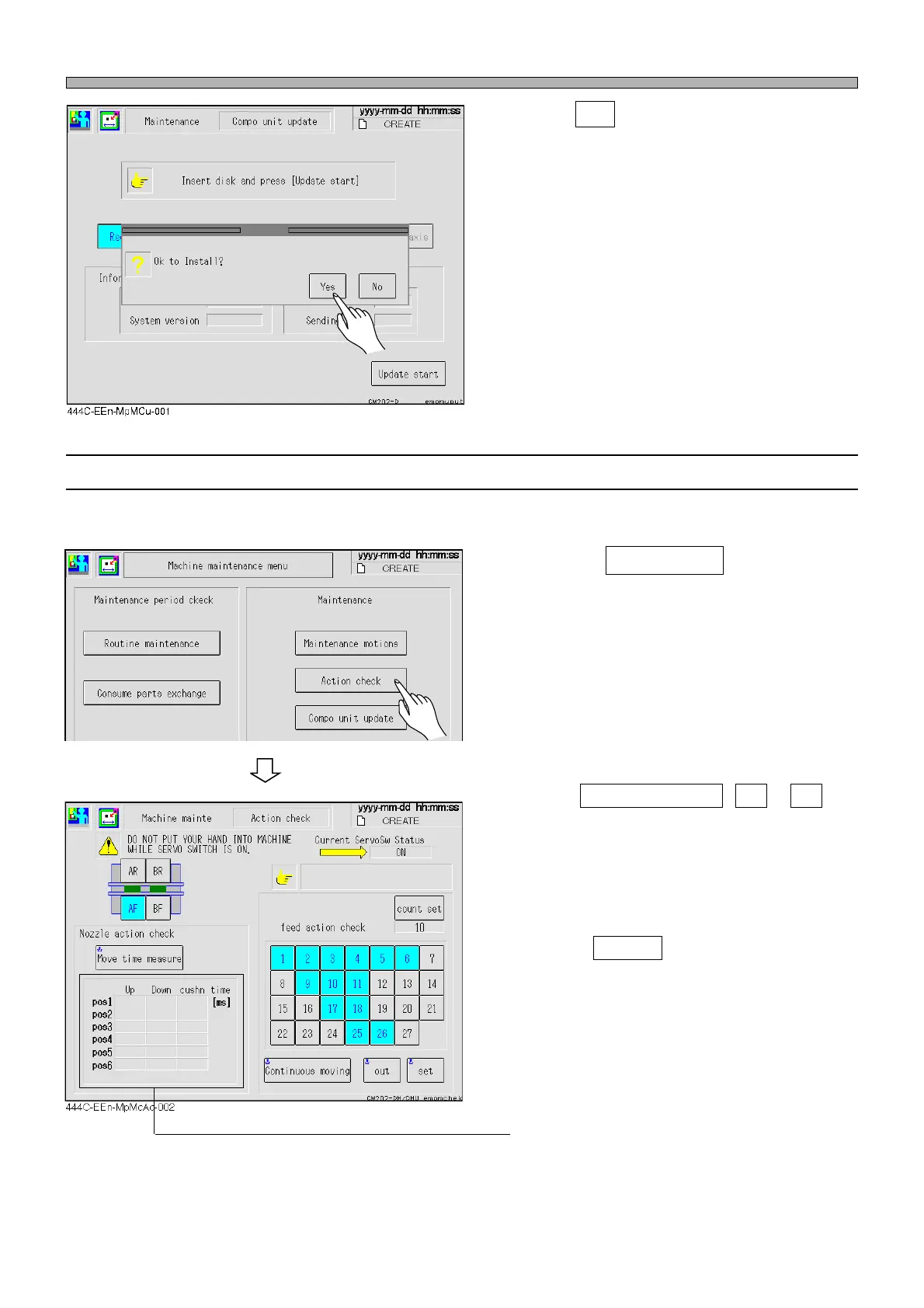
3. Press Yes .
• The update is started.
• The message “Update complete“ is displayed
when the update finishes successfully.
∗ The message “Restart the system“ is displayed
when the installation is complete successfully.
Turn on the power of the machine again.
1-1-7 Action Check
The feeder sending can be checked.
1. Press the Action check on the “Ma-
chine maintenance menu” screen.
∗ Choose the feeder address that is a target for
movement.
The target for movement is a light blue and
highlighted.
• Select Continuous moving , Out or Set
and check the feeder sending of the moving
target address.
• The continuous moving repeats out and set
reserved count.
• It is possible to set from 1 to 100 times by
pressing count set .
∗ The moving time of the nozzle cylinder is
measured.
444C-E-MMA01-A01-04
444C-EEn-MpMm-002



 To Next Page