EasyManua.ls Logo

Panasonic CQ-DF201U - Page 19

Panasonic CQ-DF201U
72 pages
Print Icon
To Next Page IconTo Next Page
To Previous Page IconTo Previous Page
Loading...
A
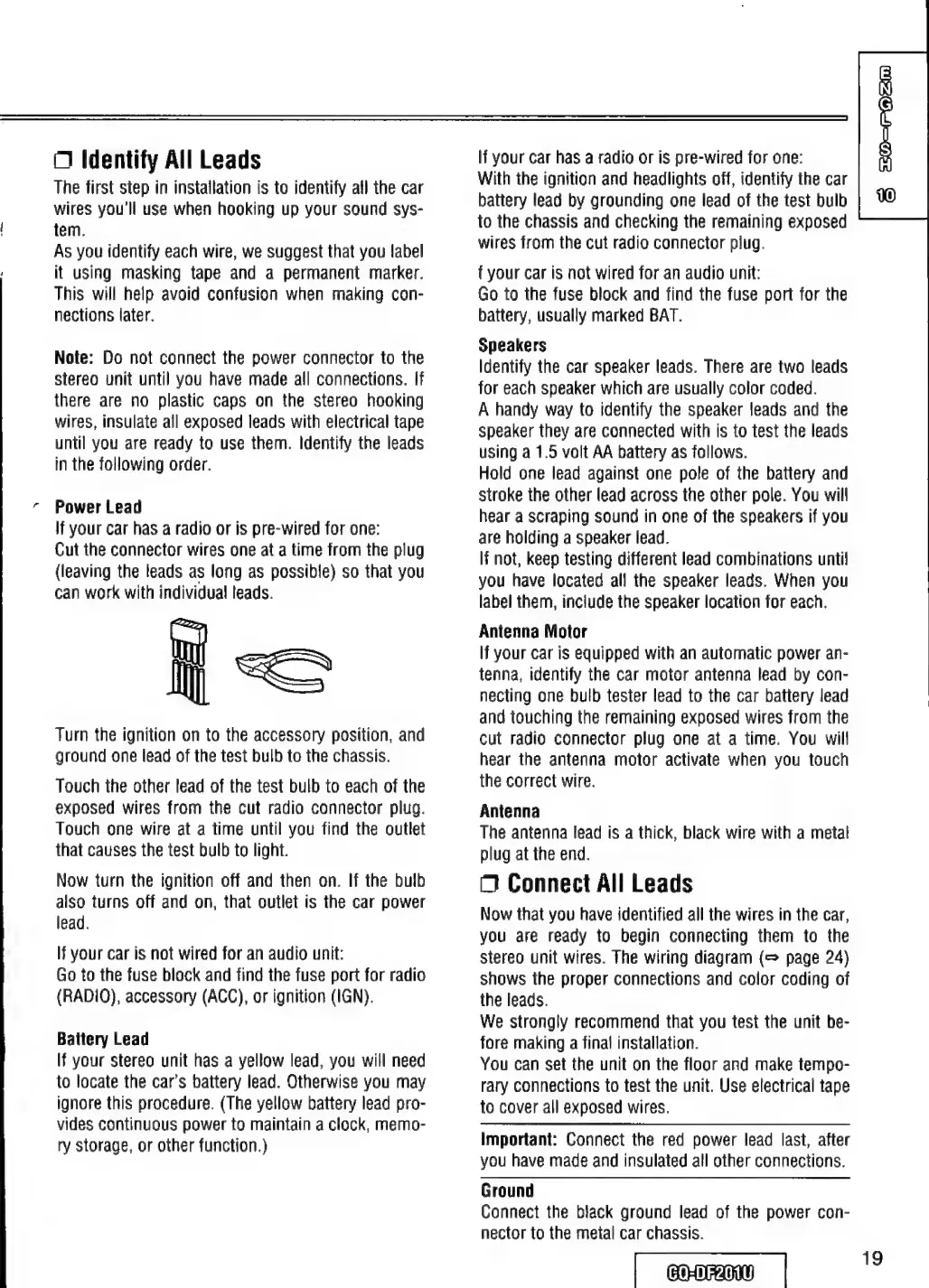
Identify
All
Leads
The
first
step
in
installation
is
to
identify
all
the
car
wires
you'll
use
when
hooking
up
your
sound
sys-
tem.
As
you
identify
each
wire,
we
suggest
that
you
label
it
using
masking
tape
and
a
permanent
marker.
This
will
help
avoid
confusion
when
making
con-
nections
later.
Note:
Do
not
connect
the
power
connector
to
the
stereo
unit
until
you
have
made
all
connections.
If
there
are
no
plastic
caps
on
the
stereo
hooking
wires,
insulate
all
exposed
leads
with
electrical
tape
until
you
are
ready
to
use
them.
Identify
the
leads
in
the
following
order.
Power
Lead
If
your
car
has
a
radio
or
is
pre-wired
for
one:
Cut
the
connector
wires
one
at
a
time
from
the
plug
(leaving
the
leads
as
long
as
possible)
so
that
you
can
work
with
individual
leads.
=
Turn
the
ignition
on
to
the
accessory
position,
and
ground
one
lead
of
the
test
bulb
to
the
chassis.
Touch
the
other
lead
of
the
test
bulb
to
each
of
the
exposed
wires
from
the
cut
radio
connector
plug.
Touch
one
wire
at
a
time
until
you
find
the
outlet
that
causes
the
test
bulb
to
light.
Now
turn
the
ignition
off
and
then
on.
If
the
bulb
also
turns
off
and
on,
that
outlet
is
the
car
power
lead.
If
your
car
is
not
wired
for
an
audio
unit:
Go
to
the
fuse
block
and
find
the
fuse
port
for
radio
(RADIO),
accessory
(ACC),
or
ignition
(IGN).
Battery
Lead
If
your
stereo
unit
has
a
yellow
lead,
you
will
need
to
locate
the
car’s
battery
lead.
Otherwise
you
may
ignore
this
procedure.
(The
yellow
battery
lead
pro-
vides
continuous
power
to
maintain
a
clock,
memo-
ry
storage,
or
other
function.)
If
your
car
has
a
radio
or
is
pre-wired
for
one:
With
the
ignition
and
headlights
off,
identify
the
car
battery
lead
by
grounding
one
lead
of
the
test
bulb
to
the
chassis
and
checking
the
remaining
exposed
wires
from
the
cut
radio
connector
plug.
f
your
car
is
not
wired
for
an
audio
unit:
Go
to
the
fuse
block
and
find
the
fuse
port
for
the
battery,
usually
marked
BAT.
Speakers
Identify
the
car
speaker
leads.
There
are
two
leads
for
each
speaker
which
are
usually
color
coded.
A
handy
way
to
identify
the
speaker
leads
and
the
speaker
they
are
connected
with
is
to
test
the
leads
using
a
1.5
volt
AA
battery
as
follows.
Hold
one
lead
against
one
pole
of
the
battery
and
stroke
the
other
lead
across
the
other
pole.
You
will
hear
a
scraping
sound
in
one
of
the
speakers
if
you
are
holding
a
speaker
lead.
If
not,
keep
testing
different
lead
combinations
until
you
have
located
all
the
speaker
leads.
When
you
label
them,
include
the
speaker
location
for
each.
Antenna
Motor
If
your
car
is
equipped
with
an
automatic
power
an-
tenna,
identify
the
car
motor
antenna
lead
by
con-
necting
one
bulb
tester
lead
to
the
car
battery
lead
and
touching
the
remaining
exposed
wires
from
the
cut
radio
connector
plug
one
at
a
time.
You
will
hear
the
antenna
motor
activate
when
you
touch
the
correct
wire.
Antenna
The
antenna
lead
is
a
thick,
black
wire
with
a
metal
plug
at
the
end.
O
Connect
All
Leads
Now
that
you
have
identified
all
the
wires
in
the
car,
you
are
ready
to
begin
connecting
them
to
the
stereo
unit
wires.
The
wiring
diagram
(=
page
24)
shows
the
proper
connections
and
color
coding
of
the
leads.
We
strongly
recommend
that
you
test
the
unit
be-
fore
making
a
final
installation.
You
can
set
the
unit
on
the
floor
and
make
tempo-
rary
connections
to
test
the
unit.
Use
electrical
tape
to
cover
all
exposed
wires.
Important:
Connect
the
red
power
lead
last,
after
you
have
made
and
insulated
a!l
other
connections.
Ground
Connect
the
black
ground
lead
of
the
power
con-
nector
to
the
metal
car
chassis.
|
coo
|
3
S0-PAZA
19

Table of Contents