EasyManua.ls Logo

Panasonic CQ-DF201U - Page 20

Panasonic CQ-DF201U
72 pages
Print Icon
To Next Page IconTo Next Page
To Previous Page IconTo Previous Page
Loading...
20
Installation
Guide
(continues)
Speakers
Connect
the
speaker
wires.
See
the
connection
dia-
gram
(=>
page
24)
for
the
proper
hookups.
Follow
the
diagram
carefully
to
avoid
damaging
the
speak-
ers
and
the
stereo
unit.
The
speakers
used
must
be
able
to
handle
more
than
45
watts
of
audio
power.
If
using
an
optional
audio
amplifier,
the
speakers
should
be
able
to
han-
dle
the
maximum
amplifier
output
power.
Speakers
with
low
input
ratings
can
be
damaged.
Speaker
impedance
should
measure
4-8
ohms,
which
is
typically
marked
on
most
speakers.
Lower
or
high-
er
impedance
speakers
will
affect
output
and
can
cause
both
speaker
and
stereo
unit
damage.
Motor
Antenna
Connect
the
car
motor
antenna
lead
to
the
dark
blue
motor
antenna
relay
control
lead.
Battery
Connect
the
yellow
battery
lead
to
the
correct
radio
wire
or
to
the
battery
fuse
port
on
the
fuse
block.
Antenna
Connect
the
antenna
by
plugging
the
antenna
lead
into
the
antenna
receptacle.
Equipment
Connect
any
optional
equipment
such
as
an
ampli-
fier,
according
to
the
instructions
furnished
with
the
equipment.
Leave
about
12
inches
(30
cm)
of
distance
between
the
speaker
leads/amplifier
unit
and
the
antenna/antenna
extension
cord.
Read
the
operating
and
installation
instructions
of
any
equip-
ment
you
will
connect
to
this
unit.
Power
Connect
the red
power
lead
to
the
correct
car
radio
wire
or
to
the
appropriate
fuse
port
on
the
fuse
block.
If
the
stereo
unit
functions
properly
with
all
these
connections
made,
disconnect
the
wires
and
pro-
ceed
to
the
final
installation.
O
Final
Installation
Lead
Connections
Connect
all
wires,
making
sure
that
each
connec-
tion
is
insulated
and
secure.
Bundle
all
loose
wires
and
fasten
them
with
tape
so
they
will
not
fall
down
later.
Now
insert
the
stereo
unit into
the
mounting
collar.
Congratulations!
After
making
a
few
final
checks,
you're
ready
to
enjoy
your
new
auto
stereo
system.
|
eme
|
O
Final
Checks
1.
Make
sure
that
all
wires
are
property
connected
and
insulated.
2.
Make
sure
that
the
stereo
unit
is
securely
held
in
the
mounting
collar.
3.
Turn
on
the
ignition
to
check
the
unit
for
proper
operation.
If
you
have
difficulties,
consult
your
nearest
author-
ized
professional
installer
for
assistance.
O
Preparation
e
We
strongly
recommend
that
you
wear
gloves
for
installation
work
to
protect
yourself
from
injuries.
eWhen
bending
the
mounting
tabs
of
the
mounting
collar
with
a
screwdriver,
be
careful
not
to
injure
your
hands
and
fingers.
e
Disconnect
the
cable
trom
the
negative
O
battery
terminal
(see
cautions
below).
e
Unit
should
be
installed
in
a
horizontal
position
with
the
front
end
up
at
a
convenient
angle,
but
not
more
than
30°.
>
=
o
than
30°
ES
Caution:
e
Do
not
disconnect
the
battery
terminals
of
a
car
with
a
trip
or
navigational
computer
since
all
user
settings
stored
in
memory
will
be
lost.
Instead
take
extra
care
with
installing
the
unit
to
prevent
shorts.
Dashboard
Installation
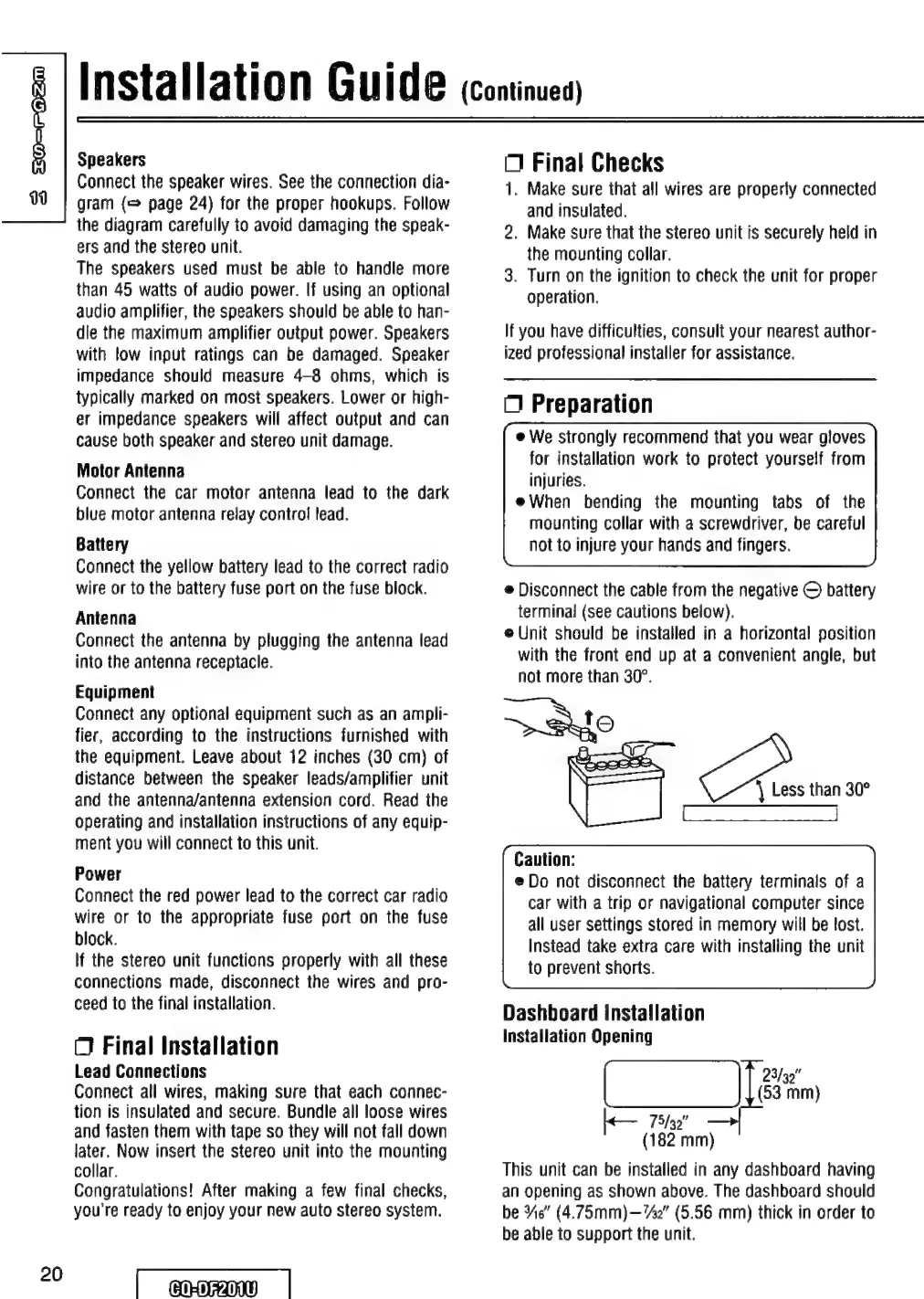
Installation
Opening
[|
|
75/92"
(182
mm)
This
unit
can
be
installed
in
any
dashboard
having
an
opening
as
shown
above.
The
dashboard
should
be
Ns”
(4.75mm)—7#2"
(5.56
mm)
thick
in
order
to
be
able
to
support
the
unit.
23/32"
(53
mm)

Table of Contents