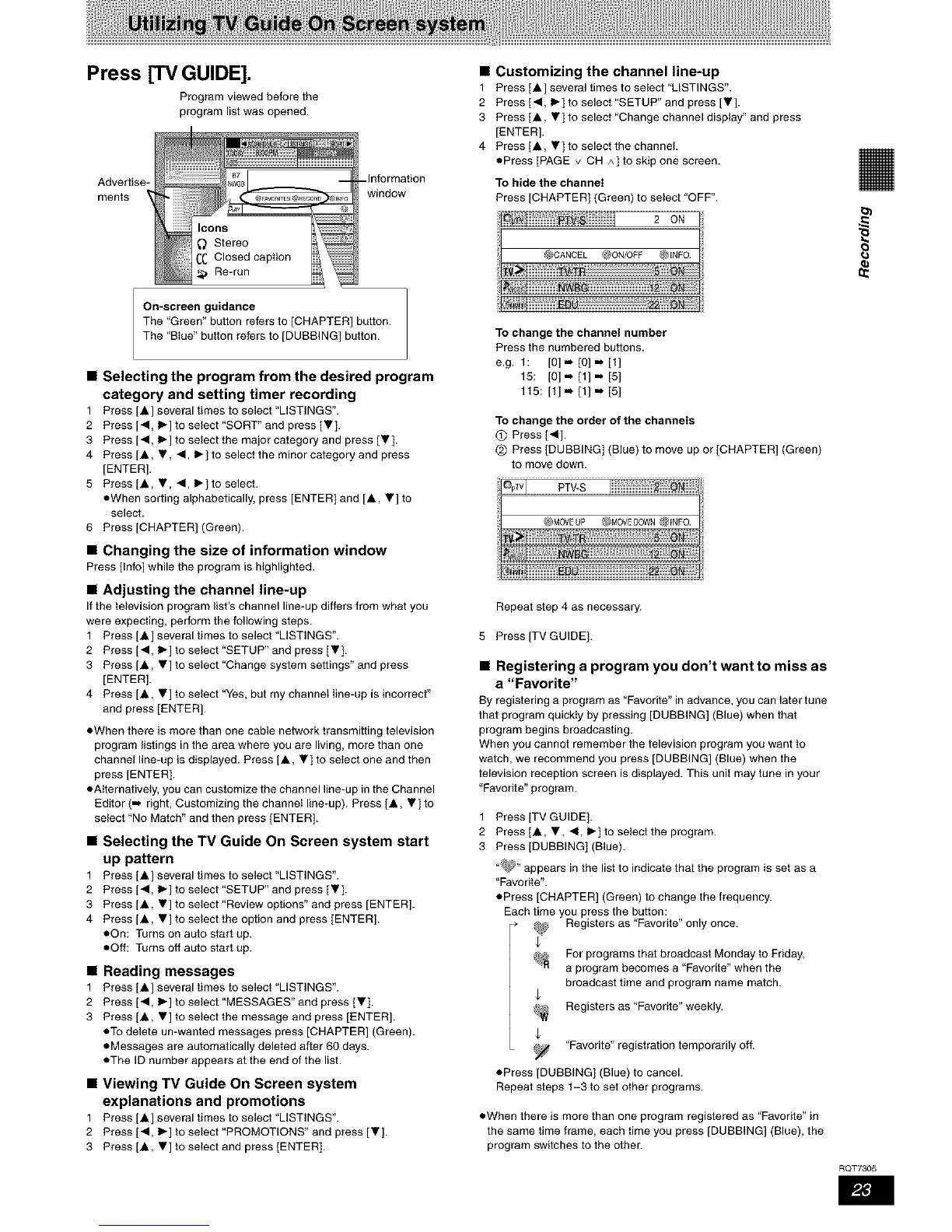
Press [TV GUIDE].
Program viewed before the
program list was opened.
Advertise-
ments
Icons
Stereo
CC Closed caption
_, Re-run
-Information
window
On-screen guidance
The "Green" button refers to [CHAPTER] button.
The "BIue" button refers to [DUBBING] button.
• Selecting the program from the desired program
category and setting timer recording
1 Press [A ] several times to select "LISTINGS".
2 Press [4, I_] to select "SORT" and press [V].
3 Press [4, 1_] to select the major category and press [V].
4 Press [A, V, 4, 1_] to select the minor category and press
[ENTER].
5 Press[A, V, 4, I_] to select.
oWhen sorting alphabetically, press [ENTER] and [A, V] to
select.
6 Press [CHAPTER] (Green).
• Changing the size of information window
Press [Info] while the program is highlighted.
• Adjusting the channel line-up
Ifthe television program list's channel line-up differs from what you
were expecting, perform the following steps.
1 Press [A ] several times to select "LISTINGS".
2 Press [4, 1_] to select "SETUP" and press IV].
3 Press[A, V] to setect "Change system settings" and press
[ENTER].
4 Press[A, V]toselect"Yes, butmychanneIIine-upisincorrect"
and press [ENTER].
oWhen there is more than one cable network transmitting television
program listings in the area where you are living, more than one
channel line-up is displayed. Press [A, V] to seIect one and then
press [ENTER].
oAIternativeiy, you can customize the channel line-up in the Channel
Editor (..,, right, Customizing the channel line-up). Press [A, V] to
select "No Match" and then press [ENTER].
• Selecting the TV Guide On Screen system start
up pattern
1 Press [A ] several times to select "LISTINGS".
2 Press [4, 1_] to select "SETUP" and press [V].
3 Press[A, V] to select "Review options" and press [ENTER].
4 Press[A, V] to select the option and press [ENTER].
oOn: Turns on auto start up.
oOff: Turns off auto start up.
• Reading messages
1 Press [A ] several times to select "LISTINGS".
2 Press [<1, I_] to select "MESSAGES" and press [V ].
3 Press[A, V] to select the message and press [ENTER].
oTo delete un-wanted messages press [CHAPTER] (Green).
oMessages are automatically deleted after 60 days.
oThe ID number appears at the end of the list.
• Viewing TV Guide On Screen system
explanations and promotions
1 Press [A ] several times to select "LISTINGS".
2 Press [<1, 1_] to select "PROMOTIONS" and press [Y].
3 Press[A, Y] to setect and press [ENTER].
• Customizing the channel line-up
1 Press [A ] several times to select "USTINGS".
2 Press [<1, I_] to select "SETUP" and press [V].
3 Press[A, V]toselect"Changechanneldisplay"andpress
[ENTER].
4 Press [A, V] to select the channel.
oPress [PAGE v CH ^] to skip one screen.
To hide the channel
Press [CHAPTER] (Green) to select "OFF".
To change the channel number
Press the numbered buttons.
e.g. 1: [0] m [0] .= [1]
15: [0]m [1] =* [5]
115: [1] -- [1] .., [5]
To change the order of the channels
O Press 1<1].
@ Press [DUBBING] (Blue) to move up or [CHAPTER] (Green)
to move down.
Repeat step 4 as necessary.
5 Press [TV GUIDE].
• Registering a program you don't want to miss as
a "Favorite"
By registering a program as "Favorite" in advance, you can later tune
that program quickiy by pressing [DUBBING] (Blue) when that
program begins broadcasting.
When you cannot remember the television program you want to
watch, we recommend you press [DUBBING] (Blue) when the
television reception screen is displayed. This unit may tune in your
"Favorite" program.
1 Press [TV GUIDE].
2 Press [A, V, 41, I_] to select the program.
3 Press [DUBBING] (Blue).
"_" appears in the list to indicate that the program is set as a
"Favorite".
oPress [CHAPTER] (Green) to change the frequency.
Each time you press the button:
Registers as "Favorite" only once.
For programs that broadcast Monday 1o Friday,
a program becomes a "Favorite" when the
broadcast time and program name match.
Registers as "Favorite" weekly.
"Favorite" registration temporarily off.
oPress [DUBBING] (Blue) to cancel.
Repeat steps 1-3 to set other programs.
• When there is more than one program registered as "Favorite" in
the same time frame, each time you press [DUBBING] (Blue), the
program switches to the other.
8
RQT7305










 To Next Page