10
3 Service Navigation
3.1. Combination of Multiple Pressing on the Remote Control
Press multi-buttons (in combination) on the remote control simultaneously for operations, such as initialization or service mode, etc.
3.2. The display position of TV
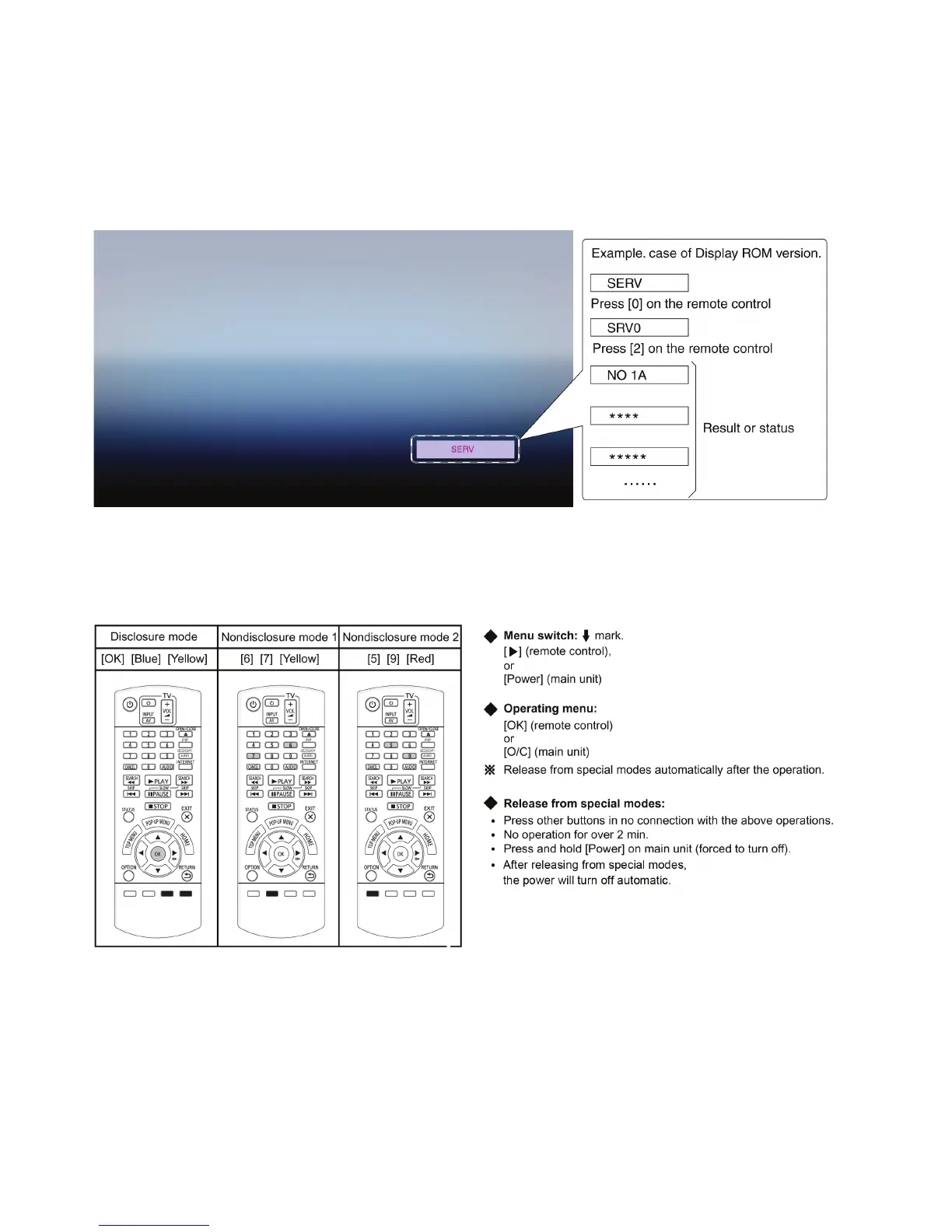
Special modes display of this unit changes to TV display from the original FL display.
3.3. Entering Special Modes with Combination of Multiple Pressing on the
Remote Control
Enter the following special modes by multiple pressing functions on the supplied remote control.
After entering each mode, switch to the desired menus for operation.










 To Next Page