12
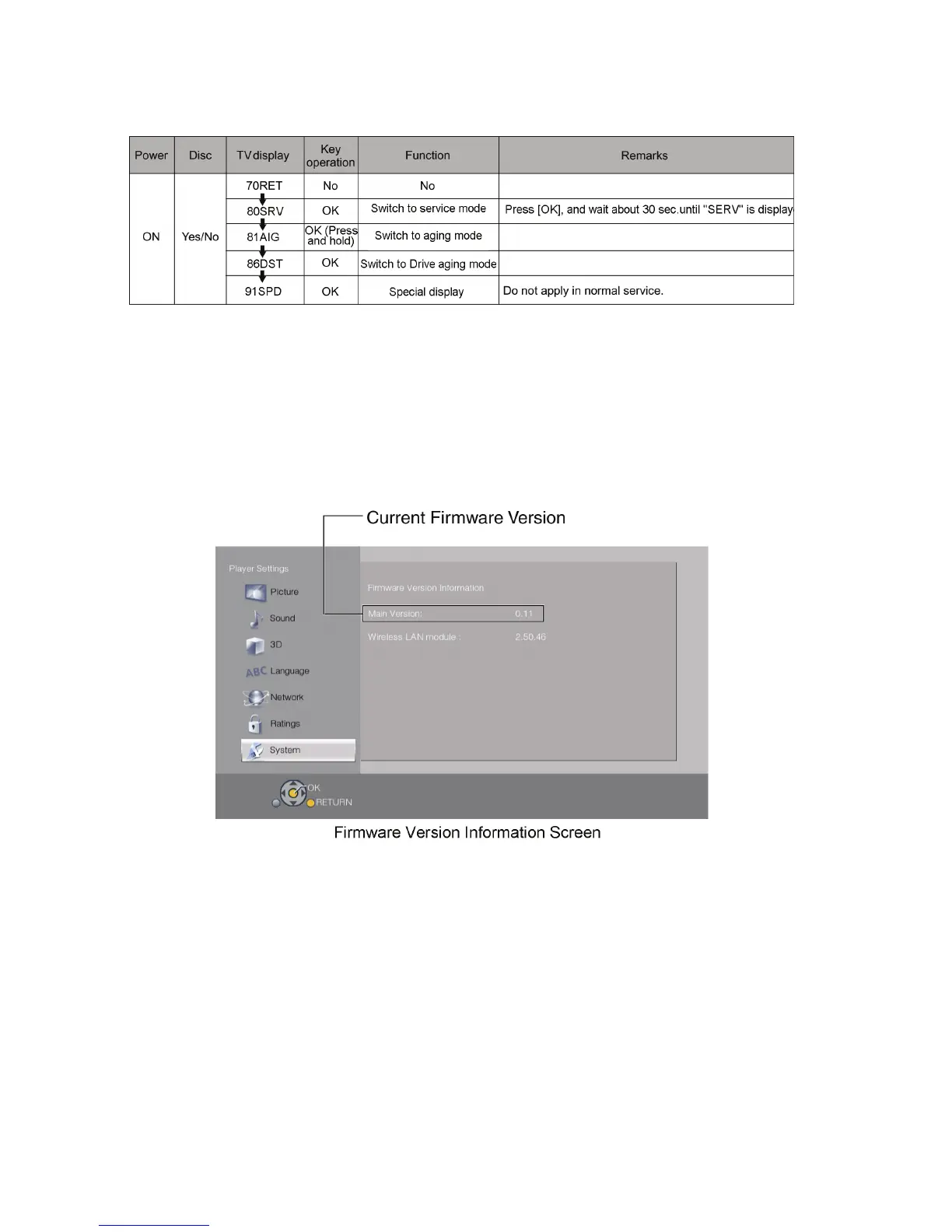
3.3.3. Nondisclosure mode 2 (Combination of multiple pressing: [5] [9] [Red])
Press and hold [5] [9] [Red] on the remote control simultaneously for about 5 sec., then "70RET" is displayed on TV display
window.
3.4. How to Update Firmware
The firmware of the unit may be renewed to improve the quality including operational performance and playability.
Make sure to refer the following procedure when performing version-up.
3.4.1. Confirmation of the Firmware Version
Perform following steps to checking the firmware version currently installed in the unit.
1. Turn the unit on and wait the Home screen is displayed.
2. Select [Setup] → [Player Settings] → [System] → [System Information] → [Firmware Version Information].
3. Firmware Version Information screen is displayed.










 To Next Page