36
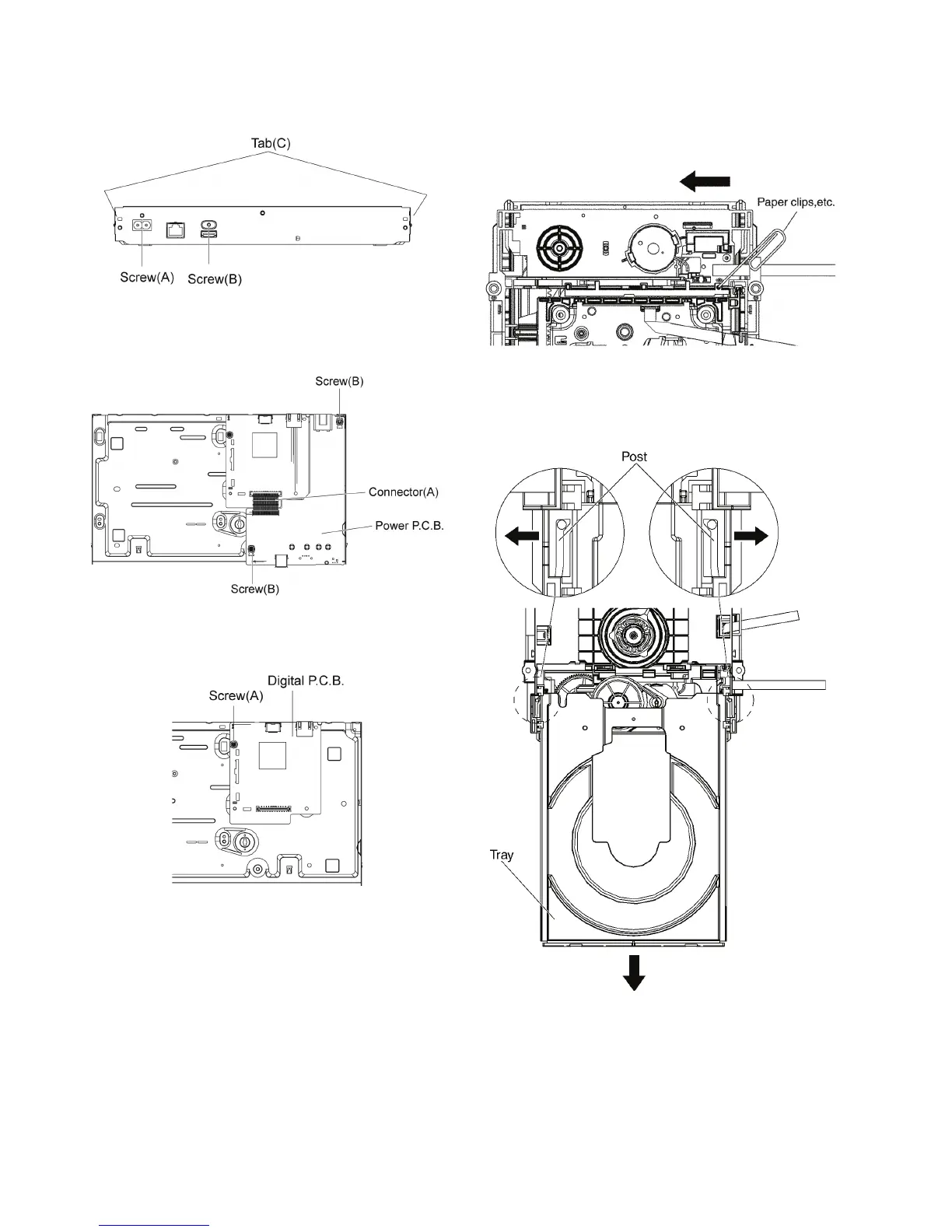
9.1.7. Rear Panel
1. Remove the Screw (A) and Screw (B).
2. Unlock 2 locking Tabs (C) to remove the Rear Panel.
9.1.8. Power P.C.B.
1. Remove the connector (A).
2. Remove the 2 Screws (B).
9.1.9. Digital P.C.B.
1. Remove the Screw (A) to remove Digital P.C.B..
9.2. BD Drive
9.2.1. Tray
1. Insert the Paper clips, etc. into the hole of the bottom
side, and slide it to the direction of arrow until it can be.
2. Pull the Tray to the direction of arrow until it can be.
3. Push the two posts in front of the mecha chassis to both
sides of the drive to unlock the tray, and push it outward
simultaneously.










 To Next Page