37
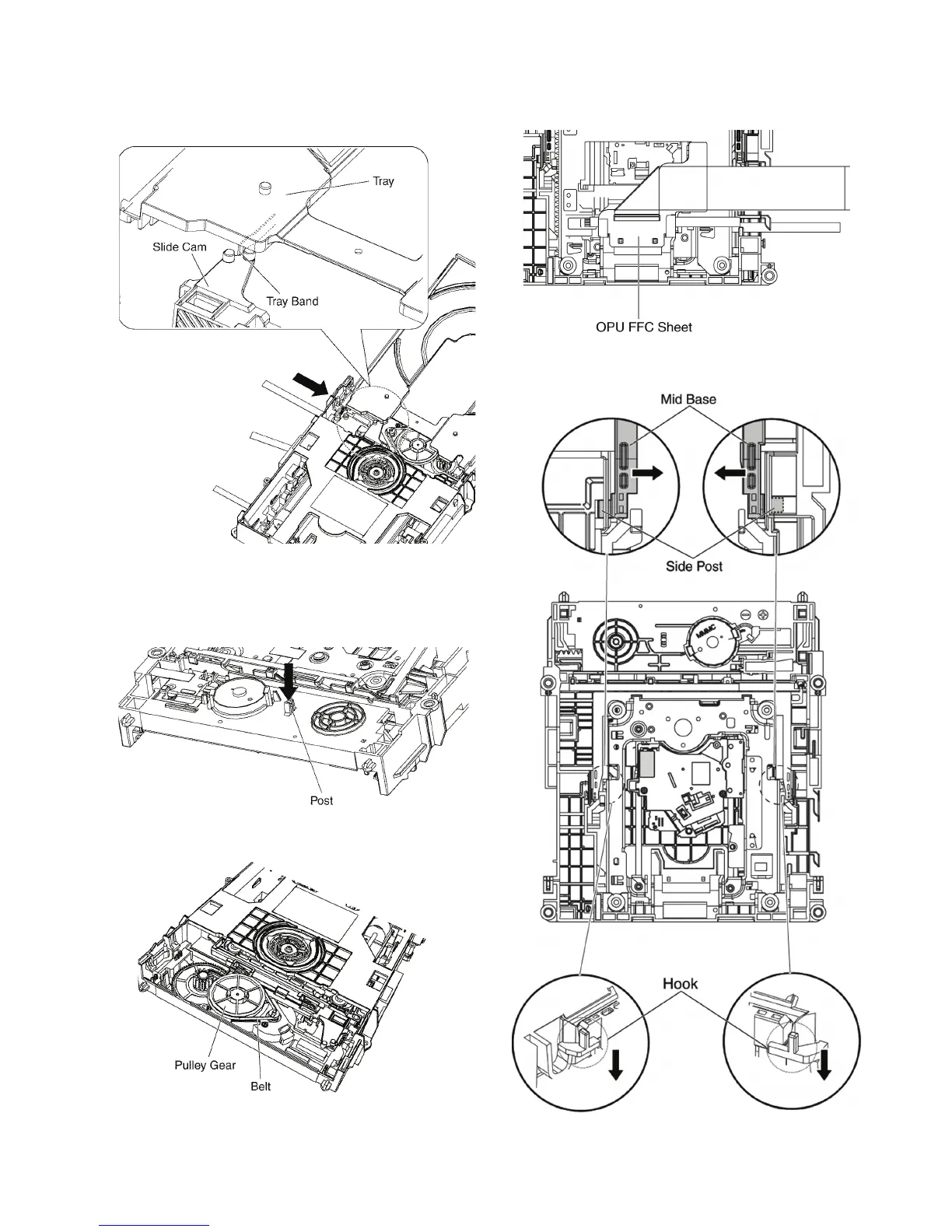
Notes when attaching the tray:
1. Push Slide cam to the left side slightly, and make sure
the tray band is between the two posts of Slide cam
when attaching the tray.
9.2.2. Pulley Gear, Belt
1. Perform the step “ Tray ”.
2. Push the Post to the direction of arrow by using the
slotted screwdriver.
3. Remove the Pulley Gear and Belt.
9.2.3. Slide Cam
1. Perform the step “ Pulley Gear, Belt ”.
2. Remove the OPU FFC sheet from the mecha chassis.
3. Pull the hooks at both sides to remove the side post on
the mid base.










 To Next Page