EasyManua.ls Logo

Panasonic DVD-F87 - User Manual

Panasonic DVD-F87
20 pages
Print Icon
To Next Page IconTo Next Page
Loading...
P PC GN
GCS
RQT7292-1P
UP
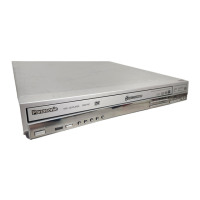
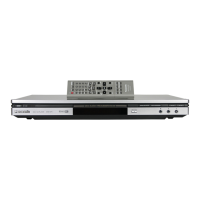
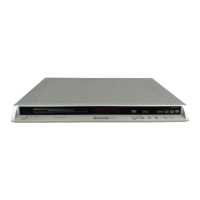
The illustration shows DVD-F87 for U.S.A. and Canada.
DVD/CD PLAYER
Operating Instructions
Model No. DVD-F87/DVD-F86/DVD-F84
®
Dear customer
Thank you for purchasing this product. For optimum performance and
safety, please read these instructions carefully before connecting,
operating or adjusting this product. Please keep this manual for future
reference.
Region number
The player plays DVD-Video marked with labels containing the region
number orALL”.
Example: [U.S.A.\and\Canada[
IMPORTANT SAFETY INSTRUCTIONS . . . . . . . . . . . . . . . . . 2
Accessories/Discs that can be played . . . . . . . . . . . . . . . . . 3
Main unit and disc caution . . . . . . . . . . . . . . . . . . . . . . . . . . . 5
Changer functions. . . . . . . . . . . . . . . . . . . . . . . . . . . . . . . . . . 7
Enjoying higher quality audio and video . . . . . . . . . . . . . . . 7
Using navigation menus
. . . . . . . . . . . . . . . . . . . . . . . . . . . . . . 8
Changing the play sequences . . . . . . . . . . . . . . . . . . . . . . . . 9
Using On-Screen Menus. . . . . . . . . . . . . . . . . . . . . . . . . . . . 10
Changing the player settings . . . . . . . . . . . . . . . . . . . . . . . . 12
Convenient functions . . . . . . . . . . . . . . . . . . . . . . . . . . . . . . 14
Specifications/Maintenance . . . . . . . . . . . . . . . . . . . . . . . . . 15
Troubleshooting guide . . . . . . . . . . . . . . . . . . . . . . . . . . . . . 16
Product Service . . . . . . . . . . . . . . . . . . . . . . . . . . . . . . . . . . . 17
Limited Warranty (ONLY FOR U.S.A.) . . . . . . . . . . . . . . . . . 18
Main feature index. . . . . . . . . . . . . . . . . . . . . . . . . Back cover
Region Number
U.S.A. and Canada 1
Asia 3
Australia and N.Z. 4
Unless otherwise indicated, illustrations in these operating
instructions are DVD-F87 for U.S.A. and Canada.
2
4
1
1
ALL
Table of contents
Getting started
STEP 1 Connection to a television. . . . . . . . . . . . . . . 4
STEP 2 The remote control . . . . . . . . . . . . . . . . . . . . . 5
STEP 3 QUICK SETUP . . . . . . . . . . . . . . . . . . . . . . . . . 5
Operations
Basic play . . . . . . . . . . . . . . . . . . . . . . . . . . . . . . . . . . . 6
Reference
Referencia rápida en español . . . . . . . . . . . . . . . . . . 19
7292En.fm 1 ージ 2003年12月24日 水曜日 午前9時36分
Downloaded From Disc-Player.com Panasonic Manuals

Questions and Answers

  • A
    Alan SinghJul 27, 2025
    How to fix Panasonic DVD-F87 DVD Player that automatically switches to standby mode?
    • S
      Shaun GlennJul 27, 2025
      If your Panasonic DVD Player is automatically switching to standby mode or has no power, consider the following: * Ensure the AC power supply cord is securely inserted into the household AC outlet. * If 'Auto Power Off' is set to 'On', the unit will automatically switch to standby after about 30 minutes in stop mode. * The Sleep timer may have activated.
  • E
    eholtAug 15, 2025
    How to adjust subtitles on Panasonic DVD-F87?
    • S
      steven77Aug 15, 2025
      If the subtitle position is wrong, there are no subtitles, or the subtitles overlap closed captions on your Panasonic DVD Player, you can try the following: * Adjust the subtitle position using the "Subtitle Position" setting in the Display Menu. * Ensure that subtitles are displayed. * Clear the subtitles if needed.
  • D
    dawnchandlerNov 5, 2025
    Why is the sound distorted on my Panasonic DVD Player?
    • J
      jimenezdanielNov 5, 2025
      Distorted sound or piercing noise from your Panasonic DVD Player speakers can occur for several reasons: * Selecting 'Off' in 'Advanced Surround' in the Audio Menu might resolve the issue. * If distortion occurs with 2 channel or 5.1 channel AUDIO OUT connections, select 'On' in 'Attenuator' in the Audio Menu. * If you've connected a digital amplifier without a decoder, ensure you select 'PCM' in 'Dolby Digital', 'DTS Digital Surround' or 'MPEG' in the 'Audio' tab. * Audio effects will not work when the unit outputs bitstream signals from the DIGITAL AUDIO OUT terminal. * Some audio effects may not work or have reduced effect with certain discs. * If the 'D.MIX' indicator on the display goes out while playing a multi-channel DVD-Audio disc, sound will only be output from speak...

Summary

Getting Started

Important Safety Instructions

Essential safety precautions for operating the DVD/CD player.

Accessories and Playable Discs

Details of included accessories and information on compatible disc types.

Connecting to Your Television

Guides for connecting the player to a TV and amplifier for optimal playback.

Remote Control and Quick Setup

Using the remote control and performing the initial quick setup process.

Main Unit and Disc Cautions

Precautions for handling the main unit and discs to prevent damage or malfunction.

Operations

Basic Playback

Core functions for playing, stopping, pausing, and skipping discs.

Disc Changer and Selection

Managing multiple discs and selecting them for playback using the changer.

Audio and Video Enhancements

Improving audio and video quality using AV Enhancer, Multi Re-master, and Dolby Pro Logic II.

Navigation and Playback Menus

Using menus to browse and play WMA, MP3, JPEG, and CD-text content.

Customizing Playback Sequences

Setting up program, random, or repeat play modes for personalized listening.

On-Screen Menu and Settings Configuration

Accessing and utilizing on-screen menus for playback control, picture, audio, and player settings.

Convenient Playback Features

Utilizing features like Zoom, Subtitle control, Quick Replay, and Position Memory.

Reference

Specifications and Maintenance

Technical specifications of the player, maintenance guidelines, and language codes.

Troubleshooting Guide

Solutions for common problems encountered during operation or setup.

Product Service and Information

Information on obtaining product service, customer support, and warranty details.

Limited Warranty Information

Details of the product warranty coverage, terms, and limitations for U.S.A. and Puerto Rico.

Panasonic DVD-F87 Specifications

General IconGeneral
BrandPanasonic
ModelDVD-F87
CategoryDVD Player
LanguageEnglish

Related product manuals