36
Symptom Please confirm the following:
It is difficult to install the tray to
the body.
Is the humidifying filter or the filter frame installed properly? (P.24)
If they are installed incorrectly, it may be difficult to install / remove
the tray to/from the body.
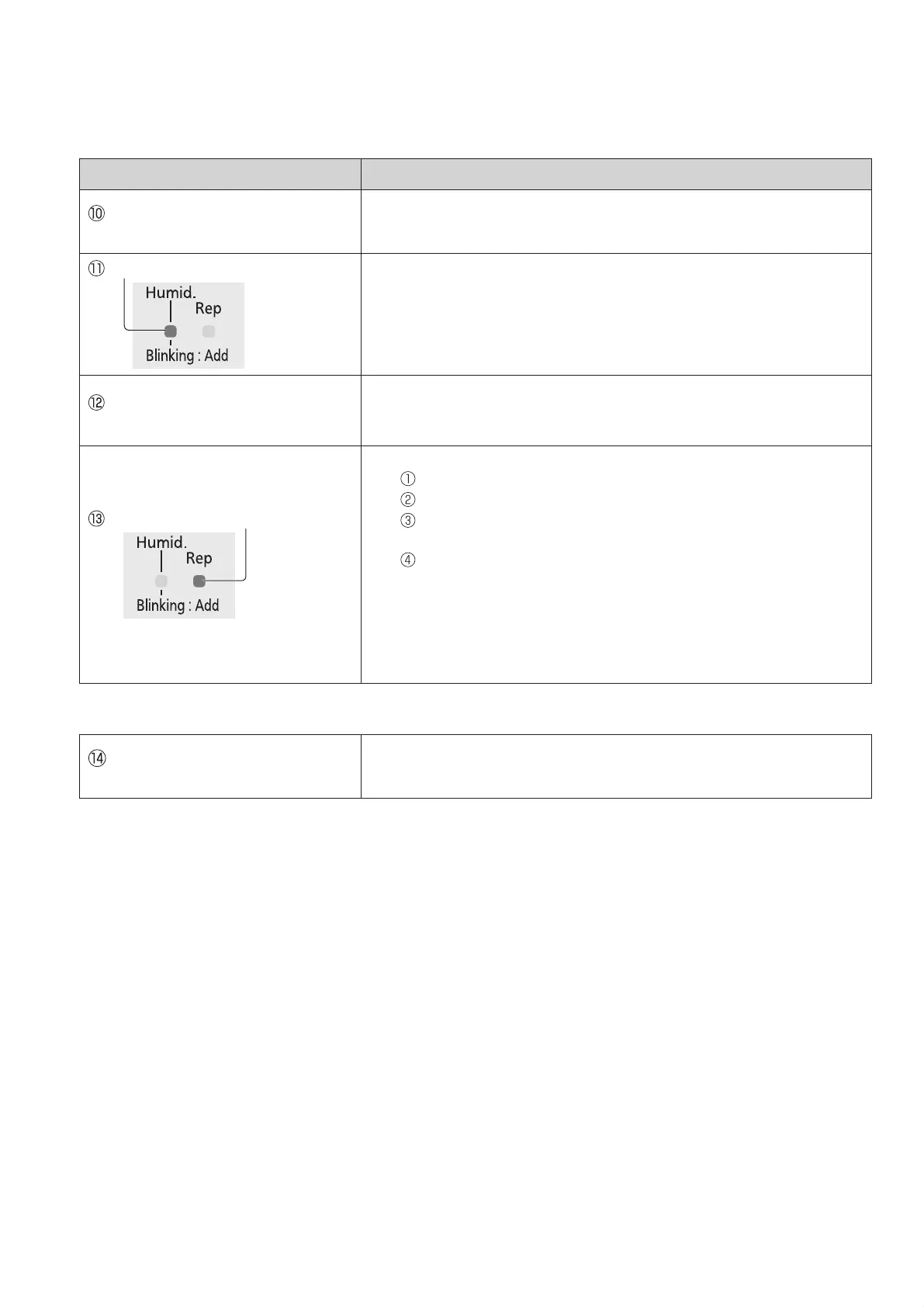
The humidifying indicator blinks.
Is the tray filled with water? (P.12)
Water is empty in “Humidifying clean air” mode.
If the tray is empty, the product will switch to “Clean air” mode.
To continue humidifying, fill the tray with water. (P.12)
Even if the tray is not empty, the
humidifying indicator blinks.
Is the tray installed properly and completely?
Is the product inclined?
Place the product on the flat and stable platform or floor.
The check indicator blinks.
Is the product fell down?
Disconnect the power plug.
Raise the product. (Wipe off the spilled water.)
Leave the product more than half a day without operation.
(Dry the interior of the product completely, if water enters inside.)
Reconnect and turn on the product.
Has the product been shaken, inclined, or given impact?
Disconnect and connect the power plug again.
Have magnets, metallic objects or similar objects been placed on the
product?
Disconnect and connect the power plug again.
Contact the dealer immediately in the following case.
Check indicator is lit and all “Air
Volume” indicators are blinking.
Failure has occurred.
Disconnect the power plug and contact the dealer for a check or
repair.
Troubleshooting
VXL40M_EN_ARA.indd 36 9/30/2015 2:58:05 PM




 To Next Page