Basic Instructions
2 − 49
Description
The counter is a decremental preset counter.
At the fall time when the reset input goes from on to off, the value of the set value area (SV) is preset in the
elapsed value area (EV).
When the reset input is on, the elapsed value is reset to 0.
When the count input changes from off to on, the set value begins to decrement, and when the elapsed value
reaches 0, the counter contact Cn (n is the counter number) turns on.
If the count input and reset input both turn on at the same time, the reset input is given priority.
If the count input rises and the reset input falls at the same time, the count input is ignored and preset is
executed.
An OT instruction can be entered immediately after a counter instruction.
Setting the counting value
The counting value can be set to a decimal constant (K constant) from K0 to K32767.
Counter operation
The following are examples of specifying a K constant as the set value. For an explanation of operation when
a set value area number is specified, see following pages.
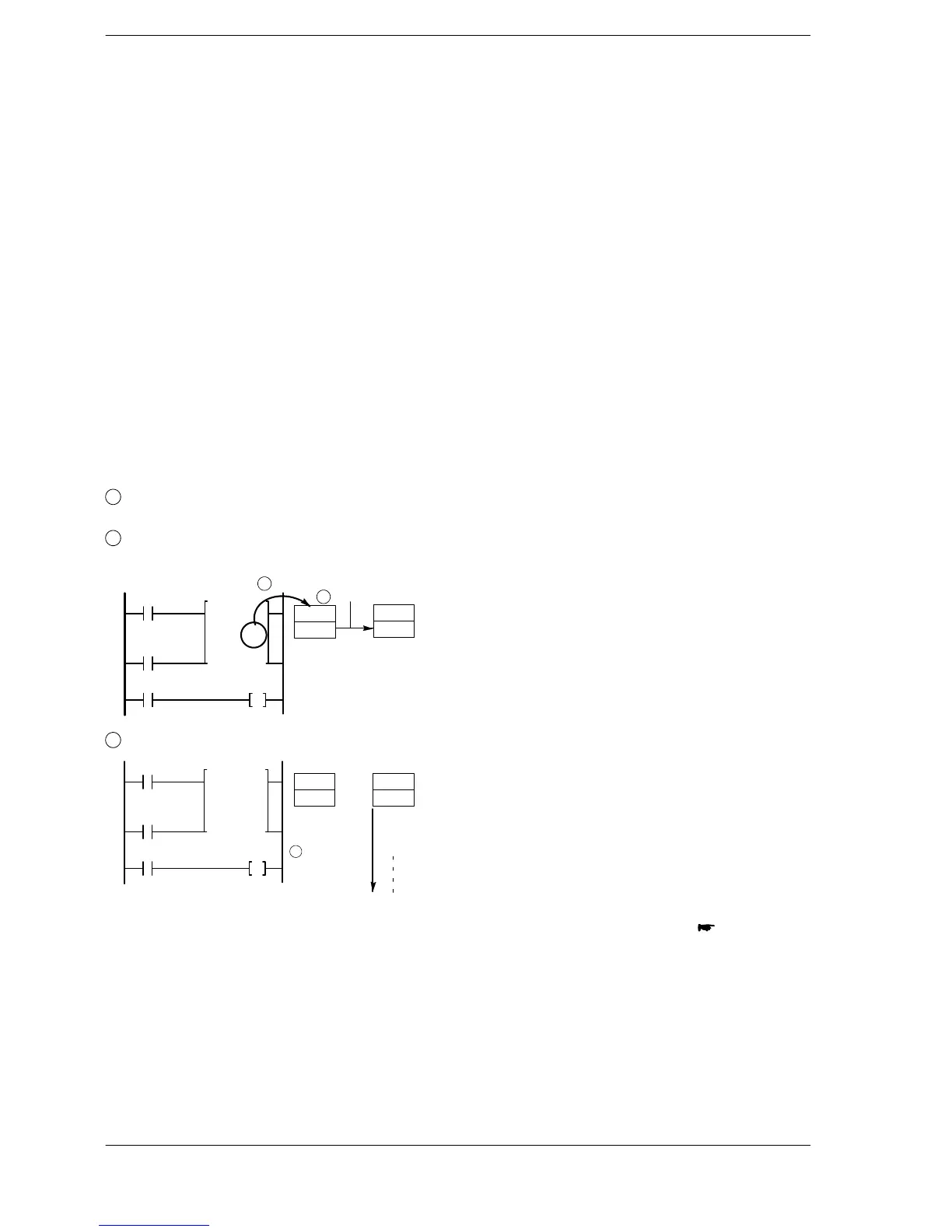
(This example shows a case in which “100” is specified for the counter.)
1
When the mode is changed to RUN or the power is turned on with the mode set to RUN, the counter
set value is transferred to the set value area (SV) with the same number.
2
When the reset input falls, the value in the set value area (SV) is preset in the elapsed value area
(EV).
X1
X0
C100
Y10
CT 100
K10
SV100
10
2
Preset
EV100
10
1
Transfer
3
Each time the count input X0 turns on, the value in the elapsed value area (EV) decrements.
X1
X0
C100
Y10
CT 100
K10
SV100
10
EV100
10
9
8
7
3
Decrements
next page












 To Next Page