Basic Instructions
2 − 50
4
When the value in the elapsed value area (EV) reaches zero, the counter contact (C) with the same
number turns on.
X1
X0
C100
Y10
CT 100
K10
SV100
10
EV100
0
4
Decrement operation ends
Precaution during programming
When combining a counter instruction with an AND stack instruction or pop stack instruction, take care that
the syntax is correct.
Precautions of counting input detection
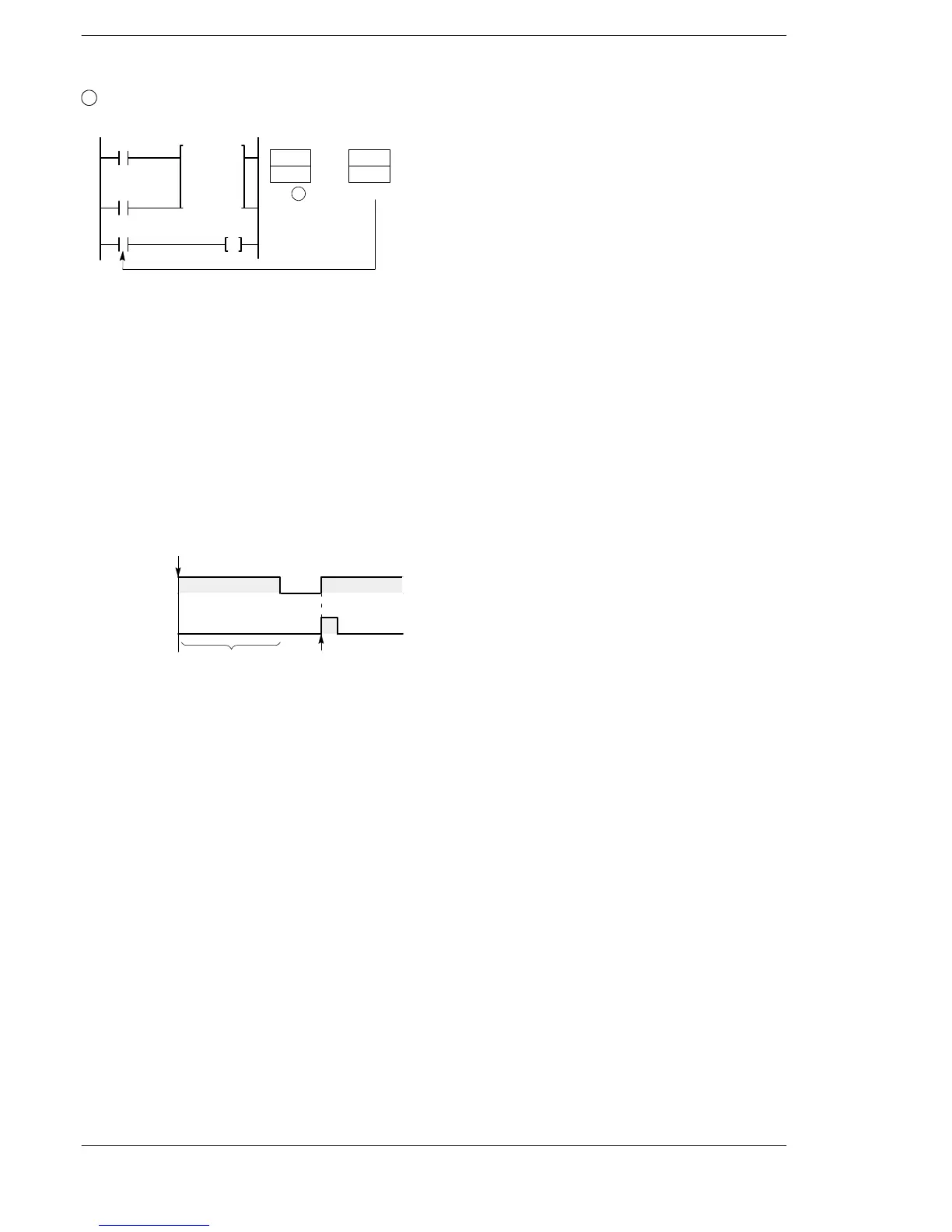
In a counter instruction, the decrement takes place when the rise of the count input from off to on is
detected.
If the count input remains continuously on, since a decrement will only take place at the rise, no further
subtraction will take place.
In cases where the count input is initially on such as when the mode is changed to RUN or the power is turned
on with the mode set to RUN, decrement operation will not take place at the first scan.
Counter input
Operation of
instruction
RUN
(Power: on)
Counting
Not counting
When used in combination with instructions which change the order of instruction execution such as MC and
MCE or JP and LBL (see below), the operation of the instruction may change depending on the timing of
instruction execution and the count input. Exercise caution in these cases.
− MC to MCE instructions
− JP to LBL instructions
− F19 (SJP) to LBL instructions
− LOOP to LBL instructions
− CNDE instructions
− Step ladder instructions
− Subroutine instructions
Related instructions
Counter instructions also include an up/down counter instruction (F118).
An increment instruction (F35) can be used to provide the same type of function.












 To Next Page