Basic Instructions
2 − 83
2
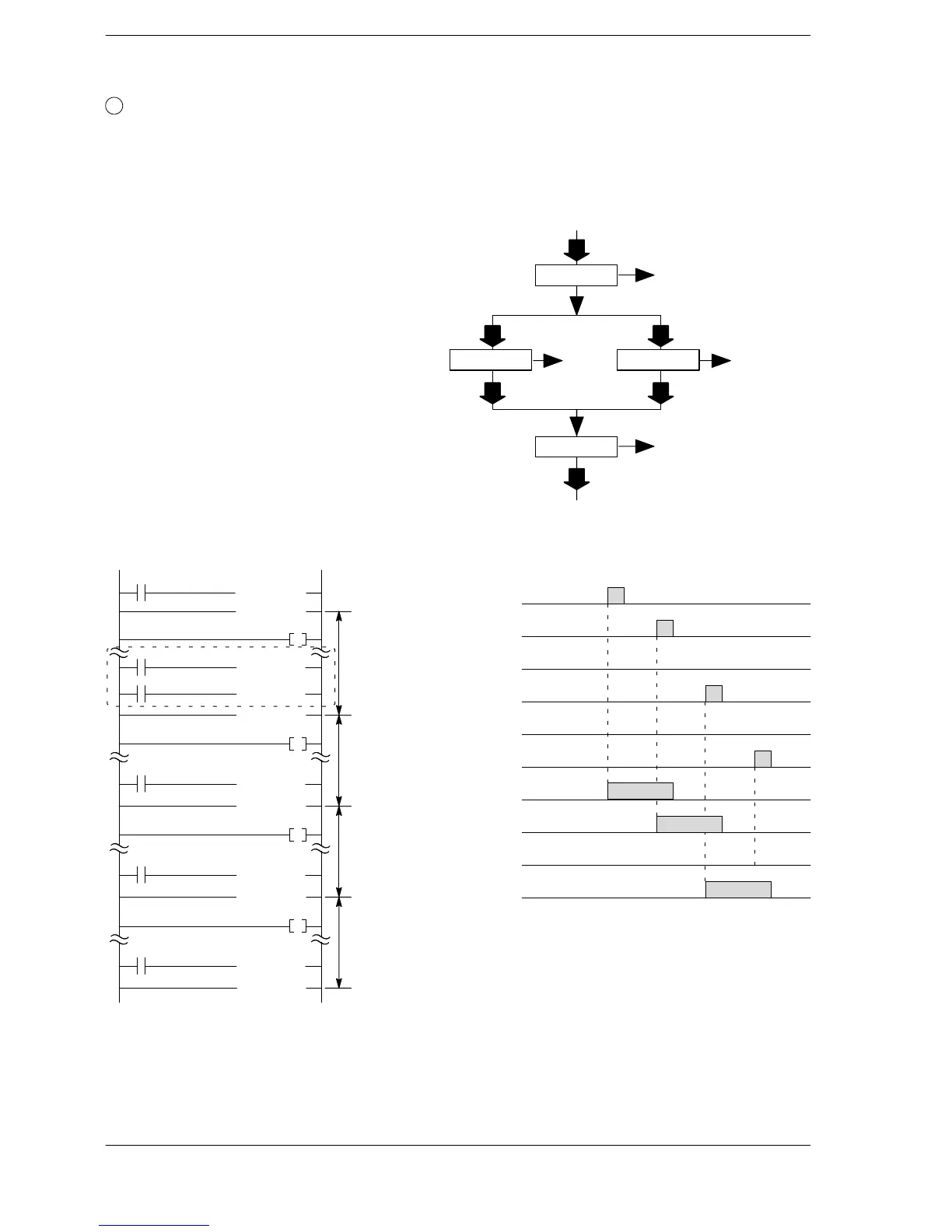
Selection branch control of a process
This program selects and switches to the next process according to the actions and results of a
particular process. Each process loops until its work is completed.
Program two or more NSTL instructions to trigger the next process in a process. Depending on the
execution conditions, the next process is selected, triggered and program execution is transferred.
Program example
1) When X100 turns on, process 100 is executed.
2) When X101 turns on in process 100, process
101 is executed. Or when X102 turns on in
process 100, process 102 is executed.
3) When X103 turns on in process 101, process
101 is cleared and process 200 is executed.
When X104 turns on in process 102, process
102 is cleared and process 200 is executed.
4) When X200 turns on, process 200 is cleared
and step ladder operation finishes.
on
off
on
off
on
off
on
off
Process 100
Process 101
Time chart
on
off
on
off
Process 200
Executing
Cleared
Executing
Cleared
Executing
Cleared
Executing
Cleared
X100
X101
X102
X103
X104
X200
R150
R151
R152
R153
When X101 turns on
(NSTP 100 )
Process 100
(SSTP 100 )
X100
R150
(NSTL 101 )
(SSTP 101 )
X101
Program
(NSTL 102 )
X102
Process 101
(NSTL 200 )
(SSTP 102 )
X103
R151
(NSTL 200 )
(SSTP 200 )
X104
R152
(CSTP 200 )
(STPE )
X200
R153
Process 102
Process 200
Process 100
X100: on
R150 turns on.
X102: on
R152
turns on.
Process 200
X104: on
R153 turns on.
X200: on
END
Process flowchart
Process 101
X101: on
R151
turns on.
X103: on
Process 102












 To Next Page