Relays, Memory Areas and Constants
1-6
Notes
1) The points for the timer and counter can be changed by the
setting of System register No. 5. The number given in the table
above are the numbers when System register No. 5 is at its
default setting.
2) There are two unit types;
the hold type that saves the conditions that exist just before
turning the power off or changing from the RUN mode to
PROG. mode, and the non−hold type that resets them.
These areas can be specified as hold type or non−hold type by
setting system register.
For the FP−e, that area is fixed and allotted the numbers as
shown in the table below. For the FP−e with clock/calendar
function type, the selection of hold type and non−hold type
can be changed by the setting of system register.
3) The number of points noted above is the number reserved in
the system. For the actual number of points available for use,
refer to “I/O Allocation” in Appendix A.
4) Double words cannot be specified with FPWIN GR.
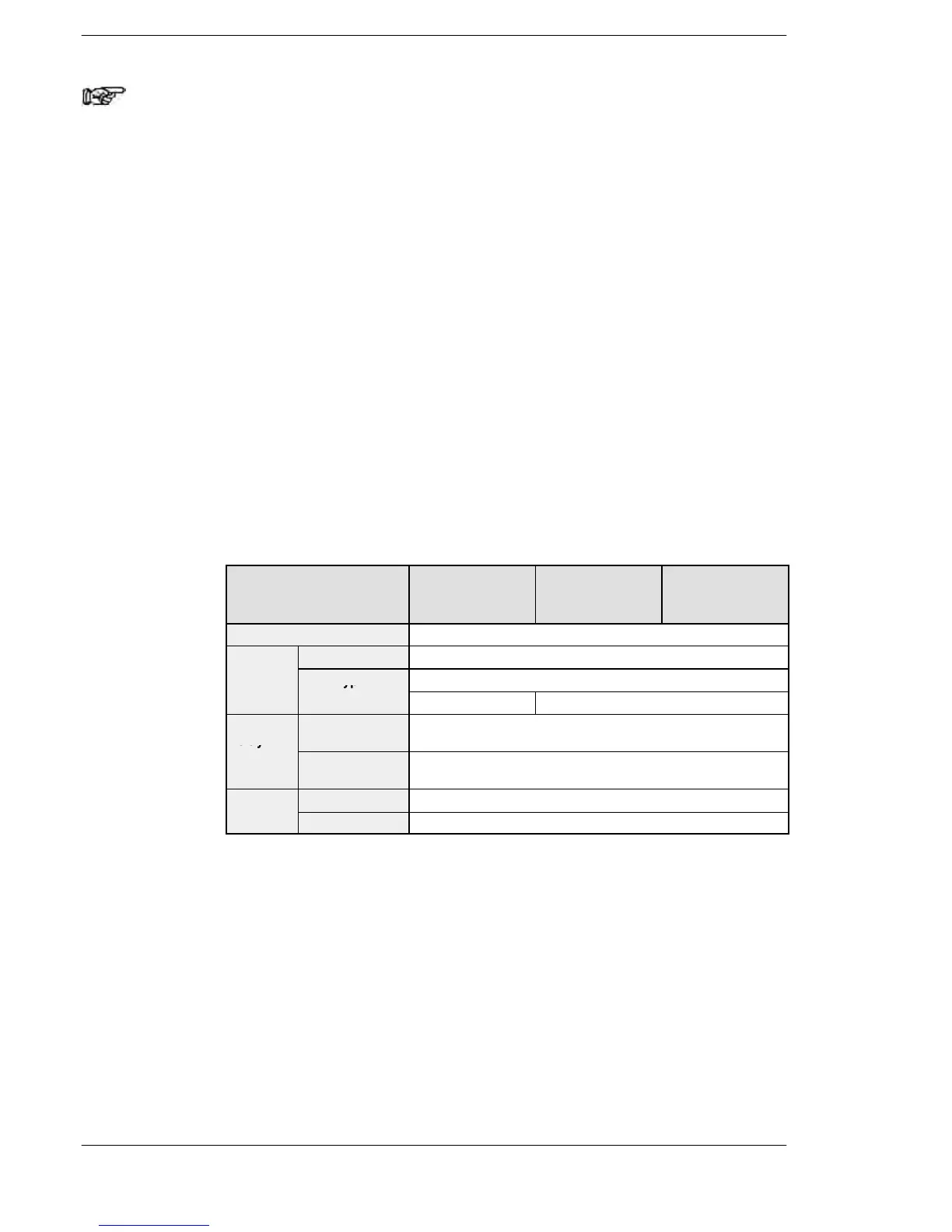
Hold type and non−hold type areas
*1
Model AFPE224300
(Standard type)
AFPE224305
(Calendar timer
type)
AFPE214325
(Thermocouple
input type)
Timer Non−hold type: all points
Counter
Non-hold type From the set value to C139
Hold type
C140 to C143, EV140 to EV143 (elapsed value)
Non-hold type 1652 words (DT0 to DT1651)
register
Hold type 8 words (DT1652 to DT1659)
*1 When a battery is installed in a calendar timer type FP−e,
the areas above can be changed using the system register.
If a battery is not installed, the data cannot be stored even
when the settings are changed using the system register.
*2 Use the following methods for holding the SV data:
− Set the transfer instruction for the special data register
(DT) to hold the data. Then, perform the setting so that the
data can be transferred from DT to SV after the RUN mode
starts.
− Use the FP−e model with a battery.












 To Next Page