High−level Instructions
3 − 392
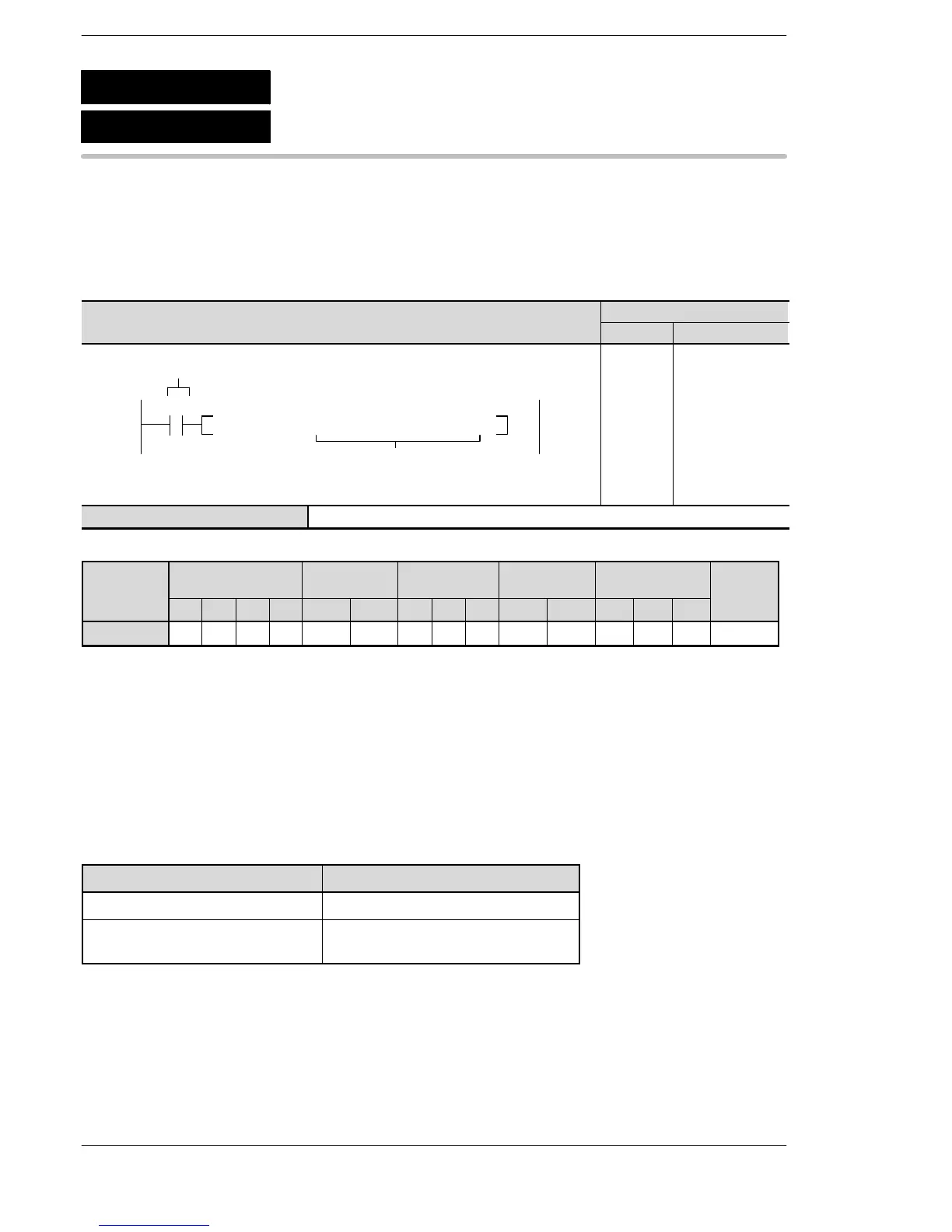
Outline Displays the message “specified character constant” on the
programming tool.
For the FP0R/FPΣ/FP−X/FP0/FP−e, the P type high−level instruction
“P149 (PMSG)” is not available.
Program example
Boolean
Ladder Diagram
Address Instruction
10 F149 MSG , M TEST PROGRAM
S
Trigger
R10
10
11
ST R 10
F149 (MSG)
M TEST PROGRAM
S Character constant for message
Operands
O
WX WY WR WL SV EV DT LD FL IX IY K H M
modifier
S N/A N/A N/A N/A N/A N/A N/A N/A N/A N/A N/A N/A N/A A N/A
Explanation of example
Displays the message “TEST PROGRAM” on the programming tool when trigger R10 turns on.
Description
This instruction is used for displaying message specified by S on the programming tool.
The character constants (M) can be input only with programming tool software.
When the F149 (MSG) instruction is executed, the message flag (R9026) turns on and the message
specified by S is set in special data registers DT9030 to DT9035/DT90030 to DT90035.
Type Special data register
FP0 C10, C14, C16, C32/FP−e DT9030 to DT9035
FP0 T32/FP0R/FPΣ/FP−X/
FP2/FP2SH/FP10SH
DT90030 to DT90035
Once the message is set in the special data registers, the message cannot be changed even if the F149
(MSG) instruction is executed again.
To clear the message in the special data registers, click on the “Cancel” button on “Display PLC Message”
screen using the programming tool software.
F149
P149
(PMSG)
(MSG)
Message display
A: Available
N/A: Not Available





 To Next Page